
As Amazon Associates, we earn from qualifying purchases. This means we may receive a small commission at no extra cost to you if you click through and make a purchase.
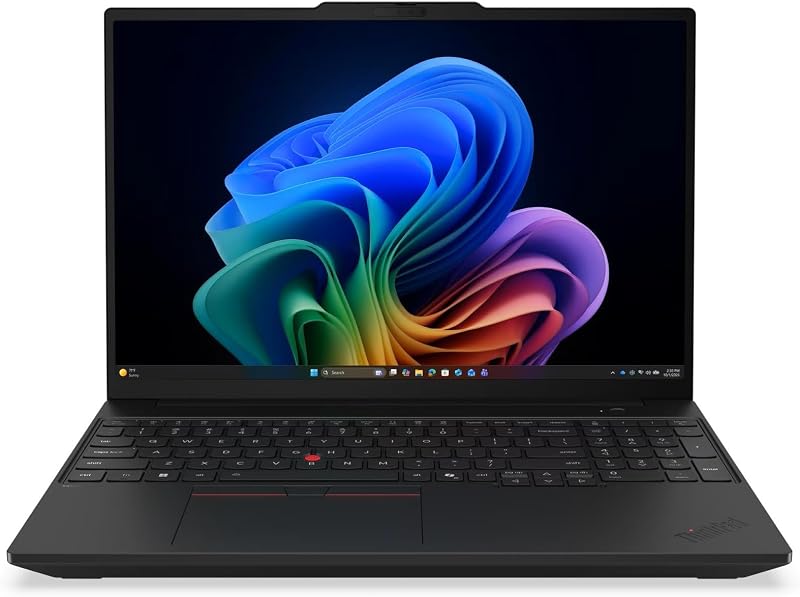
The Lenovo ThinkPad T16 is a full-sized 16-inch enterprise notebook engineered for professionals who juggle dozens of browser tabs, intensive spreadsheets, and background communication tools simultaneously. In this Lenovo ThinkPad T16 Gen 5 review, our verdict is clear: pairing an Intel Core Ultra processor with an abundant 32GB memory footprint creates a responsive workstation that eliminates system slowdowns for demanding office environments.
This configuration suits corporate professionals, project managers, data analysts, and remote workers who require expansive screen real estate alongside uncompromised memory bandwidth. Shoppers looking for an ultralight travel companion or a budget-tier machine for basic media streaming should look toward smaller portable machines or entry-level notebooks instead.



Lenovo ThinkPad T16 at a Glance
| Attribute | Detail |
|---|---|
| Processor | Intel Core Ultra 7 365 vPro (LPE-cores up to 3.60 GHz, P-cores up to 4.80 GHz) |
| System Memory | 32 GB LPDDR5X-6800MT/s (CAMM2) |
| Internal Storage | 1 TB SSD M.2 2280 PCIe Gen4 TLC Opal |
| Display | 16-inch WUXGA (1920 x 1200) IPS Touchscreen, 500 nits, 100% sRGB, Anti-Glare |
| Graphics | Integrated Intel Graphics |
| Operating System | Windows 11 Pro |
| Battery Capacity | 75Wh Rechargeable Li-ion with Rapid Charge support |
| Camera and Audio | 5MP RGB+IR camera with privacy shutter, integrated computer vision, dual microphone |
| Connectivity | Wi-Fi 7 BE211, Bluetooth 5.4, 2x Thunderbolt 4, 2x USB-A, HDMI 2.1, RJ-45 Ethernet |
| Weight and Form Factor | 3.7 pounds, 14.09 x 9.76 x 0.72 inches clamshell |
Multitasking Performance and Memory Architecture
The standout feature of this build centers on the memory subsystem. Equipping the chassis with 32 GB of high-speed LPDDR5X running at 6800MT/s allows the system to manage severe workloads without running into memory bottlenecks. Everyday corporate software has become increasingly memory-hungry; running communication platforms, browser instances with dozens of active research tabs, and enterprise resource planning software simultaneously can easily saturate smaller configurations. With this setup, the ThinkPad T16 multitasking performance stays smooth, preventing background applications from freezing or reloading when you switch tasks.
Lenovo utilizes the CAMM2 memory standard in this platform. This modern module design delivers high-density, high-frequency LPDDR5X memory in a compact footprint, supporting rapid data transfer rates that directly benefit the integrated graphics processor and CPU efficiency. Those who have researched earlier compact models like the Lenovo ThinkPad T14 32GB know that robust RAM allocations provide years of breathing room against software bloat. For spreadsheet specialists who manage multi-gigabyte workbooks or developers running local containers, this overhead ensures predictable responsiveness.
Working in tandem with the memory is a responsive ThinkPad T16 1TB SSD. Built on PCIe Gen4 TLC architecture with Opal self-encryption compliance, this solid-state drive delivers rapid operating system boot times and instant file access. Moving large presentation decks, financial models, and project archives between directories occurs without lag, making the drive speed an equal partner to the generous system RAM.
Intel Core Ultra 7 Processing and AI Features
Under the hood, the ThinkPad T16 Core Ultra 7 365 vPro processor provides the computational foundation. This chip features a hybrid core architecture consisting of Performance cores reaching up to 4.80 GHz and Low Power Efficient cores reaching up to 3.60 GHz. This layout allows the operating system to offload background monitoring and low-intensity tasks to high-efficiency cores, reserving raw clock speed for intensive compilation, data calculation, or photo adjustments. Intel vPro technology also brings enterprise-level remote management, hardware-enhanced security, and fleet stability essential for corporate deployments.
The processor includes dedicated hardware engines for machine learning, qualifying the system for advanced Copilot+ productivity features. Through a dedicated keyboard key, users gain immediate access to automated workflow assistance, document generation, and real-time meeting summaries. These on-device AI capabilities operate locally without causing system pauses, handling background noise suppression on calls and automated camera tracking without robbing the main execution cores of power.
While the product data mentions integrated Intel graphics alongside a reference to an AMD coprocessor entry, the system functions through the integrated graphics embedded in the processor package. This configuration delivers dependable visual output for productivity suites, video playback, and standard design work. Shoppers who regularly compare business lines, such as those looking at the ThinkPad X1 Carbon 32GB RAM, will find that this 16-inch platform balances thermal stability and steady clock speeds effectively due to its larger internal air volume.
Display Quality and Touchscreen Usability
The ThinkPad T16 touchscreen display provides an expansive workspace that enhances everyday productivity. Measuring 16 inches diagonally with a 16:10 aspect ratio and a WUXGA resolution of 1920 x 1200, it presents extra vertical space compared to traditional widescreen laptops. This extra height reduces scrolling when editing long text documents, reviewing code, or reading financial statements. The anti-glare surface finish effectively diffuses harsh overhead office lighting and window reflections, reducing eye fatigue during extended work sessions.
Brightness reaches an impressive 500 nits, which ranks well above the typical 300-nit standard found on standard business notebooks. Combined with 100% sRGB color gamut coverage, visuals remain vibrant, clear, and color-accurate for photo editing and digital presentations. The panel also incorporates low-power display technology, which actively minimizes energy draw during static screen viewing, along with variable HDR optimization to maintain clear contrast in mixed lighting environments.
Touchscreen integration adds intuitive navigation without compromising clarity. Navigating lengthy PDF files, signing digital approvals, or presenting charts to a colleague across a desk becomes second nature. The refresh rate is fixed at standard 60Hz, which prioritizes power preservation over the ultra-high frame rates found on dedicated gaming machines. For professional productivity, this display specification strikes an ideal middle ground between legible scale and power savings.
Enterprise Ergonomics, Connectivity, and Battery Life
A true workhorse laptop requires dependable physical connections, and this chassis provides an outstanding selection. The sides feature two Thunderbolt 4 ports supporting USB Power Delivery up to 100W and DisplayPort 2.1 video output, allowing you to connect dual 4K external monitors or high-speed docking stations. You also get two traditional USB-A 5Gbps ports (one with Always On charging), a full-sized HDMI 2.1 port capable of driving external displays up to 4K at 60Hz, a 3.5mm combo audio jack, and an integrated RJ-45 Ethernet port. Having dedicated Ethernet means enterprise users can tap into secure wired office networks without carrying dongles.
Mobility is supported by a substantial 75Wh rechargeable lithium-ion battery. When paired with the low-power screen and efficient processor cores, the ThinkPad T16 battery life easily supports full business shifts away from an outlet. When replenishment is needed, Rapid Charge capability allows the battery to reach up to 80% capacity in approximately one hour when connected to a 100W AC adapter, although the listing notes an included 65W charger in the retail packaging.
The laptop also excels in video conferencing hardware. Mounted above the display is a 5MP RGB+IR camera with High Dynamic Range processing, delivering sharp video even in uneven backlighting. Computer vision capabilities and a physical privacy shutter protect user confidentiality. Security is further bolstered by a built-in fingerprint reader, discrete Trusted Platform Module (dTPM) encryption, and Lenovo ThinkShield protections, ensuring compliance with strict corporate data protocols.
Lenovo ThinkPad T16 Pros and Cons
Pros
- 32GB high-speed LPDDR5X memory handles intense multitasking
- Bright 500-nit WUXGA touchscreen with anti-glare finish
- Intel Core Ultra 7 with dedicated AI acceleration
- Generous port selection including Thunderbolt 4 and Ethernet
- Sharp 5MP RGB+IR camera with physical privacy shutter
Cons
- Chassis weighs 3.7 pounds making it bulkier to carry
- Display limited to standard 60Hz refresh rate
- Rapid charging to 80% requires optional 100W adapter
Check Lenovo ThinkPad T16 on Amazon
Who Should Buy the Lenovo ThinkPad T16
Determining whether this laptop fits your daily routine depends on your mobility requirements and the complexity of your daily computing tasks.
Buy It If
- You run heavy multitasking workflows with multiple browsers, virtual tools, and massive data spreadsheets that demand 32GB of RAM.
- You want a spacious 16-inch touchscreen with 500 nits of anti-glare brightness for comfortable indoor and outdoor viewing.
- You need native enterprise ports, including wired RJ-45 Ethernet and dual Thunderbolt 4 connections, without carrying external adapters.
- You manage sensitive corporate data that requires biometric fingerprint security and hardware-level vPro encryption.
Skip It If
- You travel constantly and prefer an ultra-compact chassis weighing under three pounds.
- Your computing needs are limited to basic web browsing, word processing, and casual media playback.
- You require a dedicated gaming graphics card with high-refresh display panels for competitive fast-motion gaming.
Lenovo ThinkPad T16 Alternatives Worth a Look
If the 16-inch business footprint does not match your specific workload or budget goals, several alternatives from other categories may serve your requirements.
2026-2027 edition HP 14 Laptop Computer

The 2026-2027 edition HP 14 is an entry-tier portable notebook built around an Intel N150 processor, 4GB of DDR5 RAM, and 128GB of SSD storage, running Windows 11 with bundled Microsoft 365 and cloud storage. This compact option targets students or casual users who need a small, straightforward device for typing documents and surfing the web, rather than an intensive enterprise workstation.
Supports 1TB TF Card Expansion 15.6 Inch Laptop Computer
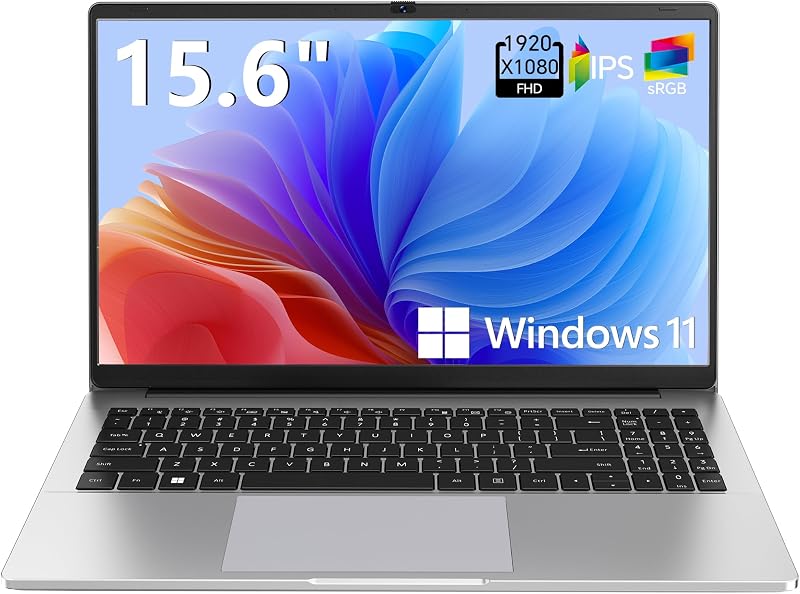
The Supports 1TB TF Card Expansion notebook provides an everyday 15.6-inch Full HD display powered by an Intel N4020 processor, 4GB of DDR4 RAM, and 128GB of eMMC storage running Windows 11. It suits home users and basic office environments where expandable storage via a memory card is prioritized over high-speed multi-core business processing.
Copilot AI HP 2026 Essential Laptop

The Copilot AI HP Essential Laptop offers a lightweight natural silver chassis featuring an Intel processor, 128GB of storage, Office 365, and integrated Copilot assistance on Windows 11. Buyers who want integrated AI convenience in a highly portable, travel-friendly package for standard office tasks should consider this model instead of a heavy-duty commercial system.
For shoppers interested in seeing how earlier iterations evolved, our previous coverage of the ThinkPad T16 Gen 3 highlights how physical port layouts and thermal cooling have advanced to support the latest Core Ultra platform.
Final Verdict
The Lenovo ThinkPad T16 configured with an Intel Core Ultra 7 processor and 32GB of LPDDR5X RAM represents a capable, well-rounded business machine. By combining substantial memory bandwidth with a spacious 500-nit touchscreen, enterprise-grade vPro security, and comprehensive legacy ports like Ethernet, Lenovo has produced a platform designed for endurance and day-long productivity. The 3.7-pound weight is heavier than standard ultrabooks, but the added thermal headroom and screen area pay dividends in daily workflow comfort.
If you have been wondering whether the ThinkPad T16 for business is suitable for demanding tasks, this configuration answers with authority. It eliminates memory bottlenecks, handles complex background tasks effortlessly, and delivers dependable hardware reliability. For corporate professionals seeking a reliable, high-capacity workstation, this model earns a strong recommendation.
FAQ
Is the ThinkPad T16 32GB RAM worth it for regular office work?
Yes. If your workflow involves handling large data sets, running several background enterprise applications, or keeping dozens of browser tabs active at once, having 32GB of RAM prevents stuttering and future-proofs your investment against memory bloat.
Can the internal memory on this ThinkPad T16 be upgraded later?
This model features 32GB of LPDDR5X memory built using the CAMM2 format. While CAMM2 is a modular standard, the factory configuration already provides a generous 32GB capacity that meets the demands of heavy professional multitasking.
What operating system comes pre-installed on this laptop?
The system ships with Windows 11 Pro, offering built-in BitLocker drive encryption, enterprise domain connectivity, and integrated Copilot+ productivity tools straight out of the box.
Does the ThinkPad T16 display support touch input?
Yes, this configuration includes a 16-inch WUXGA IPS touchscreen with an anti-glare coating and 500 nits of brightness, allowing you to interact with on-screen content directly without suffering from heavy screen glare.
What charger is included in the packaging?
The laptop comes packaged with a standard 65W AC adapter. While the 75Wh battery supports Rapid Charge technology up to 80% in one hour, reaching those accelerated charging speeds requires an optional 100W adapter.


