
As Amazon Associates, we earn from qualifying purchases. This means we may receive a small commission at no extra cost to you if you click through and make a purchase.
The Lenovo ThinkPad X1 Nano brings legendary enterprise durability to an exceptionally compact footprint designed specifically for mobile users. Weighing in at a mere two pounds, this ultra-portable notebook strips away excess chassis bulk while preserving the core workhorse features that business travelers and university researchers rely upon every day. Our practical verdict is that it stands as an outstanding productivity tool for commuters, field specialists, and writers who value carrying comfort above all else, provided its streamlined port configuration and 256 GB internal drive match their everyday digital workflow.
This lightweight machine is tailor-made for corporate travelers, remote consultants, and graduate students who hop between shared desks, lecture halls, and airport terminals. Its combination of an Intel Core i7 processor, a sharp 13-inch display, and a backlit keyboard makes it a capable typing companion for document generation, web research, and remote collaboration. However, shoppers who need immense onboard storage for heavy media archives, power users who demand workstation-grade thermal overhead, or desktop purists who refuse to use external dongles for varied legacy peripherals should investigate larger business alternatives.


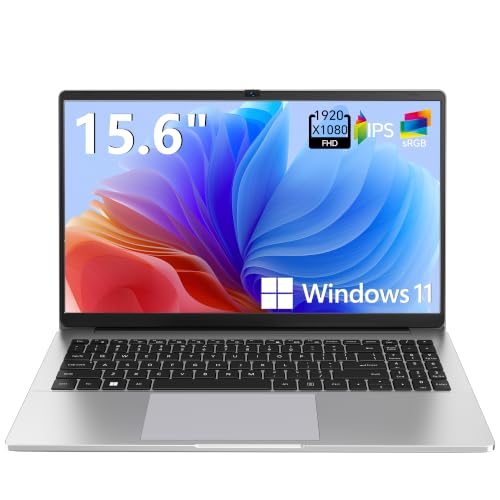

Lenovo ThinkPad X1 Nano at a Glance

| Attribute | Detail |
|---|---|
| Chassis Form Factor | Ultra-Portable |
| Item Weight | 2 pounds (Shipping weight: 3.600 lbs) |
| Processor | Intel Core i7-1160G7 (1.2 GHz base / 2.1 GHz) |
| System Memory | 16 GB DDR3 SDRAM |
| Internal Storage | 256 GB SSD |
| Display Panel | 13-inch TFT |
| Graphics Architecture | Integrated Intel Iris Xe Graphics |
| Operating System | Windows 10 Pro |
| Keyboard Feature | Backlit Keyboard |
| Optical Device Specification | BD-ROM |
Weight, Chassis, and Travel Usability
When assessing a mobile computer, bulk is often the primary obstacle during long commutes, and here the ThinkPad X1 Nano weight serves as its defining triumph. At precisely two pounds, the unit rests so lightly in a messenger bag or backpack that it is easy to forget you are carrying a full enterprise computer. The classic matte black exterior maintains the understated professional appearance expected of the brand, resisting superficial wear while blending effortlessly into corporate boardrooms, campus libraries, and client meeting spaces.
Using the Lenovo ThinkPad X1 Nano for travel highlights how thoughtful structural reduction improves daily life. Frequent travelers frequently face constrained physical environments, such as economy flight tray tables, tight train seatings, and crowded coffee shop perches. Because the footprint remains tightly cropped around its 13-inch display, you can open and work on the device comfortably without elbowing your seat neighbor or struggling to angle the screen beneath a reclined seat ahead. The lightweight architecture also reduces wrist fatigue when shifting the open laptop between conference rooms during rapid-fire back-to-back presentations.
Despite its featherweight construction, the chassis retains the rigid structural composure necessary for daily commuting hazards. Squeezing into overstuffed luggage or being pulled rapidly from airport security bins requires a shell that resists flex and panel warping. While the shipping weight lists at 3.600 lbs to account for external boxing, the AC adapter, and protective materials, the machine itself provides effortless one-handed carrying that sets a high benchmark for modern road warriors.
Display Quality and Visual Workflows
The visual interface centers on a compact 13-inch TFT panel designed to deliver crisp document clarity without consuming excessive battery power. For business productivity, spreadsheets, and academic reading, the Lenovo ThinkPad X1 Nano display provides a balanced workspace that renders fine text sharply while keeping window scaling readable. The 13-inch diagonal strikes a deliberate compromise: it provides sufficient screen estate to view split documents side-by-side without inflating the overall chassis dimensions into unwieldy territory.
Visual processing relies on integrated Intel Iris Xe Graphics, an efficient graphics coprocessor built directly into the processor architecture. For everyday tasks—such as manipulating high-resolution sales decks, streaming high-definition conference presentations, and reviewing complex diagrams—the Iris Xe solution delivers fluid visual output. Because it shares memory dynamically via the onboard DDR3 SDRAM configuration, it avoids the high thermal emissions and aggressive fan profiles typical of dedicated mobile graphics chips.
Color presentation and contrast on the TFT screen are well-suited for document processing, corporate portals, and data analysis. However, graphic illustrators and professional video colorists who require specialized wide-gamut studio calibrations will notice the panel is optimized for business readability rather than film grading. For those who frequently present work to teams or dock at home, the system supports video output to external monitors through its modern interface options.
Computing Power and Multitasking Performance
Under the hood, ThinkPad X1 Nano i7 performance is driven by the Intel Core i7-1160G7 processor, a quad-core processor engineered specifically for thin, thermally constrained business machines. Clocked with a 1.2 GHz base frequency and capable of reaching 2.1 GHz during demanding productivity spikes, this chip handles heavy administrative multitasking with minimal lag. Jumping between dozen-tab browser research sessions, background email syncing, and enterprise spreadsheet recalculations feels snappy and responsive under normal office conditions.
System memory is generous for an ultra-portable device, featuring 16 GB of RAM that ensures smooth application switching. Having 16 GB allows users to run demanding communication software alongside productivity suites without encountering sluggish system paging. For broader perspective on how compact engineering balances against full-sized administrative platforms, reviewing the thinkpad t14 gen 7 illustrates the trade-offs between ultra-thin travel frames and thicker, modular business chassis.
Internal storage is provided by a 256 GB solid-state drive (SSD), which delivers rapid boot times and quick file indexing under Windows 10 Pro. While 256 GB offers plenty of room for the operating system, standard business software, and thousands of office documents, it represents a conservative capacity for users handling local virtual machines, large raw photo libraries, or uncompressed video footage. Users with extensive offline media needs will want to pair the machine with external solid-state storage or an established cloud drive.
Typing Comfort and the Backlit Keyboard
Input ergonomics have long defined the reputation of enterprise portables, and the Lenovo ThinkPad X1 Nano keyboard continues that legacy within an ultra-slim deck. Key spacing remains comfortable for long typing sessions, allowing authors, researchers, and administrators to produce lengthy reports without feeling cramped. The key action provides positive tactile feedback, making it easy to maintain high typing speeds and low error rates compared to the mushy, shallow switches often found in rival thin-and-light notebooks.
Working in varied lighting environments is made practical thanks to the integrated backlit keyboard. Whether you are typing notes in a darkened seminar auditorium, finalizing a proposal on a red-eye flight, or working late in a hotel room, the illuminated keys ensure legible navigation without requiring harsh overhead lighting. The clean white illumination shines neatly around and through key legends without causing distracting glare on the matte screen surface.
For navigation, the system retains the precision pointing elements standard to the product line, allowing swift cursor control without forcing your hands to leave the home row. When connected at a standard workstation, the system seamlessly pairs with external USB keyboards, mice, and Bluetooth desktop accessories to mirror a traditional office setup.
Connectivity, External Displays, and Port Selection
Managing peripherals on an ultra-portable notebook requires an understanding of modern streamlined input standards, and the ThinkPad X1 Nano ports setup reflects a clear push toward simplicity. The listing confirms that the device supports video output and external display connections via HDMI or USB-C, alongside broad compatibility for USB keyboards, mice, storage drives, and Bluetooth accessories. While these standards provide immense versatility, users accustomed to plugging in legacy USB Type-A flash drives directly will need to incorporate compact adapters or USB-C hubs into their travel kits.
When docked at an office desk, the ability to drive external monitors via USB-C or HDMI allows the laptop to function as the core engine of a multi-screen workstation. For users deciding between specialized portable models and heavyweight workstation powerhouses like the thinkpad p1 gen 4, understanding your external display and expansion needs is critical. Interestingly, the listing data also registers a BD-ROM optical storage device specification, offering uncommon media playback options for an ultra-portable platform.
Regarding ThinkPad X1 Nano battery life, the listing does not specify the exact runtime in hours or the internal watt-hour capacity. However, the system relies on an efficient 15.6-volt architecture and ships with an included AC adapter that connects reliably for charging between meetings. Mobile workers planning full days away from electrical outlets should carry the compact charger to ensure uninterrupted productivity during heavy processing stints.
Lenovo ThinkPad X1 Nano Pros and Cons
Pros
- Ultralight two-pound chassis for travel
- Fast Intel Core i7 processor
- Generous 16 GB system memory
- Illuminated backlit keyboard
- Sharp 13-inch TFT display
Cons
- Modest 256 GB internal SSD storage
- Requires USB-C or HDMI for display output
- No battery runtime hours specified
Check Lenovo ThinkPad X1 Nano on Amazon
Who Should Buy the Lenovo ThinkPad X1 Nano
Deciding whether this ultra-slim laptop belongs in your gear bag comes down to how much you prioritize lightweight transit over internal drive space and native legacy port variety. It is built from the ground up for mobility, making it a compelling alternative to heavier enterprise notebooks within the wider thinkpad x1 business laptop family.
Buy It If
- You travel frequently and want a remarkably light two-pound laptop that will not weigh down your daily commute.
- You require a tactile, illuminated typing surface via a backlit keyboard for drafting long documents in dimly lit rooms.
- You need 16 GB of memory paired with an Intel Core i7 processor for brisk multitasking across office and web applications.
- You use modern USB-C monitors, cloud storage services, and Bluetooth peripherals as your primary productivity workflow.
Skip It If
- You need massive local hard drive capacity beyond the included 256 GB SSD for raw media files or large local data sets.
- You rely heavily on standard USB Type-A thumb drives and enterprise cables without carrying external adapters.
- You are a specialized 3D artist, animator, or gamer requiring dedicated workstation graphics rather than integrated Intel Iris Xe.
Lenovo ThinkPad X1 Nano Alternatives Worth a Look
If the specific combination of ultra-portable weight and compact specifications does not perfectly align with your computing routine, several alternatives from the same search category provide different balances of storage, display size, and processing components.
2026-2027 edition

The 2026-2027 edition HP 14 Laptop Computer features an Intel N150 processor, 4GB of modern DDR5 RAM, and a 128GB SSD running on Windows 11. It also includes Microsoft 365 alongside 1 TB of cloud storage, presenting an entry-level computing environment for users with lighter computing demands. While it lacks the high-end multitasking muscle of the X1 Nano’s 16 GB memory and Core i7 processor, shoppers seeking a simple cloud-first notebook for basic web browsing and bundled office software will find it an accessible alternative.
Supports 1TB TF Card Expansion
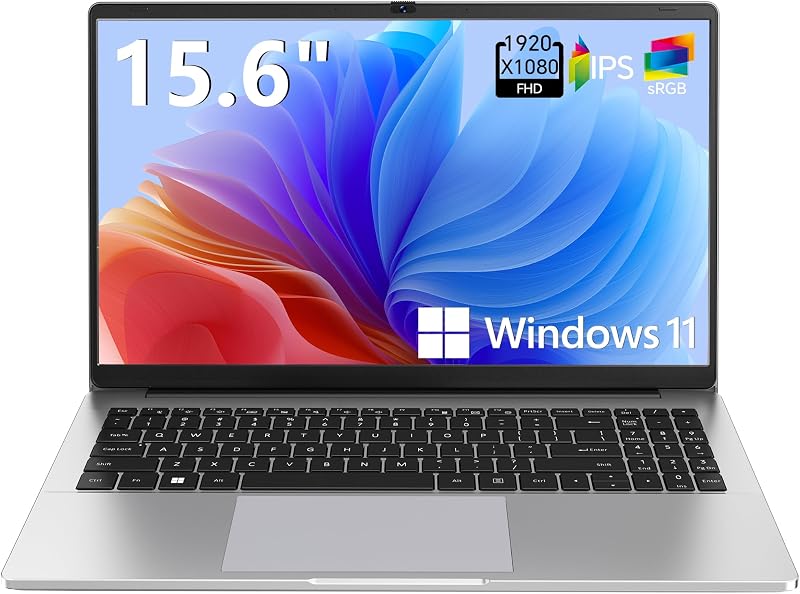
For buyers who desire a significantly larger screen for viewing spreadsheets and watching lectures, the Supports 1TB TF Card Expansion notebook provides a 15.6-inch Full HD LCD display. Powered by an Intel N4020 processor with 4GB of DDR4 RAM and 128GB of eMMC storage running Windows 11, its standout feature is memory card expansion up to 1 TB via its TF slot. Students and home office users who prefer a full-sized 15.6-inch screen and flexible flash storage over ultra-light portability might consider this larger model.
Copilot AI

The Copilot AI HP 2026 Essential Laptop arrives in a Natural Silver finish with an integrated LED display, an Intel processor, 128GB of storage, and Windows 11. It highlights modern artificial intelligence assistance through Copilot alongside 1TB of cloud storage and Office 365 inclusion. Users who want modern operating system AI conveniences and bundled cloud utility in a lightweight everyday shell can evaluate this unit against the enterprise-focused build of the X1 Nano.
Final Verdict
So, is Lenovo ThinkPad X1 Nano worth it for today’s mobile professional? If your computing life revolves around frequent travel, endless meetings, university lecture halls, and fast document processing, the answer is a confident yes. Compressing a capable Core i7 processor, 16 GB of responsive RAM, and a backlit keyboard into a two-pound chassis solves the physical fatigue of mobile work in a way few traditional notebooks can rival.
However, achieving this level of extreme portability requires deliberate lifestyle adjustments. The 256 GB SSD means you must embrace cloud backups or external portable drives for expansive project files, and the streamlined port layout requires USB-C or HDMI connections for display output. For users who value featherweight travel above all else, the Lenovo ThinkPad X1 Nano delivers an impressive blend of typing comfort, clean business design, and dependable computing performance.
FAQ
What are the primary Lenovo ThinkPad X1 Nano specs?
The model features an Intel Core i7-1160G7 processor running between 1.2 GHz and 2.1 GHz, 16 GB of DDR3 SDRAM, a 256 GB solid-state drive, and integrated Intel Iris Xe Graphics. It includes a 13-inch TFT display, a backlit keyboard, a BD-ROM optical specification, and runs Windows 10 Pro inside a black chassis that weighs exactly two pounds.
Is the ThinkPad X1 Nano for students a practical choice?
Yes, the listing explicitly highlights student use as a specific application for this product. The two-pound weight makes it effortless to carry across campus between lectures, the backlit keyboard helps when working in dim study areas, and the 16 GB RAM ensures quick handling of research tabs, digital textbooks, and office applications.
What ports and connections does the ThinkPad X1 Nano support?
The laptop supports video output to external monitors through HDMI or USB-C interfaces. Additionally, the specifications list compatibility with USB keyboards and mice, USB external storage drives, and wireless Bluetooth accessories for broad desktop peripheral integration.
How long does the ThinkPad X1 Nano battery last?
The listing does not specify the battery runtime in hours or the watt-hour capacity of the internal battery. It operates on a 15.6-volt power system and includes an AC adapter in the box for recharging between work sessions.
Can I upgrade the internal storage on this laptop?
The listing specifies an included 256 GB SSD, but it does not specify whether the internal storage slot is user-upgradable or soldered. If you anticipate needing significantly more space, using external USB storage devices or cloud storage options is recommended.


