
As Amazon Associates, we earn from qualifying purchases. This means we may receive a small commission at no extra cost to you if you click through and make a purchase.
The ASUS Zenbook 14 OLED is a compact clamshell laptop engineered around Intel 16-core Ultra 7 255H silicon, a 14-inch 1920×1200 glossy touch screen, and integrated Intel Arc 140T graphics. Our verdict is that it serves as an exceptionally well-balanced daily machine for mobile professionals, providing top-tier display contrast, modern wireless standards, and responsive system performance inside an ultra-slim chassis.
This laptop suits hybrid employees, remote business consultants, and digital content managers who spend hours writing documents, organizing spreadsheets, and reviewing visuals on the move. Shoppers seeking raw graphics power for demanding 3D rendering or high-frame-rate gaming should look elsewhere, perhaps toward a dedicated machine like the asus rog zephyrus g14 gaming laptop, as this ultrabook focuses on mobile productivity rather than heavy gaming horsepower.



ASUS Zenbook 14 OLED at a Glance

| Attribute | Detail |
|---|---|
| Display | 14-inch WUXGA (1920×1200) OLED Touchscreen, 400 nits (500 nits HDR Peak), 100% DCI-P3 |
| Processor | Intel 16-core Ultra 7 255H |
| Graphics | Integrated Intel Arc 140T GPU |
| System Memory | 16GB DDR5 RAM |
| Internal Storage | 512GB Solid State Drive (SSD) |
| Battery Capacity | 75Wh |
| Ports | 2 x Thunderbolt 4, 1 x USB-A 3.2, 1 x HDMI 2.1 TMDS |
| Wireless Connectivity | Wi-Fi 7 |
| Camera & Audio | FHD IR Privacy Camera, Smart Amp sound |
| Dimensions & Weight | 8.67 x 12.3 x 0.59 inches; 2.66 lbs (also listed at 2.7 lbs) |
Display Quality and Visual Experience
The centerpiece of this configuration is its 14-inch WUXGA 1920×1200 display panel. Built on organic light-emitting diode technology, the screen delivers true blacks and an infinite contrast ratio certified by VESA DisplayHDR True Black 500. Standard brightness sits at 400 nits, reaching up to 500 nits of peak brightness during HDR playback. For creative tasks and everyday document editing, the 100% DCI-P3 color gamut coverage ensures vibrant, saturated hues that standard office panels cannot reproduce.
Adding touch functionality brings direct on-screen interaction to browsing, presentation scrubbing, and digital document signing. Because the panel features a glossy finish, users working in direct outdoor sunlight or beneath harsh office lighting may encounter glare and surface reflections. When conducting an asus zenbook 14 wuxga oled review from an ergonomic standpoint, the 16:10 aspect ratio provides noticeable vertical space over traditional 16:9 displays, reducing the amount of scrolling necessary in long spreadsheets and code editors.
Shoppers who prioritize larger screen real estate over maximum portability might evaluate whether a 15-inch workspace suits them better, such as the asus vivobook s 15.6 inch 3k oled 120hz windows laptop intel core ultra 7-155h intel evo edition ai. However, for users who prefer a smaller footprint that slips effortlessly into standard briefcases, the asus zenbook 14 oled touch display hits a sweet spot between canvas size and overall carry convenience.
Processing Performance and Daily Productivity
Under the hood, the system is driven by the Intel 16-core Ultra 7 255H processor, a mobile chip designed to handle intensive task scheduling across multiple threads. Paired with 16GB of fast DDR5 memory, this asus zenbook 14 oled intel ultra 7 architecture manages demanding office multitasking, dozens of open browser tabs, data parsing, and simultaneous virtual meetings without stutters. The 512GB SSD ensures snappy boot sequences and rapid application loading throughout the workday.
Graphics duties are managed by the integrated Intel Arc 140T GPU. While this integrated solution handles photo editing, UI animations, and multi-monitor output cleanly, it is not a replacement for a discrete mobile graphics card. Users seeking an asus zenbook 14 oled for productivity will appreciate its swift photo exports and media handling, but specialized 3D animators or gamers will find the graphical ceiling limited by the shared system memory.
For individuals juggling multiple documents, the responsive nature of this setup keeps friction low. Some mobile workers who demand simultaneous side-by-side screens might explore unusual configurations like the dual-screen asus zenbook duo laptop. Yet for traditional workflows, the single-screen Zenbook configuration provides proven hardware stability under Windows 11 Home, keeping thermal output managed within its compact clamshell profile.
Portability, Build Quality, and Battery Endurance
Weighing in at approximately 2.66 pounds (with secondary listing references indicating 2.7 pounds) and measuring just 0.59 inches thin, the asus zenbook 14 oled weight places it firmly in premium ultraportable territory. The Jasper Gray metal body presents a clean, minimalist profile suitable for executive meeting spaces. Its compact dimensions of 8.67 inches deep by 12.3 inches wide make it easy to deploy on tight airline tray tables or cramped coffee shop workstations.
Battery capacity is an essential factor for remote work, and this machine features an integrated 75Wh battery. Combined with the energy-efficient core management of the Ultra 7 platform, the asus zenbook 14 oled battery life is built to sustain extended off-plug productivity sessions. When users maintain sensible brightness settings on the OLED panel, the 75Wh capacity delivers ample endurance to navigate meetings, typing sessions, and web research without hunting for an AC wall socket every few hours.
Portability extends beyond chassis dimensions to wireless performance and communication gear. The laptop includes modern Wi-Fi 7 connectivity for stable data transmission on cutting-edge wireless networks. Remote conference calls are handled by an integrated FHD IR privacy camera that supports biometric facial authentication alongside physical lens protection, while internal Smart Amp technology drives clear vocal audio for video conferences.
Physical Ports and Peripheral Connectivity
Despite measuring well under an inch in thickness, the chassis does not abandon physical connectivity. The asus zenbook 14 oled ports layout includes two high-speed Thunderbolt 4 connections, which support high-resolution external monitors, fast data transfers to portable NVMe drives, and direct power delivery. Having dual Thunderbolt 4 ports means you can dock the notebook to an external workstation while keeping an auxiliary high-speed port free for secondary peripherals.
In addition to USB Type-C functionality, the laptop includes a standard USB-A 3.2 port and a full-size HDMI 2.1 TMDS port. Many ultraportable machines force users to carry separate video adapters, but the native HDMI port simplifies hookups to boardroom projectors and hotel televisions. An authorized USB-C hub is also bundled with the package, providing immediate expansion for additional legacy accessories without separate purchases.
External compatibility covers keyboards, mice, storage arrays, and desktop displays. While ultra-thin laptops like the asus zenbook s14 prioritize minimal bulk, this configuration balances portability with practical physical plugs, sparing owners from the frustration of forgotten dongles during client presentations.
ASUS Zenbook 14 OLED Pros and Cons
Pros
- Vibrant 1920×1200 OLED touchscreen with 100% DCI-P3
- Powerful Intel 16-core Ultra 7 255H processor
- Substantial 75Wh battery capacity for mobile work
- Lightweight 2.66 lb chassis measuring 0.59 inches thin
- Comprehensive ports including dual Thunderbolt 4 and HDMI 2.1
- Modern Wi-Fi 7 and FHD IR privacy camera
Cons
- Glossy display finish prone to ambient reflections
- Integrated Intel Arc 140T graphics limits heavy 3D gaming
- Internal storage limited to 512GB SSD out of box
Check ASUS Zenbook 14 OLED on Amazon
Who Should Buy the ASUS Zenbook 14 OLED
Buy It If
- You need a lightweight laptop under 3 pounds with rich color accuracy for graphic design, web development, or creative marketing work.
- You regularly work in conference rooms or hybrid offices where full-size HDMI and standard USB-A ports eliminate connection headaches.
- You want the snappy multitasking capability of an Intel 16-core Ultra 7 processor backed by modern Wi-Fi 7 wireless connectivity.
- You value deep black levels and HDR video reproduction on an intuitive touchscreen display.
Skip It If
- You need a dedicated graphics processor for heavy 3D rendering, engineering simulations, or modern triple-A gaming titles.
- You primarily work outdoors under intense direct sunlight, where a glossy OLED touch screen can show reflective glare.
- You require massive local storage right out of the box and find a 512GB SSD too restrictive for your offline archives.
ASUS Zenbook 14 OLED Alternatives Worth a Look
If the specifications of this Zenbook do not completely align with your software demands or personal budget requirements, consider these other 14-inch and 15-inch portable options from the same category:
2026-2027 edition

The 2026-2027 edition HP 14 Laptop Computer features an Intel N150 processor, 4GB of DDR5 RAM, 128GB SSD storage, and 1TB cloud storage via Microsoft 365 on Windows 11. It is suited for basic schoolwork, homework typing, or cloud-based web browsing rather than heavy multi-core multitasking.
Supports 1TB TF Card Expansion
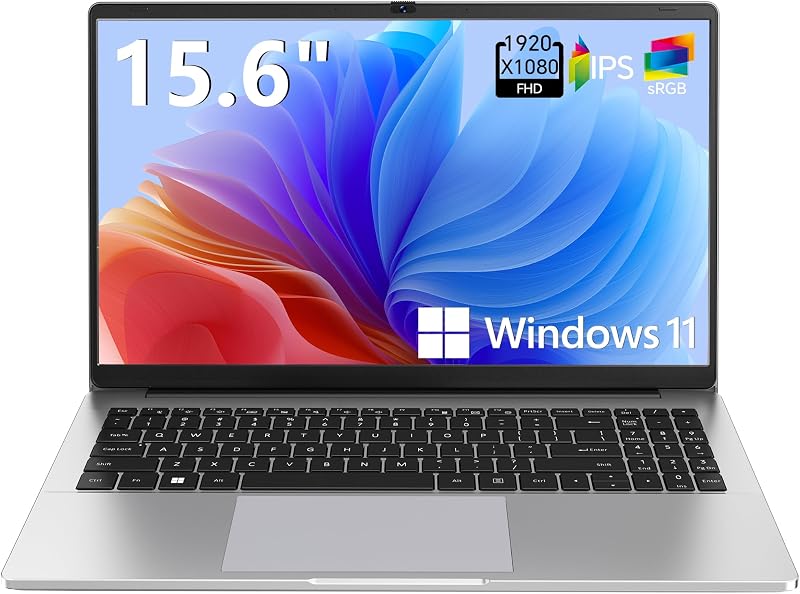
Featuring a larger 15.6-inch form factor, the Supports 1TB TF Card Expansion Gray Laptop provides an FHD LCD display, an Intel N4020 processor, 4GB DDR4 RAM, and 128GB eMMC storage with Windows 11. Buyers who prefer a larger screen footprint and expanded micro-storage card support for basic home office computing may look at this alternative.
Copilot AI

The Copilot AI Natural Silver HP 2026 Essential Laptop offers a lightweight portable chassis, an Intel processor, 128GB storage, an LED display, and Office 365 cloud support under Windows 11. This machine is targeted toward entry-level users who want straightforward AI assistant integration for everyday writing tasks without high-end processing hardware.
Final Verdict
When considering whether the laptop represents a sensible investment, buyers should examine how well its hardware aligns with their daily computing routine. The combination of an Intel 16-core Ultra 7 255H processor, 16GB of DDR5 memory, and a 75Wh battery delivers a smooth, dependable computing experience. For professionals navigating spreadsheets, virtual presentations, and media editing, the high-contrast WUXGA OLED touch panel elevates daily interactions above standard matte LCD alternatives.
While the integrated Intel Arc 140T graphics ceiling and glossy panel reflections are real trade-offs to keep in mind, the laptop excels in core productivity metrics. The inclusion of Wi-Fi 7, Thunderbolt 4, and native HDMI connectivity inside a 2.7-pound metal shell makes this machine an outstanding everyday companion for modern mobile work.
FAQ
Does the ASUS Zenbook 14 OLED have a touchscreen?
Yes, the 14-inch WUXGA (1920×1200) OLED display features touch support, allowing users to navigate applications, scroll through web pages, and interact with software directly on the screen.
What processor powers the ASUS Zenbook 14 OLED?
The laptop is powered by an Intel 16-core Ultra 7 255H processor, engineered to handle intensive productivity multitasking and multi-threaded business applications.
What ports are available on the ASUS Zenbook 14 OLED?
The chassis includes two Thunderbolt 4 ports, one USB-A 3.2 port, and one HDMI 2.1 TMDS port. The package also includes an authorized USB-C hub for additional connectivity.
How much does the ASUS Zenbook 14 OLED weigh?
According to the product specifications, the laptop weighs approximately 2.66 pounds (with certain listing details referencing 2.7 pounds), making it easy to carry in backpacks or briefcases.
Does the ASUS Zenbook 14 OLED have dedicated graphics?
No, the system utilizes integrated graphics in the form of the Intel Arc 140T GPU, which shares system memory and is optimized for general productivity, video playback, and standard photo editing.


