As Amazon Associates, we earn from qualifying purchases. This means we may receive a small commission at no extra cost to you if you click through and make a purchase.
The Lenovo Tab M11 arrives as a versatile, media-first Android tablet engineered to handle daily studying, digital note-taking, and entertainment without unnecessary complexity. Powered by an octa-core MediaTek Helio G88 processor and packaged as an all-inclusive bundle with a folio case and stylus pen, this slate aims to give buyers an out-of-the-box solution for casual work and play. Our verdict is that the tablet represents a balanced, dependable option for video streaming, reading, and light productivity, provided you understand the practical boundaries of its hardware.
This setup is tailored specifically for students, commuters, and household users who want an expansive screen for web browsing, streaming media, and handwriting class notes without having to purchase separate accessories. However, power users seeking a true laptop replacement for intensive multitasking, demanding graphic design, or heavy 3D gaming will find the hardware specifications restrictive and should look toward dedicated computing hardware instead.


Lenovo Tab M11 at a Glance

| Feature | Specification |
|---|---|
| Display | 11-inch WUXGA (1920×1200) with ambient light sensor |
| Processor | MediaTek Helio G88 Octa-Core |
| System Memory | 4GB RAM |
| Storage | 128GB SSD storage |
| Operating System | Android 13 |
| Battery Life | Up to 10 hours |
| Connectivity Ports | USB-C port and 3.5 mm audio jack |
| Cameras | Front camera and rear camera |
| Included Accessories | Folio case and pen (Essentials Set) |
| Model Number & Year | ZADA0043US, 1st Generation (2024) |
Display Quality and Video Streaming
The centerpiece of the device is its 11-inch screen, which features a WUXGA resolution of 1920×1200 pixels. When evaluating the Lenovo Tab M11 display quality, the clarity of fine text and video content stands out immediately compared to lower-resolution entry-level tablets. The 16:10 aspect ratio provides extra vertical space over traditional widescreen panels, making it just as pleasant for reading digital textbooks and documents as it is for watching full-screen video content.
As a Lenovo Tab M11 streaming tablet, the device performs exceptionally well with video services, offering crisp visual detail, balanced colors, and clean contrast across standard video formats. An integrated ambient light sensor monitors your surroundings to adjust screen brightness automatically. This ensures that when you move from a dimly lit bedroom to a bright classroom or kitchen, the panel adjusts without requiring manual slider tweaks, preventing unnecessary eye fatigue during long reading or viewing sessions.
The 11-inch form factor strikes a practical middle ground: it provides significantly more viewing area than a smartphone or compact tablet, yet remains lightweight enough to hold comfortably during an evening movie. While the listing does not specify advanced HDR support or high refresh rate panels, the native 1920×1200 pixel density keeps edges sharp and visuals immersive for virtually any casual streaming application.
Processor Performance and Multitasking Limits
Under the hood, the Lenovo Tab M11 performance is driven by the MediaTek Helio G88 octa-core processor paired with 4GB of RAM and 128GB of internal storage. The Lenovo Tab M11 Helio G88 silicon is engineered to manage common Android workflows, such as browsing multiple web pages, navigating through social feeds, streaming high-definition audio, and checking emails. The 128GB SSD capacity ensures you have ample local room to store lecture recordings, downloaded video playlists, and photo albums without constantly cleaning your app cache.
Where buyers must maintain realistic expectations is with Lenovo Tab M11 multitasking. Having 4GB of system memory is sufficient to split the screen between a video lecture and a note-taking application or keep a few browser tabs open side by side. However, heavy background app switching can cause apps to reload rather than resume instantly. Shoppers who require persistent, background-heavy multitasking or continuous window management would be better served by standard personal computers like the lenovo ideapad 1 15.6, which provides full desktop operating system flexibility.
Gaming capabilities also reflect the mid-tier nature of the MediaTek chip. Everyday 2D games, educational math apps, puzzle titles, and casual mobile simulations run smoothly and reliably. In contrast, graphic-intensive 3D titles require lowered visual presets to avoid frame rate drops. Understanding these Lenovo Tab M11 specs ensures that you treat the slate as an everyday media companion rather than a dedicated portable gaming console.
Battery Endurance and Everyday Portability
Portability is a defining feature of this tablet, which Lenovo designed with an ultra-slim, lightweight profile finished in Luna Grey. The chassis slides effortlessly into backpacks, messenger bags, and tote compartments without adding noticeable bulk. For mobile users who work on public transit or carry their gear across campus all day, this slim design keeps fatigue to an absolute minimum.
When it comes to Lenovo Tab M11 battery life, the manufacturer rates the unit for up to 10 hours of uninterrupted runtime on a full charge. In practical everyday terms, this translates to a full day of mixed use involving intermittent document reading, web searches, and video playback without needing to scout for an open electrical outlet. Those with heavier workloads may need to consider full-size laptops like the hp stream 14 hd brightview laptop, intel processor n150, 16gb ram, 416gb storage (128gb emmc + 288gb when extended desktop productivity away from wall outlets is required.
The tablet includes a modern USB-C port for straightforward charging and high-speed data transfers, allowing you to use the same universal cable as many other modern devices. Lenovo also retained the traditional 3.5 mm audio jack, an often-overlooked feature that is invaluable for users who prefer low-latency wired earbuds or need to plug in external auxiliary equipment without carrying specialized dongles.
Student Workflow and Included Accessories
The bundled hardware makes the Lenovo Tab M11 for students an unusually comprehensive package right out of the box. Rather than purchasing a separate protective cover or writing implement, the Essentials Set ships complete with both a tailored stylus pen and a matching Lenovo Tab M11 folio case. The case acts as a protective shield against minor scrapes during transit and folds into a multi-angle stand for hands-free video watching or comfortable desktop typing.
The included stylus pen enhances productivity for classrooms, seminars, and creative hobbies. Students can annotate PDF syllabi, sketch diagrams during lectures, or handwrite digital reminders directly onto the 11-inch surface. Running Android 13, the tablet provides a familiar, intuitive software interface with access to a wide library of productivity suites, cloud storage tools, and educational platforms designed specifically for touchscreen input.
For communication, the tablet is equipped with both front and rear cameras. The front camera handles video calls for online classes, study group meetings, and remote catch-ups, while the rear camera lets you capture reference documents, textbook pages, or quick whiteboards. While not intended to replace a dedicated digital camera or a high-end smartphone sensor, both cameras deliver the functional clarity needed for daily academic and family video calls. For users with advanced multi-window software requirements, evaluating a laptop like the lenovo – ideapad slim 3i 15.6 full hd laptop – intel processor n150 2024- 8gb memory – 128gb storage remains a sensible comparison.
Lenovo Tab M11 Pros and Cons
Pros
- Generous 128GB internal SSD storage
- Sharp 11-inch 1920×1200 WUXGA display
- Includes protective folio case and pen
- Dedicated 3.5 mm headphone audio jack
- Up to 10 hours of battery life
Cons
- 4GB RAM limits heavy multitasking
- Helio G88 struggles with demanding 3D games
- Modest camera capabilities in dim lighting
Check Lenovo Tab M11 on Amazon
Who Should Buy the Lenovo Tab M11
Buy It If
- You want an all-in-one tablet package that includes both a protective folio case and a stylus pen without buying add-ons.
- You need an 11-inch Full HD display for streaming video, reading digital textbooks, and casual web browsing.
- You value traditional hardware features like a 3.5 mm audio jack alongside modern USB-C charging.
- You want reliable battery life of up to 10 hours for daily school, commuting, or bedside media use.
Skip It If
- You require a high-performance machine for competitive 3D mobile gaming or heavy video rendering.
- You need extensive desktop multitasking capabilities that exceed the capabilities of 4GB RAM on mobile Android.
- You work in harsh outdoor environments where waterproof and shock-resistant ruggedization is mandatory.
Lenovo Tab M11 Alternatives Worth a Look
If the configuration of this tablet does not match your specific computing needs or daily routine, several alternative devices from the same category offer different strengths worth considering.
Amazon Fire HD 10 tablet
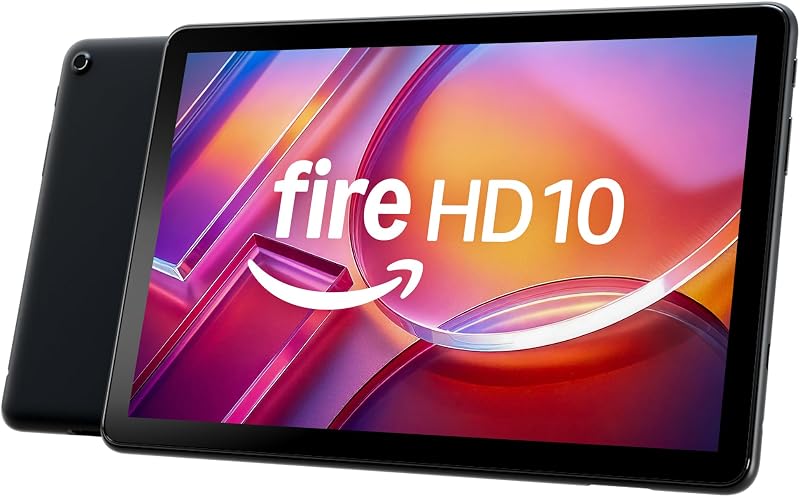
The Amazon Fire HD 10 tablet features a 10.1-inch Full HD screen, an octa-core processor, 4GB of RAM, and 32GB of internal storage. It is built specifically around relaxation, streaming, and casual media consumption within a dedicated content ecosystem, making it an attractive option for shoppers who want a simpler entertainment slate and do not need a bundled stylus pen.
24GB RAM 256GB ROM

The 24GB RAM 256GB ROM rugged Android tablet offers heavy-duty durability with waterproof, drop-proof, and glove-friendly construction, alongside an enormous 11000mAh battery, dual SIM support, GPS, and a 93dB loudspeaker. Field workers, construction teams, and outdoor adventurers will find this rugged machine much better suited to punishing environments than a standard slim consumer tablet.
1280×800 IPS HD Touchscreen 6000mAh
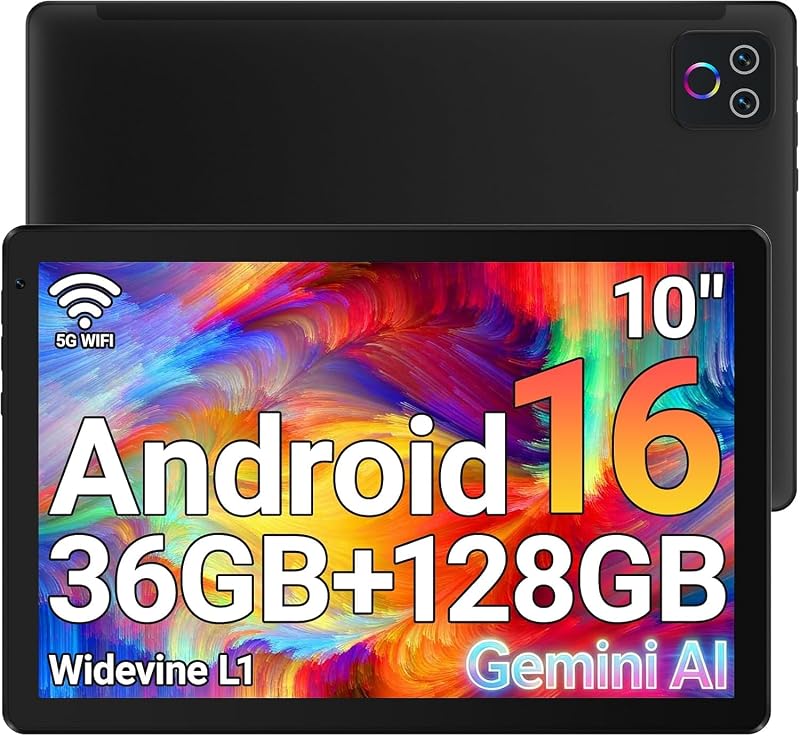
The 1280×800 IPS HD Touchscreen 6000mAh tablet from URAO brings an octa-core processor, 128GB of internal storage with expansion support, Wi-Fi 6, dual cameras, and Android 16 on an entry-level 10.1-inch IPS screen. It serves users seeking high storage capacity and modern wireless connectivity for basic app usage on an entry-tier display.
Final Verdict
Deciding whether the device fits your routine comes down to matching your expectations with its hardware strengths. If you are asking is Lenovo Tab M11 worth it, the answer is a confident yes for anyone whose primary needs revolve around media consumption, basic studying, reading, and light digital sketching. The combination of an 11-inch 1920×1200 display, generous 128GB SSD storage, Android 13 usability, and up to 10 hours of battery life provides a smooth foundation for day-to-day digital activities.
The major selling point remains the complete Essentials Set bundle, which saves buyers the headache and expense of sourcing an aftermarket stylus and protective case. As long as you respect the physical limitations of its 4GB RAM configuration and MediaTek Helio G88 processor when it comes to intense multi-app workloads and demanding 3D games, the Tab M11 stands as a dependable, highly functional companion for modern everyday life.
FAQ
Does the Lenovo Tab M11 come with a pen and folio case?
Yes, the Lenovo Tab M11 Essentials Set includes both the protective folio case and the stylus pen inside the box, allowing you to start writing, drawing, and propping up your tablet immediately without purchasing separate accessories.
Can the Lenovo Tab M11 handle mobile gaming?
The tablet handles casual 2D titles, board games, puzzle applications, and educational games with ease thanks to the MediaTek Helio G88 octa-core processor. Demanding 3D games may experience lower frame rates and will require reduced graphic settings to run smoothly.
How long does the battery last on the Lenovo Tab M11?
The tablet is rated for up to 10 hours of uninterrupted battery life on a full charge, making it capable of powering through a standard school day, work shift, or lengthy streaming session before needing a recharge.
Does the Lenovo Tab M11 have a headphone jack?
Yes, the tablet features a standard 3.5 mm audio jack alongside its USB-C port, allowing you to plug in traditional wired headphones or external audio cables without requiring an adapter.
What operating system does the Lenovo Tab M11 run?
The Lenovo Tab M11 runs on Android 13, giving users access to an intuitive mobile interface, standard Android security features, and a vast ecosystem of productivity and entertainment applications.