As Amazon Associates, we earn from qualifying purchases. This means we may receive a small commission at no extra cost to you if you click through and make a purchase.
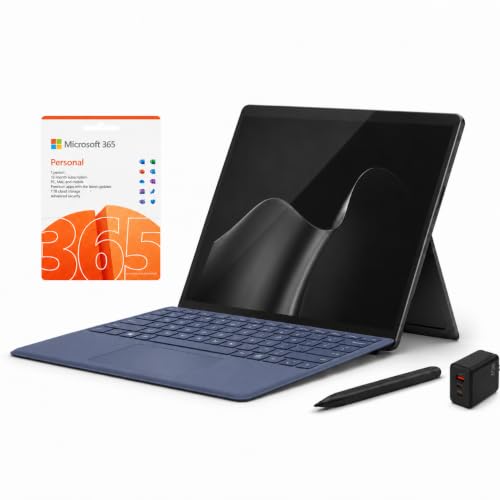
The Microsoft Surface Pro 12 marks the 2026 entry in Microsoft’s premier detachable 2-in-1 family, uniting an energy-conscious Qualcomm Snapdragon X2 Plus processor with an ultra-sharp 13-inch PixelSense Flow touchscreen. Built to deliver full Windows 11 utility inside an ultra-slim slate, this 12th-generation release stands as an exceptionally responsive, versatile machine that effortlessly balances digital slate mobility with traditional workstation productivity.
This configuration is ideal for college students, traveling business professionals, and hybrid workers who require rapid multitasking, digital handwriting capabilities, and minimal travel bulk. Shoppers who rely on legacy x86 software or need a dedicated graphics card for heavy rendering will want to look elsewhere, as the ARM-based processor requires checking app compatibility before committing to the hardware ecosystem.


Microsoft Surface Pro 12 at a Glance

| Feature | Specification |
|---|---|
| Processor | Qualcomm Snapdragon X2 Plus (10-core) with Qualcomm Adreno graphics |
| AI Hardware | Qualcomm Hexagon NPU delivering up to 80 TOPS |
| Display | 13-inch PixelSense Flow LCD touchscreen (2880 x 1920, 120Hz dynamic refresh, HDR, Dolby Vision IQ) |
| Memory & Storage | 16GB RAM with 1TB SSD |
| Operating System | Windows 11 (Copilot+ PC certified) |
| Ports & Connectivity | Dual USB-C / USB4 ports (2 total USB ports), Wi-Fi, Bluetooth 5 |
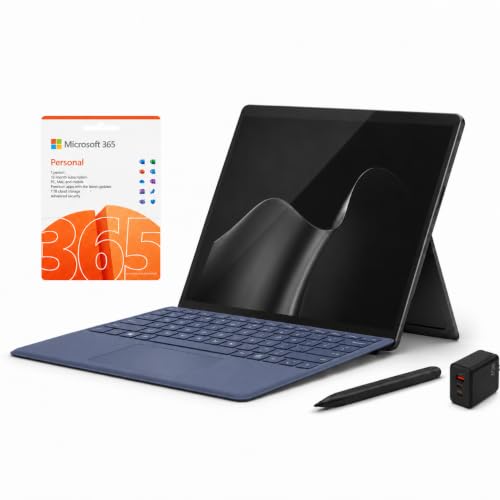
| Included Peripherals | Microsoft Surface Pro Keyboard (Sapphire Pro), Microsoft Slim Pen 2 |
| Power Adapters | Standard AC power adapter and third-party 65W dual charger |
| Software Included | 1-year Microsoft 365 Personal subscription |
Performance and the Snapdragon X2 Plus Architecture
At the center of the device sits the 10-core Qualcomm Snapdragon X2 Plus processor paired with integrated Qualcomm Adreno graphics. This chipset moves the product line firmly away from legacy x86 constraints, offering lightning-fast application launches, fluid web navigation across dozens of browser tabs, and quiet daily operation. When compared to older Intel-powered entries such as the Microsoft Surface Pro 11 2025 bundle, the modern ARM architecture delivers sustained performance without excessive heat buildup.
Software handling is an essential consideration for prospective buyers exploring the Microsoft Surface Pro 12. While standard productivity suites, web browsers, media players, and cloud utilities run natively or through seamless emulation, the manufacturer specifically advises verifying proprietary business software and hardware driver compatibility beforehand. For typical office work, word processing, spreadsheets, and web research, the system behaves with identical smoothness to an x86 PC.
The integrated Qualcomm Hexagon NPU produces up to 80 TOPS of dedicated computational power, offloading background processing from the main CPU cores. This specialized neural engine handles real-time audio enhancement, camera background adjustments, and local intelligence routines effortlessly, allowing the surface pro 12 snapdragon x2 plus architecture to maintain snappy system responsiveness under heavy workloads.
Display Precision and Slim Pen Input
Visual output is driven by a 13-inch PixelSense Flow LCD touchscreen carrying a crisp 2880 x 1920 resolution. The familiar 3:2 aspect ratio provides noticeably more vertical document space than widescreen displays, allowing readers to view full spreadsheets, PDF pages, and web documents with significantly less scrolling. The surface 12 pixelsense display quality stands out with vibrant color reproduction, deep contrast, and Dolby Vision IQ support that adjusts image parameters to fit ambient room lighting.
Interaction feels remarkably immediate thanks to the adaptive 120Hz dynamic refresh rate. Fast-paced document navigation, window snapping, and digital canvas navigation appear buttery smooth without visual stutter. When combined with the bundled Microsoft Slim Pen 2, the high refresh rate reduces stroke latency to near imperceptible levels, delivering natural digital handwriting that closely mimics pen on paper.
The display panel offers exceptional palm rejection, allowing digital artists and students to rest their hands naturally on the screen while annotating textbooks or creating illustrations. Detaching the keyboard instantly converts the screen into an expansive digital sketchbook that handles both fine pen strokes and multi-touch gestures without dropping inputs.
Keyboard Comfort and Everyday Ergonomics
The retail package comes standard with the Sapphire Pro Keyboard cover, turning the bare slate into a complete laptop workstation straight out of the box. The keyboard snaps magnetically to the lower edge of the tablet, providing full-sized chiclet keys with comfortable key travel, crisp feedback, and an integrated trackpad that registers Windows precision gestures accurately. When you evaluate the surface pro 12 keyboard and pen bundle, having these critical peripherals included eliminates the need to seek out separate accessories.
The built-in adjustable kickstand extends seamlessly from the tablet’s rear chassis, enabling viewing angles from fully upright down to an artist-friendly studio slant. When reviewing the microsoft surface 12 vs traditional laptop experience, the kickstand offers superior viewing flexibility on a sturdy desk or conference table. However, typing directly on an uneven lap remains slightly less rigid than working on a one-piece clamshell notebook, a design trait shared with predecessors like the Microsoft Surface Pro 8.
Ergonomic convenience is enhanced by the keyboard’s integrated storage and inductive charging cradle for the Slim Pen 2. Resting securely within a recessed slot along the magnetic hinge, the stylus charges automatically whenever the keyboard is attached, ensuring the pen is always full of battery and safely stowed away during travel.
Battery Efficiency and Daily Student Utility
Energy optimization is a standout benefit of the ARM silicon inside the chassis. The power-conscious architecture manages thermal output efficiently during document editing, video playback, and remote class sessions. For university users searching for the microsoft surface 12 for students, the tablet delivers reliable all-day operational endurance, allowing learners to sit through back-to-back lectures without searching for a wall outlet.
Charging flexibility is well-rounded in this configuration. Alongside the standard AC power adapter, the bundle features a third-party 65W dual charger that simplifies packing for overnight trips. Users can rapidly restore battery levels through either of the dual USB-C / USB4 connections, which also handle high-speed external storage drives and high-resolution desktop monitors, an evolution from older models like the Microsoft Surface Pro 10.
The compact footprint slips easily into standard backpack sleeves alongside textbooks. With a fast 1TB solid-state drive and 16GB of system memory, students have ample local headroom to preserve class recordings, large project folders, design assets, and research libraries without needing external thumb drives.
Windows 11 Workflow and Copilot Plus AI Features
Running the Windows 11 Home operating system, the device is fully designated as a Copilot+ PC. This platform certification pairs Microsoft’s software enhancements directly with the 80 TOPS Hexagon NPU to accelerate on-device artificial intelligence tasks. Users can generate contextual text summaries, enhance live webcam feeds with automatic framing, and process creative imagery locally without sending private data to external cloud servers, fully unlocking the surface pro 12 copilot plus features.
The system comes ready for serious productivity thanks to the included one-year Microsoft 365 Personal subscription. Word, Excel, PowerPoint, OneNote, and secure cloud storage are available immediately, allowing new owners to jump straight into daily assignments. When assessing the microsoft surface 12 specs, having software, storage, and accessories bundled together provides a comprehensive out-of-the-box solution.
Windows 11 complements the hardware with intuitive split-screen layouts, virtual desktops, and automatic orientation shifts. Tapping the screen or rotating the chassis automatically adjusts the user interface, smoothly transitioning from a multi-window desktop workstation to an uncluttered, touch-friendly reading environment.
Microsoft Surface Pro 12 Pros and Cons
Pros
- Complete keyboard cover and Slim Pen 2 bundle
- Sharp 13-inch 120Hz PixelSense Flow touchscreen
- Snappy 10-core Snapdragon X2 Plus processor
- Generous 16GB RAM and 1TB SSD storage
- Advanced 80 TOPS NPU for Copilot+ AI features
- Convenient dual USB-C USB4 connectivity
Cons
- ARM platform requires checking legacy app compatibility
- Kickstand design less stable on uneven laps
- Limited to two physical USB-C ports
Check Microsoft Surface Pro 12 on Amazon
Who Should Buy the Microsoft Surface Pro 12
Buy It If
- You need a complete 2-in-1 PC bundle that includes both the keyboard cover and a responsive digital stylus without buying separate accessories.
- You want a brilliant 3K 120Hz display with a 3:2 aspect ratio tailored for productivity, reading, and detailed digital handwriting.
- You travel frequently and want an energy-efficient ARM processor that runs cool and quiet during daily multitasking.
- You require a generous 1TB internal SSD and 16GB RAM for holding large local media collections and extensive document archives.
Skip It If
- You rely on specialized, legacy 32-bit x86 enterprise applications or proprietary hardware peripherals that lack modern ARM driver support.
- You primarily type while balancing a computer directly on your knees and need the rigid hinge of a traditional clamshell laptop.
- You require a dedicated gaming graphics card for modern high-end video games and intensive 3D rendering workloads.
Microsoft Surface Pro 12 Alternatives Worth a Look
While the Surface Pro 12 provides a complete Windows 2-in-1 desktop environment, shoppers with different operating system needs, extreme durability requirements, or simpler entertainment demands should consider these viable alternatives.
Amazon Fire HD 10 Tablet
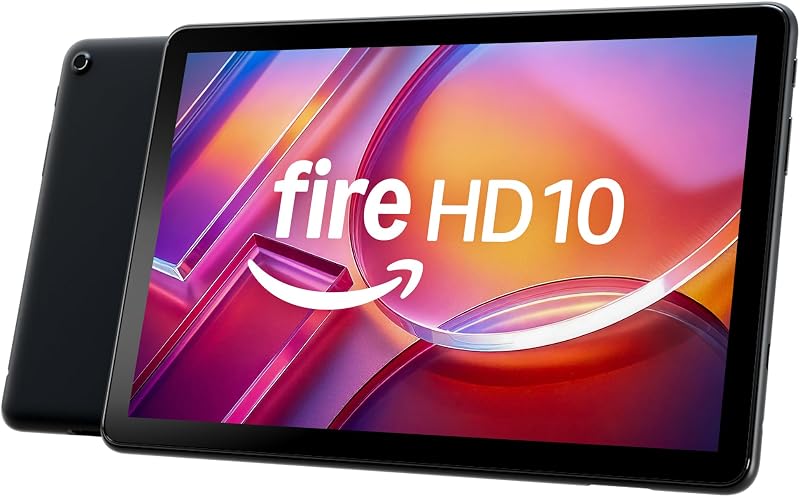
The Amazon Fire HD 10 tablet is designed around media entertainment and casual relaxation. It features a 10.1-inch Full HD display, an octa-core processor, 4GB of RAM, and 32GB of onboard storage. Buyers looking for an uncomplicated slate dedicated purely to streaming video, browsing social media, and reading digital books without the complexity of a full Windows PC operating system will appreciate this lightweight, media-centric option.
RT9 Rugged Android Tablet
Engineered for demanding field environments, the 24GB RAM 256GB ROM RT9 rugged Android tablet features a drop-proof and waterproof construction, glove-friendly touch interaction, dual SIM connectivity, and an enormous 11000mAh battery. Construction workers, marine operators, and outdoor professionals who need an unbreakable outdoor terminal with a loud 93dB speaker should select this rugged Android workhorse over a delicate office-bound 2-in-1 slate.

URAO 10.1-inch Android Tablet
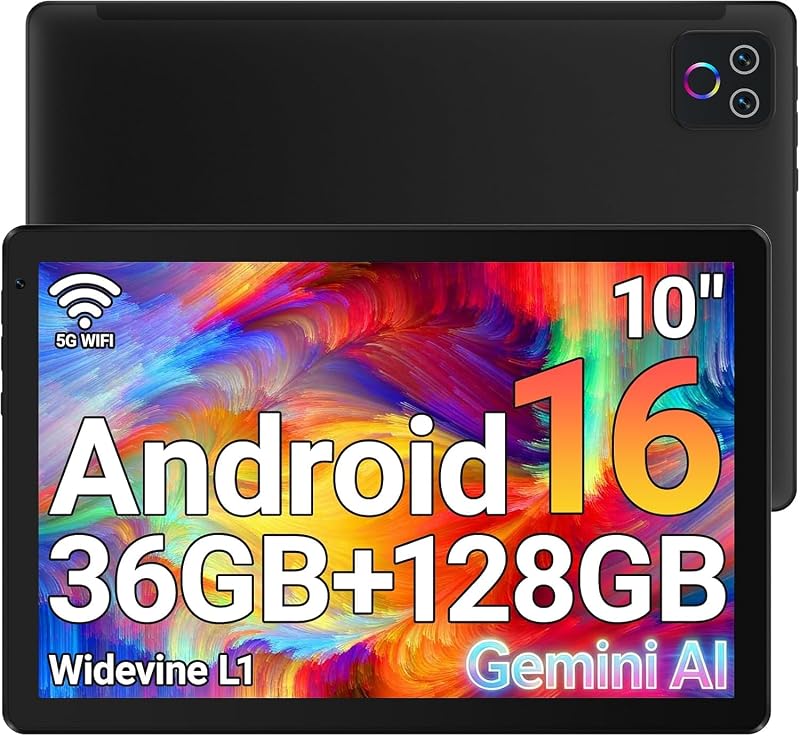
The 1280×800 IPS HD Touchscreen 6000mAh URAO tablet provides an accessible mobile environment running Android 16 on an octa-core platform. With 128GB of internal storage expandable up to 1TB, modern Wi-Fi 6 connectivity, and dual cameras, it serves basic everyday browsing, video calling, and mobile app usage for casual users who do not need a desktop-class Windows machine.
Final Verdict
The Microsoft Surface Pro 12 proves that ARM-powered computing has matured into a dependable everyday reality. By combining the snappy 10-core Snapdragon X2 Plus processor and an 80 TOPS NPU with a gorgeous 13-inch 120Hz PixelSense Flow screen, Microsoft has delivered a highly polished 2-in-1 slate that handles modern productivity, note-taking, and digital media effortlessly. When evaluating whether the microsoft surface 12 is worth it, the complete bundle containing the Sapphire Pro Keyboard, Slim Pen 2, and 1TB SSD makes it an exceptionally practical package.
While potential buyers must verify that their specialized work software supports ARM architecture, everyday users, mobile workers, and students will find few devices that match this level of versatility. If you need a premium Windows 11 machine that transitions seamlessly from a desk workstation to an agile digital notepad, this convertible setup remains one of the finest options on the market.
FAQ
What accessories come in the Microsoft Surface Pro 12 bundle?
The package includes the Surface Pro tablet, the Microsoft Surface Pro Keyboard (Sapphire Pro), the Microsoft Slim Pen 2, an AC power adapter, a third-party 65W dual charger, and a 1-year Microsoft 365 Personal subscription.
Can the Snapdragon X2 Plus processor run all standard Windows programs?
The Snapdragon X2 Plus utilizes an ARM-based CPU architecture. Most modern applications run natively or via built-in Windows 11 emulation, but specialized legacy software or proprietary third-party peripheral drivers should be checked for ARM compatibility prior to purchase.
What are the key specifications of the 13-inch PixelSense display?
The 13-inch PixelSense Flow touchscreen features a 2880 x 1920 resolution, a productivity-focused 3:2 aspect ratio, Dolby Vision IQ support, HDR capability, and a dynamic refresh rate that reaches up to 120Hz for fluid scrolling and writing.
How many external ports are available on the Microsoft Surface Pro 12?
The tablet features two total USB ports, consisting of Dual USB-C / USB4 connections that support high-speed external data transfers, device charging, and video output to external desktop displays.
Is the Microsoft Surface Pro 12 well suited for digital art and note-taking?
Yes, the included Microsoft Slim Pen 2 pairs with the 120Hz PixelSense Flow touchscreen to provide ultra-low latency, natural handwriting, and precise drawing capabilities, with dedicated inductive charging built directly into the keyboard cradle.


