
As Amazon Associates, we earn from qualifying purchases. This means we may receive a small commission at no extra cost to you if you click through and make a purchase.
The Microsoft Surface Pro 11 arrives as a full-fledged 2-in-1 package that pairs Microsoft’s iconic detachable tablet architecture with Qualcomm’s modern ARM processing platform. Supplied in this configuration with the Pro Keyboard and rechargeable Slim Pen, it functions right out of the box as both an ultra-mobile workstation and a digital sketchpad. For professionals looking for an everyday mobile computer that balances responsive multitasking with all-day usability, this bundle delivers a streamlined, dependable Windows 11 Pro experience.
This package suits remote professionals, students, and mobile office workers who need a lightweight 2-in-1 device for productivity, document editing, and collaborative video calls without being tied to a wall outlet. However, power users who depend on specialized legacy software drivers, demanding x86-only development tools, or high-performance 3D gaming will find that traditional x86 workstation laptops or dedicated desktop rigs serve their specific requirements better.


Microsoft Surface Pro 11 at a Glance

| Attribute | Detail |
|---|---|
| Processor | Snapdragon X Plus (10 cores, up to 3.4 GHz) |
| Graphics | Qualcomm Adreno Integrated GPU |
| Neural Processing Unit | 4.5 trillion operations per second (NPU) |
| System Memory | 16GB RAM |
| Internal Storage | 512GB SSD |
| Display | 13-inch PixelSense LCD (2880 x 1920, 120Hz Dynamic Refresh) |
| Operating System | Windows 11 Pro |
| Connectivity | Wi-Fi 7, 2 x USB Type-C |
| Dimensions & Weight | 11.3″ L x 8.2″ W x 0.37″ H; 1.97 lbs (tablet unit) |
| Included Bundle Items | Black Pro Keyboard, Surface Slim Pen, Power Supply Unit |
Processing Power and Copilot Plus Architecture
At the center of this 2-in-1 is the Snapdragon X Plus processor, an ARM-based silicon platform sporting 10 cores that reach clock speeds up to 3.4 GHz. Microsoft and Qualcomm have engineered this architecture to give everyday multitaskers swift responsiveness without the aggressive heat build-up historically seen in ultra-thin portable PCs. Daily office workloads like tab-heavy browsing, spreadsheet compilation, and video streaming load crisply, while Windows 11 Pro provides an enterprise-ready management foundation. Those upgrading from legacy hardware like the older Surface Pro 7 will immediately notice how much cooler and quieter the system behaves under steady productivity tasks.
A major design component of the hardware is its integrated Neural Processing Unit, rated at 4.5 trillion operations per second. This dedicated AI engine drives system-level enhancements directly on the silicon rather than offloading simple tasks to the primary computing cores or relying solely on cloud servers. The integrated Qualcomm Adreno GPU delivers fluid rendering across dual monitors or media consumption feeds, ensuring seamless transitions when switching between presentation slides, cloud tools, and document editors.
The system is also outfitted with a dedicated Copilot key on the bundled keyboard. Hitting this physical key launches Microsoft’s integrated AI workspace, providing immediate access to generative text drafting, workflow summarization, and task management. For knowledge workers trying to organize large swathes of data or clean up email drafts quickly, having dedicated hardware acceleration for local AI tasks makes daily computer interactions feel responsive and modern.
PixelSense Display and Visual Performance
Microsoft equips the Surface Pro 11 with a 13-inch PixelSense LCD touchscreen operating at a sharp 2880 x 1920 native resolution. The 3:2 aspect ratio continues to be a standout feature for document creation and web reading, giving you significantly more vertical screen space than standard widescreen 16:9 displays. The near edge-to-edge bezel design maximizes usable canvas area while keeping the overall tablet chassis compact and manageable in hand.
The panel features a dynamic refresh rate running up to 120Hz alongside a 1200:1 contrast ratio. In practical terms, this high refresh rate creates buttery-smooth scrolling through lengthy web pages and makes fine stylus strokes appear instantaneously beneath the pen tip. Contrast is sharp and clear, rendering dark typography against bright document backgrounds without annoying color fringing, which minimizes eye strain during extended work sessions.
For creative tasks and presentations, the touchscreen responds accurately to multi-finger gestures and fine pen interactions. Whether you are highlighting PDF markups, navigating system menus, or sketching freehand diagrams during virtual meetings, the touch layer maintains excellent touch registration across the entire active surface of the glass.
Battery Endurance and On-the-Go Usability
Battery longevity has long been a challenge for compact 2-in-1 computers, but the move to the Snapdragon X Plus processor changes that dynamic. The listing describes battery life that lasts for days, capitalizing on the power-sipping idle states and efficient thermal profile of the ARM platform. Mobile workers who move from conference rooms to coffee shops can leave their charging bricks behind for ordinary day-to-day productivity shifts.
Portability is further enhanced by the physical footprint of the tablet. Measuring 11.3 inches long, 8.2 inches wide, and just 0.37 inches thick, the device slips effortlessly into any messenger bag or backpack sleeve. At an approximate weight of 1.97 pounds for the tablet itself, carrying the unit throughout an entire workday presents minimal fatigue, making it far more travel-friendly than traditional clamshell computers.
When you do need to attach peripheral devices, the Surface Pro 11 provides two USB Type-C ports. These connections support quick charging, high-speed data transfers, and external video output. While users with multiple legacy USB-A thumb drives will need a straightforward adapter or dock, the standard Type-C interface aligns smoothly with modern universal charging hubs and external storage drives.
Keyboard, Slim Pen, and Surface Studio Camera
Unlike standalone tablet models that force buyers to purchase input accessories separately, this bundle ships complete with the Black Pro Keyboard and the Surface Slim Pen. The keyboard attaches magnetically to the base of the tablet, delivering a tactile typing experience with comfortable key travel. What sets this generation apart is its dual-mode utility: it functions seamlessly while firmly attached to the chassis for standard laptop typing, or detached as a standalone keyboard when you want more ergonomic freedom on your desk.
The Surface Slim Pen sits in an integrated magnetic cradle nestled along the upper edge of the keyboard. This recess both safely stores the pen during travel and keeps it wirelessly charged so you never have to scramble for fresh AAAA batteries. When pulled from its cradle, the Slim Pen provides a natural writing and drawing experience with fine pressure sensitivity, which helps users transition from typing notes to signing contracts or annotating slides within seconds. Anyone who previously utilized the Microsoft Surface Pro 8 will appreciate how neatly the storage integration keeps the stylus protected.
Communication hardware is anchored by the AI-enhanced Surface Studio Camera positioned on the front bezel. This ultra-wide sensor pairs directly with Windows Studio Effects to deliver automatic framing, which keeps you centered within the frame even as you shift in your office chair. Backed by hardware-level facial recognition security, the camera provides swift, password-free logins via Windows Hello, ensuring private work data stays secure whether working from home or in public spaces.
Microsoft Surface Pro 11 Pros and Cons
Pros
- Snapdragon X Plus 10-core processing
- 13-inch 120Hz PixelSense LCD display
- Includes Pro Keyboard and Slim Pen
- Stores and charges pen in keyboard
- Modern Wi-Fi 7 connectivity
- Ultra-wide AI Surface Studio camera
Cons
- Only two USB Type-C ports
- No built-in USB-A connectivity
- ARM architecture limits legacy x86 software
Check Microsoft Surface Pro 11 on Amazon
Who Should Buy the Microsoft Surface Pro 11
Buy It If
- You need a complete 2-in-1 workstation that includes both the keyboard and rechargeable stylus in the box.
- You prioritize all-day battery efficiency, quiet operation, and light carry weight for mobile productivity.
- You frequently attend virtual conferences and want an ultra-wide AI camera with automatic framing and Windows Hello facial login.
- You want the vertical productivity benefits of a 3:2 aspect ratio display with a smooth 120Hz dynamic refresh rate.
Skip It If
- You rely on specialized, legacy 32-bit or 64-bit x86 software plugins that currently lack native ARM compatibility.
- You need legacy USB Type-A ports built directly into the chassis without using external dongles.
- Your primary computing objective is dedicated PC gaming, which demands discrete high-power desktop graphics.
Microsoft Surface Pro 11 Alternatives Worth a Look
While this Windows 2-in-1 covers high-end office workflows, distinct tablet designs exist for different operational environments, media streaming habits, or rugged work requirements.
Amazon Fire HD 10 tablet
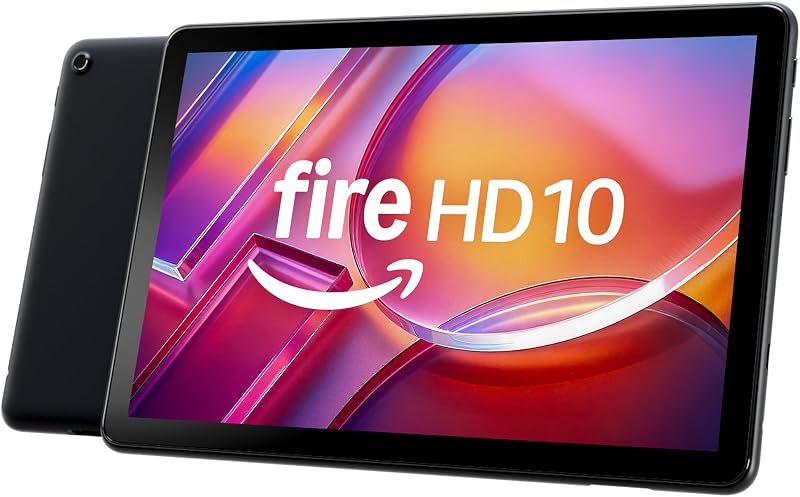
The Amazon Fire HD 10 tablet features a 10.1-inch Full HD screen, an octa-core processor, 4 GB of RAM, and 32 GB of onboard storage. It is built explicitly for personal media consumption, streaming video, and casual digital reading. Buyers who simply want an easy entertainment device for travel rather than a full Windows 11 Pro business PC will find the Fire tablet a far more basic, media-focused alternative.
24GB RAM 256GB ROM Rugged Tablet

The 24GB RAM 256GB ROM Android tablet is built for harsh field environments with drop-proof and waterproof construction, a glove-friendly touch screen, a 93dB loud speaker, dual SIM support, and a massive 11000mAh battery. Construction workers, outdoor technicians, or field logistics staff who need extreme physical protection rather than an ultra-sleek Windows desktop operating system should select this heavy-duty unit.
1280×800 IPS HD Touchscreen 6000mAh Tablet
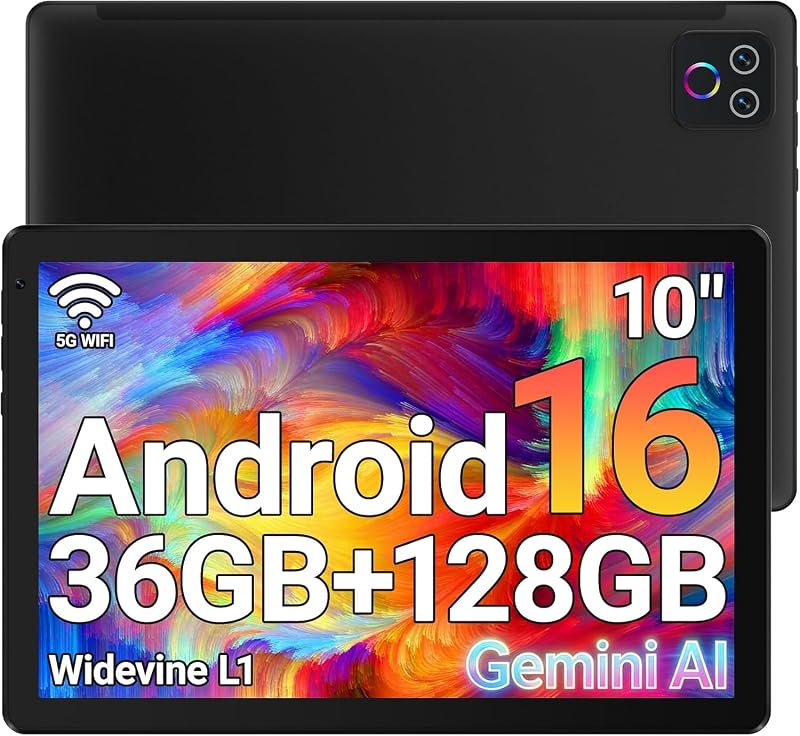
The 1280×800 IPS HD Touchscreen 6000mAh Android tablet provides Wi-Fi 6 connectivity, Bluetooth 5.4, dual cameras, 128GB of internal storage expandable up to 1TB, and a 6000mAh battery. It serves everyday browsing, reading, and light app usage on an accessible Android platform, making it a viable alternative for users who do not require business-grade Windows application support.
Final Verdict
The Microsoft Surface Pro 11 bundle brings together practical computing power, thoughtful physical hardware design, and genuinely helpful AI enhancements. By combining the Snapdragon X Plus processor with 16GB of system memory and a fast 512GB solid-state drive, Microsoft has created an ultra-portable machine capable of powering through everyday workloads without stuttering or excessive heat. Having both the Pro Keyboard and the self-charging Slim Pen included makes it a fully realized productivity package right out of the box.
While buyers must remain mindful of their specific software needs due to the ARM architecture, the vast majority of web, office, and creative applications run reliably. The crisp 13-inch 120Hz display, robust Wi-Fi 7 wireless connectivity, and flexible detachable keyboard confirm that the Surface Pro 11 remains the benchmark for modern 2-in-1 Windows computing. Shoppers comparing it against commercial options like the Microsoft Surface Pro 10 will appreciate the efficiency advantages of this refined bundle.
FAQ
Does the Microsoft Surface Pro 11 bundle come with the keyboard and pen?
Yes, this specific bundle package includes the Black Pro Keyboard and the Surface Slim Pen in the box alongside the tablet unit and power supply. The pen stores and recharges automatically inside the keyboard tray.
Can the keyboard be used while detached from the tablet?
Yes, the Pro Keyboard included in this package is designed to function either attached to the Surface Pro 11 for standard laptop productivity or detached as a standalone wireless keyboard for flexible positioning.
What operating system is installed on this Surface Pro 11 configuration?
This bundle comes pre-installed with Windows 11 Pro, offering enhanced security management, facial recognition sign-in via Windows Hello, and enterprise networking features.
How many physical USB ports are available on the device?
The Surface Pro 11 includes two USB Type-C ports for data transfer, device charging, and external display connections. The listing does not specify any built-in USB Type-A ports, so legacy accessories will require an adapter.
What display resolution does the 13-inch screen offer?
The 13-inch PixelSense LCD touchscreen operates at a 2880 x 1920 resolution with a 1200:1 contrast ratio and a dynamic refresh rate that reaches up to 120Hz for fluid scrolling and writing.


