
As Amazon Associates, we earn from qualifying purchases. This means we may receive a small commission at no extra cost to you if you click through and make a purchase.
Digital artists, animators, and commercial retouchers regularly face hardware limitations that slow down high-speed production. The Wacom Intuos Pro addresses these workflow bottlenecks by pairing modular Pro Pen 3 input technology with dual mechanical dials, ten quick-access ExpressKeys, and a durable magnesium chassis. Our evaluation of the specifications and intended design shows that this medium graphics tablet functions as a dedicated, high-precision workstation controller engineered to keep your eyes fixed on your primary screen while executing complex creative commands.
This drawing surface suits commercial illustrators, 3D sculptors, and video editors who need tactile shortcut control, customizable stylus weighting, and zero-latency line quality across widescreen monitors. However, creators who require a standalone mobile operating system or who prefer looking directly down at a pen display screen should explore dedicated digital displays rather than a non-screen input device.


Wacom Intuos Pro at a Glance

| Feature | Specification |
|---|---|
| Model Number | PTK670K0A |
| Active Work Area | 11.4 x 8.1 inches (291 x 206 mm) |
| Native Aspect Ratio | 16:9 widescreen format |
| Stylus Model | Wacom Pro Pen 3 |
| Pressure Sensitivity | 8192 levels with tilt recognition |
| Physical Controls | 10 customizable ExpressKeys and 2 mechanical dials |
| Chassis Construction | Magnesium frame, 4mm minimum thickness |
| Connectivity Options | Bluetooth, USB-C to USB-C, USB-C to USB-A |
| Operating System Support | Windows 10 or later, macOS 13 or later |
| Manufacturer Warranty | 2-year manufacturer warranty |
Pro Pen 3 Accuracy and Pressure Dynamics
The centerpiece of the Wacom Intuos Pro drawing tablet review is the inclusion of the Pro Pen 3. Drawing performance rests on 8192 levels of pressure sensitivity combined with native tilt tracking and lag-free stroke response. Stylus precision remains consistent regardless of whether you are applying featherlight sketch lines in raster software or broad vector fills. The digitizer tracks initial activation force without noticeable dead zones, preventing stroke stuttering during rapid cross-hatching or delicate digital inking.
Ergonomics on the Pro Pen 3 deviate significantly from earlier fixed-barrel pens. Artists can customize the physical chassis by switching between slim, straight, and flared barrel grips depending on their personal hand biomechanics. In addition to interchangeable exterior grips, the internal assembly supports adjustable balance weights and customizable side button configurations. Users who prefer a heavier front balance can weight the tip, while digital sculptors who grip their pen higher can shift the mass toward the middle to minimize finger fatigue during extended modeling sessions.
Tracking stability remains predictable across dense software environments such as 3D asset generation and video post-production. While editing large format media stored on external gear like a sandisk 1tb creator phone ssd, input reliability must remain continuous to avoid dropped strokes. The Pro Pen 3 maintains stable coordinate tracking across demanding brush engines, giving digital illustrators reliable line fidelity that matches hand gestures without interpolation jitter.
Hardware ExpressKeys and Mechanical Dial Controls
Workflow acceleration on this graphics tablet is driven by its physical input layout. Positioned along the top perimeter of the active area, the ten customizable ExpressKeys and two mechanical dials give artists direct hardware access to their most frequent software commands. Placing these controls at the top edge keeps them near your secondary keyboard, allowing you to alternate between typing and hardware shortcuts without stretching across the entire drawing surface.
The mechanical dials provide continuous physical resistance, giving tactile confirmation when scrolling through animation timelines, rotating creative canvases, or adjusting brush diameters in micro-increments. In animation production, using a physical dial to scrub frame-by-frame through video playback reduces repetitive wrist movement on the mouse. Each dial can be bound to specific contextual actions inside major animation and compositing software suites.
Complementing the dual dials, the ten ExpressKeys offer distinct tactile surfaces so you can identify specific bindings by touch alone. Common mapping options include undo, redo, layer masking toggles, zoom levels, and modifier keys like Shift and Option. Setting up dedicated application profiles ensures that the tablet automatically swaps shortcut bindings when you jump from vector drawing into digital painting or 3D texturing.
Chassis Construction and Screen Mapping
The physical footprint of the Wacom Intuos Pro balances a generous active work area with a compact desk profile. Measuring 11.4 x 8.1 inches (291 x 206 mm), the active zone provides ample travel distance for sweeping elbow and shoulder drawing gestures. Despite this large active surface, the tablet maintains an ultra-thin 4mm profile at its slimmest edge. The underlying frame incorporates magnesium alloy, giving the tablet structural rigidity that resists chassis flex when resting on your lap or packed inside a travel sleeve.
Surface texture is calibrated to offer tactile resistance that mimics pen dragging across premium paper stock. This fine matte finish provides sufficient friction to keep the stylus nib from skating uncontrollably across slick plastic. The resulting tactile feedback helps artists control the tapering of their brushstrokes, which is essential for accurate digital calligraphy, line art cleanup, and precise photo retouching.
Mapping the active area matches modern desktop environments seamlessly thanks to the native 16:9 aspect ratio. Unlike square or older formats that introduce coordinate distortion on modern widescreen setups, the 16:9 proportion provides true one-to-one tracking across modern monitors. This dimensional parity eliminates horizontal stretching or compressed vertical axes when jumping the cursor across dual-monitor arrangements.
Connectivity and Multi-Device Management
Creative studios frequently require flexible hardware connections between stationary desktop rigs and portable field laptops. The Wacom Intuos Pro incorporates both wired USB and wireless Bluetooth connectivity. The retail package provides both USB-C to USB-C and USB-C to USB-A cabling options to support modern Thunderbolt ports as well as traditional desktop towers. Wired operation delivers latency-free transmission while simultaneously charging the internal power system.
Wireless operation utilizes integrated Bluetooth pairing that allows users to quickly switch connections between multiple paired computers. An artist can configure the tablet to switch from a Windows studio rig to a portable macOS laptop using a dedicated hardware toggle. Establishing the Bluetooth connection removes cable clutter from your immediate work surface, letting you reposition the tablet across your desk to keep drawing angles ergonomic.
Driver architecture requires modern host operating systems, supporting Windows 10 or later and macOS 13 or later. Creators who need completely untethered mobile operation with a built-in computer display might evaluate dedicated mobile creative tablets such as the wacom mobilestudio pro 13, but for users working alongside stationary desktop setups, the Intuos Pro acts as an unobtrusive, durable bridge between your hands and your workstation.
Workflow Value for Digital Animation and 3D Work
Evaluating whether this graphics tablet provides real workflow value comes down to production volume and repetitive task management. In digital animation pipelines, speed relies on continuous scrubbing, keyframe placement, and layer adjustments. The Intuos Pro streamlines these tasks by combining pressure-sensitive input with top-mounted physical scrub wheels, minimizing software menu diving during long production shifts.
In 3D sculpting environments, navigating complex digital meshes requires simultaneous coordinate panning, mesh rotation, and variable brush depth. The customizable buttons on the Pro Pen 3 can be mapped to rotate and zoom commands, while the mechanical dials manipulate voxel resolution or crease intensities. This multi-input configuration keeps standard digital sculpting smooth and fluid without breaking concentration.
Durability also protects your hardware investment over years of continuous studio use. The combination of magnesium structural elements, a modular pen with replaceable grip components, and a two-year manufacturer warranty gives production houses and freelance artists long-term operational reliability. The tablet resists daily desk wear while maintaining consistent tracking sensitivity throughout complex project cycles.
Wacom Intuos Pro Pros and Cons
Pros
- Customizable Pro Pen 3 with modular grips
- Dual mechanical dials for timeline and brush control
- Rigid magnesium chassis with 4mm slim edge
- Bluetooth wireless with multi-computer switching
- Native 16:9 aspect ratio matches widescreen monitors
Cons
- Lacks an integrated display screen
- Requires Windows 10+ or macOS 13+
- Desk footprint requires dedicated workspace
Check Wacom Intuos Pro on Amazon
Who Should Buy the Wacom Intuos Pro
Buy It If
- You need the modular Pro Pen 3 with customizable balance, grip thickness, and button layouts for hand ergonomics.
- Your workflow relies heavily on tactile timeline scrubbing, brush adjustments, and fast shortcuts using physical dials and keys.
- You work across 16:9 widescreen or dual-monitor configurations and demand accurate 1:1 coordinate mapping.
- You regularly swap your input device between multiple studio computers using integrated Bluetooth switching.
Skip It If
- You prefer looking directly at the surface where you draw rather than mapping hand movements to an external computer monitor.
- Your studio workstation operates on legacy platforms older than Windows 10 or macOS 13.
- You only require a basic, entry-level electronic pad for handwriting notes or signing digital documents.
Wacom Intuos Pro Alternatives Worth a Look
If the professional input controls, modular pen assembly, or dedicated desktop profile of this tablet do not match your current creative setup, several alternative devices cater to different artistic environments and basic input needs.
4 Pack LCD Writing Tablet
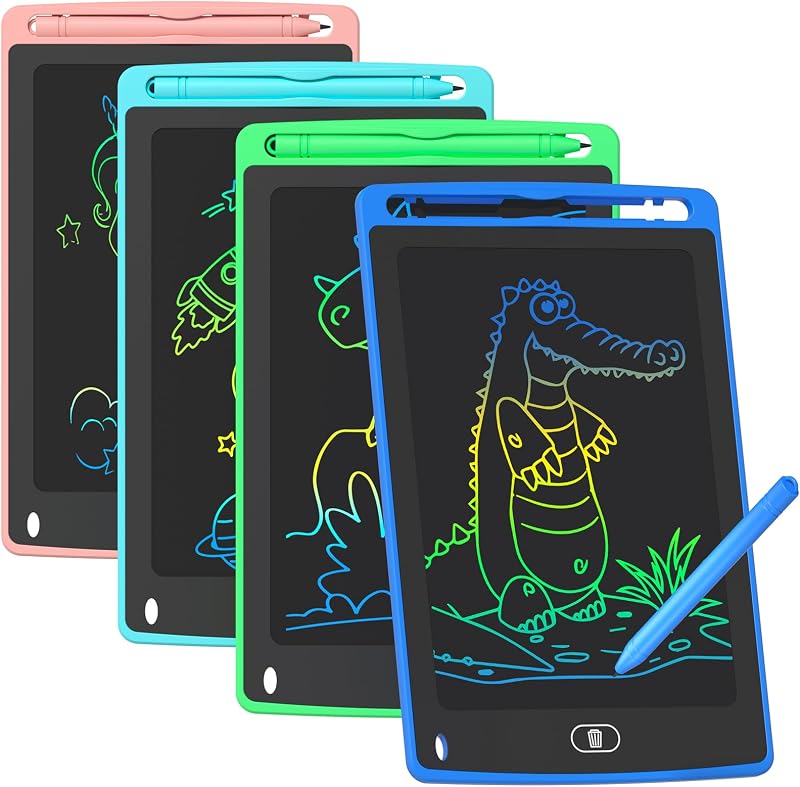
The 4 Pack LCD Writing Tablet is an 8.5-inch colorful doodle board set designed primarily as an educational learning toy for young children. Unlike professional digitizers, these battery-powered boards feature basic pressure drawing surfaces intended for quick notes, scratchpad doodles, and informal sketches. Creative professionals will not find computer connectivity or driver software here, making it suited exclusively for parents or educators seeking simple, screen-free drawing toys.
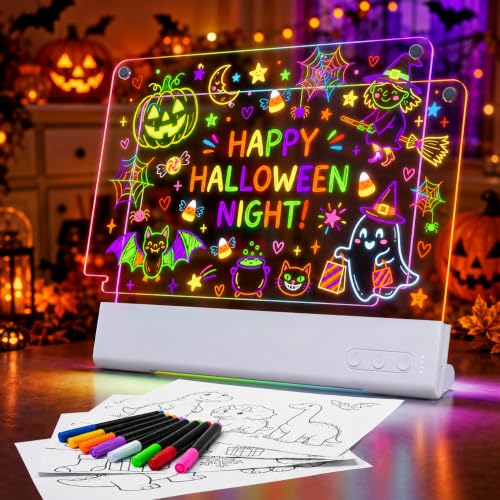
3600mAh Rechargeable Light Up Art

The 3600mAh Rechargeable Light Up Art board provides a 16-inch double-layer LED illuminated surface powered by a 3600mAh battery delivering up to 32 hours of run time. With 12 integrated lighting effects, this unit functions as a glowing tracing and display easel rather than a computer input peripheral. Hobbyists and young artists who enjoy illuminated physical tracing or illuminated display crafts will prefer this standalone light board over a computer graphics slate.
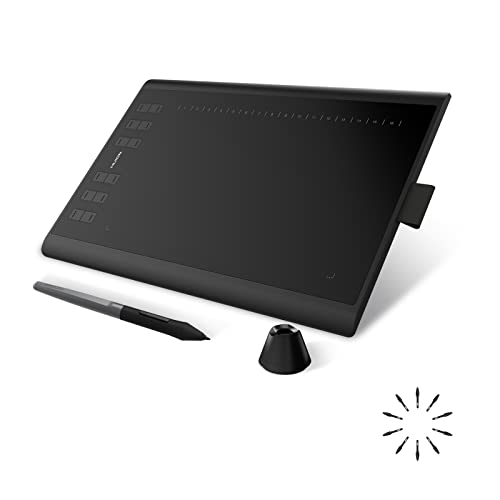
8192 Pressure Levels

The 8192 Pressure Levels tablet (the HUION Inspiroy H1060P) offers a 10 x 6.25 inch active workspace paired with a battery-free stylus and 8192 levels of pressure sensitivity. Equipped with 12 physical press keys and 16 soft keys along the top, this graphics pad supports Windows, macOS, and Android platforms. Budget-conscious digital illustrators who want extensive shortcut buttons without the higher-end magnesium chassis, mechanical dials, or modular grip system of the Intuos Pro can consider this practical alternative.
Final Verdict
The Wacom Intuos Pro sets a high standard for non-screen graphics tablets by focusing on structural rigidity, physical input variety, and ergonomic customizability. The integration of the Pro Pen 3 allows creators to alter their grip circumference and balance point, eliminating one of the most common causes of hand strain during marathon drawing sessions. Combined with a magnesium chassis that measures only 4mm at its thinnest edge, this tablet delivers professional studio durability in a remarkably slim form factor.
For animators, digital painters, and 3D sculptors working on modern widescreen displays, the 16:9 native mapping, ten ExpressKeys, and dual mechanical dials drastically reduce reliance on complex keyboard shortcuts. While casual users and beginners may find the advanced controls more than they require, creative professionals looking to streamline their daily desktop workflow will find this device an exceptionally capable production centerpiece.
FAQ
What operating systems are compatible with this tablet?
The listing specifies that the tablet requires a host computer running Windows 10 or later, or macOS 13 or later. Operating systems outside these specifications are not supported by the manufacturer.
What makes the Pro Pen 3 different from standard styluses?
The Pro Pen 3 features 8192 levels of pressure sensitivity, tilt recognition, and lag-free tracking, but distinguishes itself through modular hardware. Users can select between slim, straight, or flared grips, adjust the physical balance weight, and reconfigure the button layout to match their hand size.
How do the mechanical dials improve creative workflow?
The two mechanical dials located at the top of the chassis allow continuous tactile adjustments. They are commonly mapped to rotate canvas orientations, scrub through animation or video timelines, and adjust brush sizes smoothly without opening drop-down software menus.
Can the tablet connect to more than one computer wirelessly?
Yes. The integrated Bluetooth functionality allows users to pair with multiple computers and toggle between them using a simple hardware switch, making it easy to transition between studio desktop rigs and portable laptops.
What are the dimensions of the active drawing surface?
The medium model provides an active workspace measuring 11.4 x 8.1 inches (291 x 206 mm). This active area utilizes a native 16:9 widescreen aspect ratio designed to align proportionally with modern computer monitors.


