As Amazon Associates, we earn from qualifying purchases. This means we may receive a small commission at no extra cost to you if you click through and make a purchase.
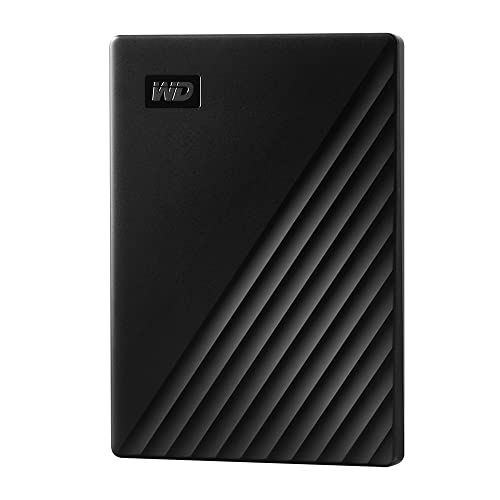
Securing your irreplaceable personal and professional files does not need to be a complicated chore, and the WD My Passport serves as an accessible, pocket-sized solution for everyday data protection. Built with an aluminum enclosure and offering 2TB of storage out of the box, this portable drive combines physical durability with robust data defense tools like password protection and hardware-level encryption. If you need a reliable western digital my passport external hard drive to automate routine file backups without fuss, this unit delivers solid peace of mind in a compact form factor.
This drive is ideally suited for home office workers, students, and laptop users who need an automated, encrypted portable external hard drive for backup to safeguard tax documents, client files, and personal photo libraries. It functions effortlessly as a secondary vault that slips easily into a travel bag. However, creative professionals handling high-bitrate multi-camera video editing or users requiring desktop-class storage pools should bypass portable 2.5-inch drives and consider high-capacity desktop enclosures such as the western digital 14tb elements instead.



WD My Passport at a Glance

| Feature | Specification |
|---|---|
| Digital Storage Capacity | 2 TB (Capacities up to 6TB available in lineup) |
| Drive Form Factor | 2.5-inch portable drive |
| Enclosure Material | Aluminum |
| Hardware Connectivity | USB 2.0, USB 3.0, USB 3.2 Gen 2 compatible |
| Security Capabilities | Hardware encryption and password protection |
| Bundled Software | Device management software with defense against ransomware |
| Compatible Devices | Desktop, Laptop, Tablet, Microsoft Xbox 360 |
| Hardware Platform | PC |
| Warranty Coverage | 3-year limited warranty |
Hardware Encryption and Data Security
Data security is the defining strength of this drive, elevating it above generic external disks that rely solely on unencrypted storage. The wd my passport hardware encryption operates on the hardware layer rather than relying exclusively on system-level software filters. When you configure the password protection feature, the drive locks down your stored directories so that if the drive is misplaced, lost on a commute, or stolen from an office bag, unauthorized individuals cannot read your private documents, financial records, or system images.
Hardware-based cryptographic locking is particularly valuable because it handles security overhead directly within the drive controller. Because the encryption computation occurs independently on the storage hardware, your laptop processor does not suffer the performance penalties commonly associated with software-based file system encryption suites. For small business owners handling proprietary paperwork or individuals storing sensitive identification files, having built-in hardware security ensures compliance with standard privacy hygiene without demanding extensive technical expertise.
In addition to standard password gating, the included software framework incorporates proactive defenses against ransomware. In an era where malicious software frequently targets connected storage devices to scramble user archives, this integrated defense layer monitors backup directories to prevent unauthorized modifications. While no offline drive can replace a holistic security routine, combining password lockouts with targeted file defense gives this unit a notable advantage over non-encrypted alternatives.
Backup Software and Daily Management
A backup drive is only as good as the regularity with which you update your archives, and the western digital my passport backup software is designed to automate that workflow. Rather than forcing you to remember to manually drag folders at the end of each workweek, the management software allows you to establish automated routines. You can set the utility to continuously capture new files as they are saved or schedule routine snapshots during off-hours, ensuring your critical documents remain duplicated without manual intervention.
The western digital my passport setup process requires downloading and installing the utility onto your machine, along with completing user account registration. Once the software package is running on your system, setting up your target backup directories is relatively straightforward. You can select specific system folders such as your desktop documents, user media directories, or complete work repositories. For buyers who prefer basic storage without pre-configured utilities, unmanaged units like the wd easystore external hard drive offer simpler bare-drive mechanics, but they lack the built-in ransomware safeguards found in this package.
The software interface is tailored toward practical daily utility, providing visibility into drive health, capacity utilization, and scheduled execution times. For personal, gaming, and business uses, having a dedicated software companion makes managing 2TB of scattered data manageable. If you work across multiple projects simultaneously, having an automated pipeline ensures that accidental deletions or unexpected operating system crashes do not wipe out your ongoing work.
Transfer Speeds and Practical Performance
Evaluating the wd my passport transfer speed requires understanding the mechanical reality of 2.5-inch platter drives. This drive interfaces over USB 3.0 and maintains compatibility across USB 2.0 and USB 3.2 Gen 2 ports. Under typical desktop conditions, a 2.5-inch external mechanical drive handles routine sequential backups of documents, office spreadsheets, music collections, and photo archives smoothly. However, moving hundreds of gigabytes of raw 4K video clips or multi-track audio sessions will take noticeably longer than it would on solid-state alternatives.
Because the internal media is a traditional rotational platter drive rather than high-speed flash memory, its read and write behavior excels at steady background archiving rather than live, real-time media editing. The drive works well when connected as a persistent repository for system images, long-term records, and media vaults. It connects smoothly to laptops and desktop workstations, allowing you to queue large directory copies and let them process in the background while you continue working on everyday tasks.
Gamers looking to expand external library storage on older platforms will appreciate that the drive listing confirms compatibility with the Microsoft Xbox 360 alongside standard desktop and laptop systems. While modern current-generation consoles demand high-throughput internal NVMe drives for native game execution, portable mechanical hard drives remain useful for storing legacy games and media archives. If your priority is dedicated high-performance gaming, drives from the western digital black performance family are typically optimized for higher operational demands, whereas the My Passport focuses on portable, secure archiving.
Design, Portability, and Durability
Physical construction plays a critical role in portable storage longevity, and the wd my passport durability is reinforced by its aluminum enclosure. Unlike fragile plastic shells that can crack when pressed against other gear in a backpack, the aluminum housing provides solid structural rigidity. The sleek black finish gives it a professional aesthetic suitable for corporate conference rooms, coffee shop workstations, and home desks alike.
The 2.5-inch form factor ensures that the drive remains genuinely pocket-sized, fitting neatly in the palm of your hand. It draws its operational power directly through the USB cable, eliminating the clutter of dedicated wall plugs or bulky power bricks. This single-cable convenience makes the wd my passport for pc and laptop users an excellent travel companion, allowing mobile professionals to pack multiple terabytes of encrypted data without adding noticeable bulk to their laptop sleeves.
When selecting portable storage, physical protection must be weighed against desktop capacity. Stationary desktop drives like the wd easystore 20tb provide massive centralized capacity for an entire household, but they remain anchored to a desk with external power cables. The My Passport trades massive multi-drive volume for pocket portability, backed by a 3-year limited warranty that provides added reassurance for users carrying their critical files across daily commutes.
WD My Passport Pros and Cons
Pros
- Hardware encryption and password protection
- Backup software with ransomware defense
- Durable aluminum enclosure
- Vast capacity range up to 6TB
- Three-year limited warranty
Cons
- Mechanical drive transfer speeds
- Software requires download and registration
- Listing specifies PC hardware platform
Check WD My Passport on Amazon
Who Should Buy the WD My Passport
Buy It If
- You need reliable hardware encryption and password protection to safeguard confidential personal or work documents.
- You want an automated backup utility with defense against ransomware to keep your system files duplicated without manual effort.
- You travel frequently and require a compact 2.5-inch aluminum drive that draws power directly over USB without an external adapter.
- You want the peace of mind of a three-year limited warranty from an established storage brand.
Skip It If
- You need the blazing read and write speeds of a solid-state drive for real-time 4K video editing or transferring massive file batches instantly.
- You prefer a simple plug-and-play drive without registering accounts or installing device management software.
- You require a massive desktop storage repository exceeding 10TB to centralize an entire network’s media library.
WD My Passport Alternatives Worth a Look
While the My Passport offers strong security credentials, several competing external drives cater to different priorities such as basic plug-and-play simplicity, larger storage volumes, or solid-state speeds.
Everyday HDD Storage
The Everyday HDD storage. Plug-and-play backup. drive delivers a 2TB portable hard drive configuration using a standard USB 3.0 interface. It is compatible with Windows and macOS out of the box, includes an Adobe CC trial, and is covered by a 1-year warranty. Shoppers who want a straightforward plug-and-play drive without dealing with proprietary encryption software or account registration may prefer this simplified option.
Seagate Portable 4TB External Hard
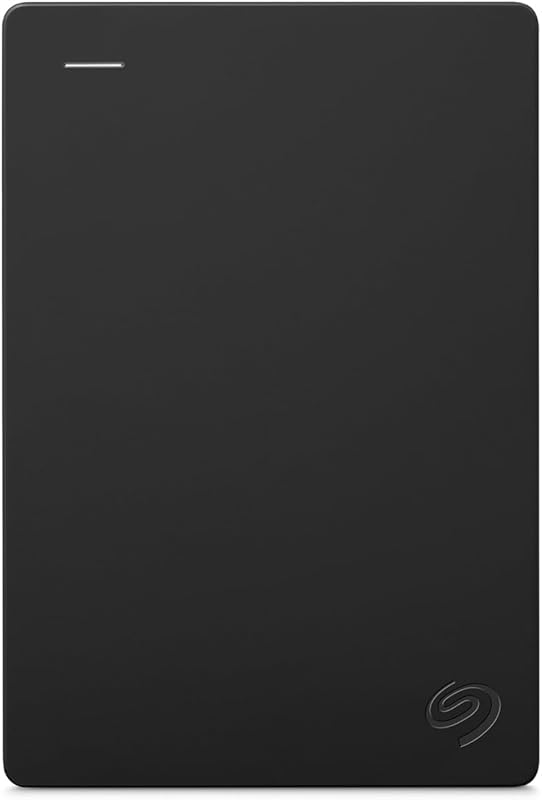
For users who need twice the storage capacity in a portable design, the Seagate Portable 4TB External Hard drive provides 4TB of space over USB 3.0. It lists broad compatibility across PC, Mac, Xbox, and PlayStation systems and includes a 1-year rescue service. If your primary goal is maximizing storage space for extensive console game installations or large photo libraries without jumping to a bulky desktop unit, this 4TB alternative is worth considering.
1TB Dual Drive External SSD

If mechanical platter speeds feel too sluggish for your daily workload, the 1TB Dual Drive External SSD offers solid-state performance with read speeds up to 500 MB/s and write speeds up to 450 MB/s. It features a USB 3.2 Gen 2 dual interface supporting both USB Type-C and USB-A connections in a thumb-drive form factor. Content creators and modern laptop users who prioritize rapid data transfers and direct Type-C connectivity should choose this solid-state alternative over mechanical drives.
Final Verdict
When assessing whether the wd my passport worth it, the answer depends entirely on your operational needs. If your goal is acquiring a dependable, highly portable external drive that automates routine file archiving while securing sensitive records behind hardware encryption, this drive is a very capable performer. Its aluminum construction, 2TB capacity, and three-year limited warranty make it a well-rounded tool for students, home office professionals, and remote workers who need reliable data protection on the move.
On the other hand, users expecting modern solid-state transfer speeds or those who dislike installing proprietary software utilities might find the mechanical architecture and setup requirements less appealing. For buyers who prioritize data security and structured backup automation above all else, the My Passport fulfills its core mission reliably. It delivers practical, durable, and secure portable storage that keeps your digital life protected wherever you work.
FAQ
Can I use the WD My Passport on both PC and laptop systems?
Yes, the listing confirms compatibility across PC platforms, including desktop computers, laptops, and tablets. It interfaces using standard USB connectivity, making it easy to plug into your existing computer ports for immediate file access.
How does the hardware encryption protect my files?
The drive features integrated hardware encryption paired with password protection. When enabled, your stored data is locked at the hardware controller level. This means someone who plugs the drive into another machine cannot view or open your files without entering your chosen password.
Does the WD My Passport need an external power outlet?
No, the drive is bus-powered through its USB cable. It draws all necessary operational power directly from your computer or tablet, so you do not need to carry a separate AC wall adapter or power cord when traveling.
Can I connect the WD My Passport to a video game console?
The listing specifically notes compatibility with the Microsoft Xbox 360 console. You can connect the drive via USB to store personal media files or compatible game archives supported by the console’s operating system.
What operating system platform is this drive configured for?
The listing specifies PC as the primary hardware platform. While Windows environments support the drive and its software directly, using the drive across alternative systems may require reformatting the drive to match that operating system’s supported file system.


