
As Amazon Associates, we earn from qualifying purchases. This means we may receive a small commission at no extra cost to you if you click through and make a purchase.
The WD Elements 20TB is an ultra-high-capacity desktop external hard drive built to deliver massive, dependable local storage for demanding home and office setups. Powered by a standard 3.5-inch mechanical drive mechanism and connected via USB 3.0, this standalone drive aims to solve the problem of digital clutter by giving users a single destination for extensive media collections, system disk images, and long-term project files. Our evaluation shows that it serves as an exceptional, hassle-free archival vault for heavy data hoarders, providing reliable high-capacity desktop storage without unnecessary software bloat, though its stationary design and mechanical drive components mean it is built strictly for permanent desk setups rather than mobile bags.
This desktop unit suits PC power users, creative professionals, and digital collectors who need an enormous local volume for routine backups without recurring cloud subscription fees. Users who need to consolidate multiple smaller external drives into one organized space will find it especially practical. However, travelers requiring bus-powered mobility, content creators seeking blistering solid-state transfer speeds for direct video editing, and Mac users wanting zero-step initial setup should look toward compact portable drives or dedicated solid-state alternatives instead.



WD Elements 20TB at a Glance

| Feature | Specification |
|---|---|
| Digital Storage Capacity | 20 TB |
| Drive Form Factor | 3.5 inches |
| Hardware Interface | USB 3.0 (USB 2.0 compatible) |
| Model Number | WDBWLG0200HBK-NESN |
| Product Dimensions | 8.95 inches L x 3.52 inches W x 8.00 inches H |
| Item Weight | 2.00 pounds |
| Host Compatibility | Windows 10+ (Mac requires reformatting) |
| Console Support | Xbox Series X/S, Xbox One, Xbox 360, PS5, PS4, PS3 |
| Intended Use | Personal desktop archiving and backup |
Storage Capacity and Everyday Backup Utility
Choosing the wd elements 20tb desktop drive comes down to whether your workflow demands an immense volume of localized storage space. For typical everyday computer users, twenty terabytes represents an extraordinary quantity of space. It easily accommodates hundreds of uncompressed feature films, extensive RAW photography libraries, massive personal audio collections, and multiple complete operating system images. Rather than juggling half a dozen smaller drives across your workspace, moving your primary archives onto a single unified enclosure simplifies data management and ensures you always know where older project files live.
Deploying the wd easystore 20tb for backup routines offers substantial peace of mind. Using built-in Windows backup tools or third-party automated cloning utilities, you can set scheduled snapshots to mirror your primary solid-state boot drives on a weekly basis without worrying about running out of headroom. Shoppers who regularly compare desktop solutions often cross-shop this model against the WD Easystore external hard drive to decide between stationary capacity and portable convenience. With twenty terabytes available, you can preserve historical system versions over months or years, ensuring a reliable fallback if a primary drive suffers an unexpected glitch.
Because any mechanical drive relies on spinning platters and moving actuator arms, relying on a single 20TB drive as your only copy of critical data is not recommended. Instead, the Western Digital 20TB desktop drive serves best as a central on-site repository within a broader multi-copy backup routine. When paired with an off-site copy or secondary cloud snapshot for your most essential records, this desktop volume provides instant, network-independent local file restoration whenever you need it.
Data Transfer Performance and Interface Capabilities
Evaluating the wd 20tb external hard drive speed requires understanding the mechanical characteristics of high-capacity 3.5-inch spinning media. The drive communicates with host computers over a standard USB 3.0 connection while remaining fully backward compatible with USB 2.0 ports. While the technical product listing references a data transfer rate specification of 1 megabits per second alongside fast data transfers, real-world mechanical drive performance is defined by the sustained read and write abilities of traditional spinning disks over USB 3.0. For moving single large files like high-bitrate video clips or compressed archive containers, the drive handles sequential data smoothly and predictably.
When tracking the everyday wd easystore 20tb transfer rate during practical file transfers, the physical structure of the hard drive plays a primary role. Copying continuous multi-gigabyte video files allows the drive to sustain steady transfer performance, whereas moving folders containing hundreds of thousands of tiny documents or system files causes transfer rates to fluctuate as the read-write heads reposition across the platters. For massive multi-terabyte initial data migrations, running the transfer overnight or during scheduled desktop downtime ensures an uninterrupted transfer process without tying up your active workday.
It is equally important to distinguish high-volume archival tasks from real-time creative production workloads. Working with active video timelines or demanding real-time application processing directly off a mechanical hard drive will inevitably feel constrained compared to solid-state storage. For high-bandwidth gaming or active scratch disk tasks, a dedicated internal drive like the WD Black 2TB provides the instant responsiveness mechanical platters cannot match. The strength of this 20TB drive lies squarely in secure, high-capacity file archiving rather than active, high-speed project manipulation.
Desktop Footprint, Setup Simplicity, and Operational Noise
Physical setup is quick and friction-free thanks to the plug-and-play wd 20tb usb 3.0 setup process. For Windows users running Windows 10 or newer, getting started requires nothing more than connecting the power adapter to an electrical outlet and plugging the USB cable into your computer. The operating system identifies the drive immediately without demanding external configuration software or proprietary driver installations. This simple out-of-the-box experience makes expanding local storage accessible even for individuals with minimal technical background.
Because this is an external 3.5-inch unit weighing two pounds and measuring 8.95 inches long by 3.52 inches wide by 8 inches tall, it requires dedicated desk space and permanent access to AC wall power. Unlike smaller 2.5-inch external drives that operate purely on USB bus power, a high-capacity 20TB mechanical disk requires dedicated external power to spin its multi-platter assembly. While some users who swap multiple bare drives rely on open cradles like an OWC drive dock, this standalone drive encloses the drive safely inside a durable, pre-assembled housing designed to sit stably next to a monitor or desktop computer tower.
Acoustic performance is another everyday consideration for desktop workspaces. When the drive is actively indexing, reading, or writing large quantities of information, wd 20tb external drive noise becomes noticeable compared to silent solid-state drives. The internal mechanical arms produce soft clicking sounds and slight vibrational hums as they travel across the platters during heavy access cycles. Placing the unit on a firm desk pad or setting it slightly back from your immediate keyboard area keeps vibrations quiet and unobtrusive during daily computing tasks.
Platform Compatibility and Gaming Console Support
Understanding operating system compatibility prevents unexpected surprises during initial setup. When considering wd 20tb desktop storage mac compatibility, buyers should note that the drive ships pre-formatted in NTFS for out-of-the-box Windows readiness. As detailed in the manufacturer specifications, macOS requires reformatting the drive using Apple Disk Utility before it can write files natively. Formatting the volume to APFS for Apple-only environments or exFAT for cross-platform sharing between Windows and Mac takes only a couple of minutes, after which the drive integrates seamlessly into regular desktop workflows.
Console gamers will appreciate that the official specifications list compatibility with a remarkably wide range of gaming hardware. The drive supports Microsoft Xbox 360, Xbox One, Xbox Series S, and Xbox Series X, alongside Sony PlayStation 3, PlayStation 4, and PlayStation 5. On current-generation systems like the PlayStation 5 and Xbox Series X, the drive cannot launch native next-generation games directly from USB storage due to internal solid-state speed requirements. However, it functions as an expansive external storage vault where you can park massive game installations and move them back to internal storage far quicker than re-downloading them over a home internet connection.
Shoppers planning to connect this drive to older consoles such as the PlayStation 3 or Xbox 360 should note that legacy systems often carry specific partition limits and file system restrictions that the listing does not specify in detail. Preparing smaller formatted partitions may be necessary to ensure older hardware recognizes the drive properly. For modern Windows PCs and current-generation gaming hardware, however, the drive provides plug-and-play storage simplicity across the board.
WD Elements 20TB Pros and Cons
Pros
- Massive 20TB storage capacity
- Simple plug-and-play setup on Windows
- Universal USB 3.0 and 2.0 connectivity
- Broad compatibility with gaming consoles
- Sturdy 3.5-inch stationary desktop build
Cons
- Requires reformatting for macOS use
- Requires dedicated external wall power
- Audible mechanical platter noise during use
Check WD Elements 20TB on Amazon
Who Should Buy the WD Elements 20TB
Buy It If
- You need a massive 20TB local desktop archive to consolidate fragmented media collections, raw video files, or comprehensive system images into a single location.
- You prefer a simple, driver-free plug-and-play experience on Windows 10 or newer PCs without managing complicated local network configurations or recurring cloud fees.
- You want an expansive external cold-storage repository for modern gaming consoles like the Xbox Series X or PlayStation 5 to store dozens of downloaded titles locally.
- You work primarily at a fixed desk where a stationary 3.5-inch enclosure with a dedicated power adapter fits naturally into your permanent layout.
Skip It If
- You need a compact, bus-powered portable drive that slips into a backpack pocket for daily commuting or field photography.
- You require solid-state transfer rates for real-time video timeline editing, rapid database processing, or fast application scratch disk use.
- You want immediate, native out-of-the-box compatibility with macOS without having to reformat the drive using Disk Utility first.
WD Elements 20TB Alternatives Worth a Look
If twenty terabytes exceeds your storage needs or you require a different form factor, several practical alternatives from the same category offer distinct trade-offs worth considering.
Everyday HDD storage. Plug-and-play backup.
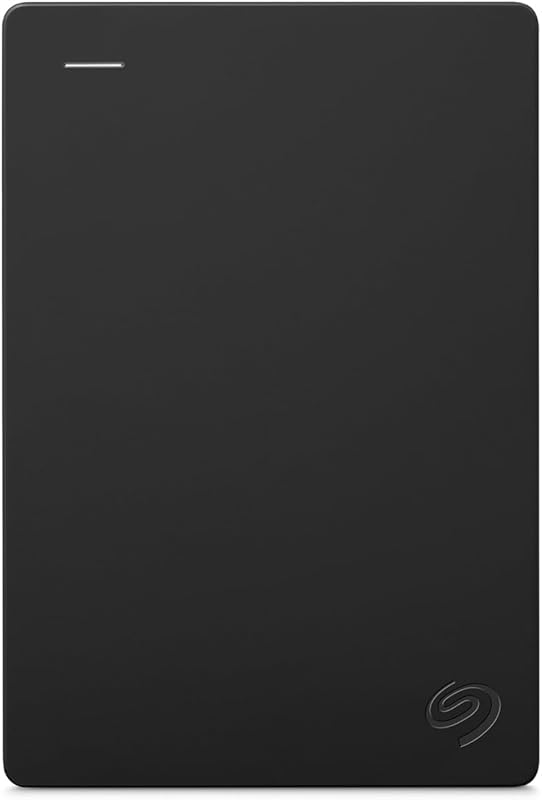
The Everyday HDD storage. Plug-and-play backup. Seagate 2TB Portable Hard Drive (STGX2000400) provides a compact, bus-powered solution with USB 3.0 connectivity, dual Windows and macOS compatibility, an included Adobe CC trial, and a 1-year warranty. It suits shoppers who want a lightweight, portable backup drive that draws power directly from a laptop rather than a stationary 20TB desktop brick.
Seagate Portable 4TB External Hard
The Seagate Portable 4TB External Hard Drive (SRD0NF1) delivers four terabytes of external storage over USB 3.0 with support for PC, Mac, Xbox, and PlayStation, accompanied by a 1-year rescue service plan. It serves buyers who want a middle-ground capacity that handles gaming and family backups without requiring external wall power or occupying meaningful desk space.
1TB Dual Drive External SSD

The 1TB Dual Drive External SSD features solid-state performance with up to 500 MB/s read and 450 MB/s write speeds, utilizing a USB 3.2 Gen 2 interface with dual Type-C and USB-A connectors in a thumb-drive form factor. It is ideal for users who value rapid solid-state transfer speeds and pocket-sized flexibility over the massive archival capacity of a 20TB mechanical desktop drive.
Final Verdict
Deciding whether the Western Digital 20TB desktop drive fits your workspace comes down to identifying your primary storage bottlenecks. If your digital life is constrained by fragmented disks, full computer drives, and recurring monthly cloud storage fees, this high-capacity unit delivers an orderly, dependable local remedy. Its plug-and-play simplicity on Windows, expansive single-volume architecture, and quiet desktop manners make it an outstanding candidate for serious home archiving and recurring system backups.
When considering whether the drive represents a smart investment, it delivers undeniable practical value for anyone managing vast data archives. While it lacks the pocket-sized portability of smaller external hard drives and cannot match the high-speed data throughput of modern solid-state media, it fulfills its intended role as an expansive desktop data vault with complete reliability. For users who need massive local capacity at their desk, the WD Elements 20TB remains a solid, dependable archival powerhouse.
FAQ
How do the wd easystore 20tb specs compare to this WD Elements 20TB model?
Both models share the core specifications of Western Digital 3.5-inch desktop hard drive technology, featuring twenty terabytes of storage capacity, standard USB 3.0 connectivity, and pre-formatted Windows NTFS partitions. The differences primarily involve retailer branding and cosmetic exterior casing designs, while the underlying desktop archiving capabilities remain functionally equivalent.
Can the WD Elements 20TB drive be used directly on a Mac?
The drive functions reliably on macOS systems, but it requires reformatting before use. Because it arrives formatted in NTFS for Windows 10 and newer computers, Mac users must open Apple Disk Utility and format the drive to APFS, Mac OS Extended, or exFAT before writing files.
Does the WD Elements 20TB require an external power supply to run?
Yes, because it is built around a standard 3.5-inch desktop mechanical drive mechanism, it requires dedicated AC wall power in addition to its USB 3.0 data connection. It cannot operate purely on the power delivered by a computer USB port.
Can this 20TB desktop drive store games for modern consoles like PS5 and Xbox Series X?
Yes, the drive is officially compatible with Xbox Series X/S and PlayStation 5 consoles as an external storage archive. While you cannot run current-generation games directly from external USB mechanical drives due to speed requirements, you can store installed games on the drive and transfer them back to internal storage quickly when ready to play.
Is the WD Elements 20TB suitable for continuous 24/7 file backups?
The drive is designed for personal desktop use, making it well-suited for automated scheduled backups and long-term file archiving when connected to a host PC. While the listing does not specify multi-bay network-attached storage ratings, it provides dependable service when used as an attached local backup destination.


