As Amazon Associates, we earn from qualifying purchases. This means we may receive a small commission at no extra cost to you if you click through and make a purchase.
The Razer Blade 16 stands as a showcase of modern industrial design, pushing high-end hardware into a remarkably thin 14.9 mm CNC aluminum chassis. Armed with the 16-core Intel Core Ultra 9 386H processor and an NVIDIA GeForce RTX 5070 Ti graphics processor, this machine is aimed squarely at enthusiasts who refuse to haul a massive, plastic desktop replacement between home and the workplace. For shoppers evaluating whether the razer blade v5 chassis standard delivers on its lofty engineering promises, the short verdict is that it achieves an extraordinary balance of portability, build elegance, and cutting-edge display performance, though fixed memory hardware means you must choose your configuration with care.
This notebook is built for serious gamers, visual media creators, and software engineers who value clean aesthetics, instant pixel response times, and high frame rates in an ultra-portable profile. On the other hand, users seeking budget-friendly workhorses, easily serviceable memory modules, or desktop-sized 17-inch or 18-inch screens will want to explore alternative options better matched to their specific desks and workflows.


Razer Blade 16 at a Glance

| Feature | Specification Details |
|---|---|
| Processor | Intel Core Ultra 9 386H (16 cores, up to 4.9 GHz, AI NPU up to 50 TOPS) |
| Graphics Processing Unit | NVIDIA GeForce RTX 5070 Ti (12GB GDDR7, up to 140W TGP) |
| Display Panel | 16-inch QHD+ (2560 x 1600) OLED, 240Hz, 0.2 ms, VESA DisplayHDR TrueBlack 1000 |
| Chassis Thickness | 14.9 mm (0.59 inches) CNC-milled aluminum |
| System Memory | 32GB LPDDR5X at 9600MHz (non-upgradeable) |
| Solid-State Storage | 1TB PCIe 4.0 NVMe SSD (dual M.2 slots, supports up to 8TB total) |
| Wireless Connectivity | Wi-Fi 7 |
| High-Speed Ports | Thunderbolt 5, HDMI 2.1, USB, SD card reader |
| Biometric Authentication | Windows Hello facial recognition |
| Operating System | Windows 11 Home |
Next-Gen Graphics and Processing Power
At the beating heart of this machine lies a potent silicon pairing configured to handle heavy computational workloads without stuttering. The laptop incorporates an Intel Core Ultra 9 386H processor, featuring 16 cores capable of boosting up to 4.9 GHz alongside a dedicated neural processing unit delivering up to 50 TOPS of AI acceleration. When digging into the comprehensive razer blade v5 specs, it becomes apparent that this processor is engineered to balance high clock speeds during intense gaming sessions with intelligent power management when handling mundane tasks like video streaming or document processing in Windows 11 Home.
Graphical muscle is delivered by the razer blade 16 rtx 5070 ti configuration, which pairs 12GB of cutting-edge GDDR7 video memory with a total graphics power rating reaching up to 140W. This elevated TGP ceiling allows the GPU to sustain higher clocks during extended periods of rendering or heavy gameplay. Whether you are running complex lighting models, high-resolution ray tracing, or demanding physics simulations, the razer blade 16 gaming performance remains smooth and consistent across modern AAA titles and competitive esports.
Creative developers and digital artists also gain significant advantages from this processing array. The integration of high-bandwidth GDDR7 VRAM ensures that complex 3D scenes, video timelines, and generative AI models process rapidly. For those comparing larger form factors for stationary desktop setups, our analysis of the razer blade 18 highlights how differing chassis sizes approach peak graphical loads, but the 16-inch model remains the undisputed front-runner for pure mobility.
Display Quality and Visual Fidelity
The display is arguably the most striking physical feature of this laptop. Sporting a 16-inch 2560 x 1600 QHD+ panel with an expansive 16:10 aspect ratio, the razer blade 16 oled display transforms everyday visual interaction. The panel boasts an ultrafast 240Hz refresh rate combined with a near-instantaneous 0.2 ms response time, practically eliminating motion blur and ghosting during high-speed competitive gaming.
Visual fidelity extends far beyond gaming motion. Certified with VESA DisplayHDR TrueBlack 1000, the panel achieves peak brightness levels of up to 1100 nits while delivering the perfect inky black levels and infinite contrast inherent to self-lit OLED pixels. It also covers 100% of the DCI-P3 color gamut with Calman Verified factory calibration, making the razer blade 16 for creators a formidable workstation for color-critical photo grading, color correction, and HDR video editing.
The 16:10 aspect ratio offers additional vertical screen real estate, reducing the need to scroll through lines of code, digital audio workstations, or expansive web pages. Because OLED panels provide instantaneous pixel state transitions, everyday interaction feels exceptionally fluid, bridging the gap between an ultra-responsive competitive gaming monitor and a studio-grade production display.
Chassis Design and Thermal Management
Cramming high-wattage components into a chassis measuring merely 14.9 mm (0.59 inches) thin requires sophisticated mechanical engineering. Razer constructs the laptop from a single block of CNC-milled aluminum, finished in an anodized black coating that delivers rigidity and structural resistance against flex. Despite its svelte dimensions—measuring 13.98 inches long by 9.69 inches wide—the chassis feels exceptionally solid in the hand, avoiding the hollow creaks common to plastic enclosures.
To prevent thermal throttling inside such a condensed space, the laptop utilizes specialized razer blade vapor chamber cooling hardware. This system seals liquid within a vacuum chamber that vaporizes when heated by the processor and graphics silicon, dispersing thermal energy across a wide internal surface area toward the exhaust vents. This design maximizes razer blade 16 thermal efficiency, allowing the RTX 5070 Ti to pull up to its 140W limit without immediately forcing clock speed reductions.
Nevertheless, physical limitations cannot be completely engineered away. When pushing both the 16-core CPU and GPU simultaneously during marathon sessions, the aluminum unibody naturally absorbs and radiates heat. While internal fans keep critical silicon components within operating thresholds, the underside and upper keyboard deck can warm up considerably, making desk use recommended over lap use during intense gaming.
Memory and Storage Architecture
System memory on this configuration consists of 32GB of high-speed LPDDR5X RAM clocked at 9600MHz. This extraordinarily rapid clock frequency ensures swift asset loading and responsive multitasking across heavy software suites. However, buyers researching whether the system features a razer blade 16 upgradeable ram setup must note that this memory is soldered directly to the motherboard and cannot be upgraded after purchase. The 32GB allotment provides plenty of headroom for current gaming and typical creative projects, but power users who anticipate needing 64GB or more down the line must plan accordingly.
In contrast to the soldered memory, internal storage offers considerable expansion potential. The machine comes equipped from the factory with a fast 1TB PCIe 4.0 NVMe SSD, ensuring near-instantaneous boot times and rapid game launches. Crucially, the motherboard features two total M.2 NVMe slots, allowing users to install an additional solid-state drive and expand storage capacity up to an impressive 8TB total.
This dual-slot storage architecture provides a practical upgrade path for gamers with vast digital libraries and videographers managing raw media archives. By allowing drive expansion without requiring external enclosures, users can keep their active projects directly on the internal PCIe bus for maximum read and write bandwidth.
Connectivity, Security, and Ergonomics
Port selection on the chassis is comprehensive, accommodating modern production workflows and external hardware without forcing you into an endless web of dongles. Leading the connectivity suite is a razer blade 16 thunderbolt 5 port, delivering extreme transfer bandwidth for high-resolution multi-monitor setups, external storage arrays, and high-speed data accessories. It is accompanied by an HDMI 2.1 video output, standard USB connections, and a dedicated full-size SD card slot that photographers will greatly appreciate.
Wireless networking is powered by Wi-Fi 7, providing stable latency and high throughput when paired with compatible modern routers. For security and everyday convenience, the front-facing webcam integrates Windows Hello facial recognition biometrics, letting you bypass password entry and unlock your desktop securely the moment you open the lid.
The integrated low-profile keyboard is optimized for responsive typing, though users looking to build out an ergonomic desk station can easily pair the notebook with an external mechanical peripheral such as the razer blackwidow v4 low-profile hyperspeed to preserve the sleek aesthetic across their entire desk setup.
Razer Blade 16 Pros and Cons
Pros
- Ultra-thin 14.9 mm CNC aluminum chassis
- Vibrant 240Hz QHD+ OLED display
- RTX 5070 Ti with up to 140W TGP
- Dual M.2 slots supporting up to 8TB
- Cutting-edge Thunderbolt 5 and Wi-Fi 7
Cons
- Non-upgradeable soldered system memory
- Chassis warms up during heavy gaming loads
Check Razer Blade 16 on Amazon
Who Should Buy the Razer Blade 16
Identifying the ideal user profile ensures that your hardware investment aligns with your actual daily computing routine.
Buy It If
- You demand a high-performance gaming rig wrapped in an ultra-slim 14.9 mm CNC aluminum chassis built for mobility.
- You need a color-accurate 240Hz QHD+ OLED display that provides 100% DCI-P3 coverage and DisplayHDR TrueBlack 1000 contrast for both creative work and gaming.
- You want cutting-edge connectivity including Thunderbolt 5, Wi-Fi 7, and expandable dual M.2 SSD slots capable of reaching 8TB.
- You prioritize premium build materials and biometric Windows Hello facial recognition over modular internal components.
Skip It If
- You need modular, user-replaceable system memory to upgrade your RAM capacity in the future.
- You prefer a larger 17-inch or 18-inch screen form factor for a permanent, non-traveling desk installation.
- You prioritize cool, lap-friendly chassis temperatures over slim exterior aesthetics during maximum gaming loads.
Razer Blade 16 Alternatives Worth a Look
If certain design choices or hardware specifications of the Blade do not match your exact needs, several competing portable systems offer alternative approaches to mobile performance.
ASUS ROG Strix G16

The ASUS ROG Strix G16 provides a dedicated gaming configuration equipped with an Intel Core i7 14650HX processor, an NVIDIA GeForce RTX 5060 GPU, and 16GB of DDR5 memory. Featuring a 16-inch 165Hz FHD+ display and modern Wi-Fi 7 connectivity, it serves as a viable alternative for buyers who want standard full-height laptop chassis dimensions and gaming-centric aesthetics rather than an ultra-thin unibody enclosure.
Acer Nitro V 16S AI
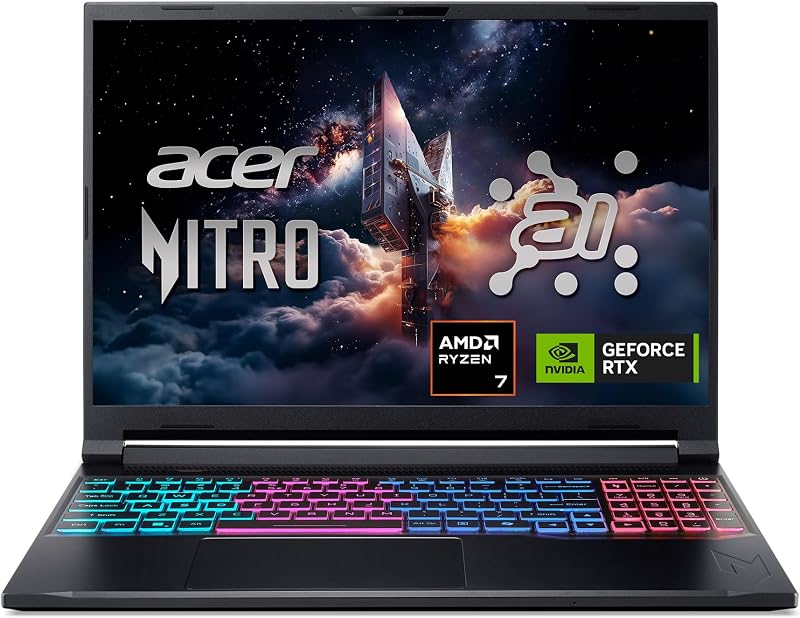
For those leaning toward AMD processing architecture, the Acer Nitro V 16S AI combines an AMD Ryzen 7 260 processor with an NVIDIA GeForce RTX 5060 graphics chip and 32GB of DDR5 RAM. Its 16-inch WUXGA 180Hz IPS display and integrated AI hardware make it worth considering for shoppers seeking a straightforward productivity-and-play machine focused on high memory capacity right out of the box.
msi Cyborg 17 17.3″ FHD

Gamers who prefer an expansive screen over compact travel dimensions should consider the msi Cyborg 17 17.3″ FHD. This machine pairs an Intel Core 9-270H processor and RTX 5060 graphics with a large 17.3-inch 144Hz display and a total 2TB storage bundle, making it an attractive pick for users who intend to keep their machine anchored to a desk rather than tucked into a slim backpack.
Final Verdict
When asking the core question—is razer blade v5 worth it—the answer comes down to how much you value industrial elegance, thermal engineering, and display fidelity. By combining an Intel Core Ultra 9 386H CPU, a 140W RTX 5070 Ti, and an eye-watering 240Hz QHD+ OLED screen into a CNC aluminum frame just 14.9 mm thin, Razer has crafted one of the most technologically accomplished ultra-portable gaming notebooks on the market.
The trade-offs are unambiguous: the 32GB LPDDR5X memory cannot be upgraded, and the slim metal chassis naturally runs warm under full processing saturation. However, with secondary M.2 storage expansion up to 8TB, Thunderbolt 5 speeds, and incredible visual performance, this laptop delivers an uncompromising, premium experience for discerning gamers and creators who demand peak power in a truly portable format.
FAQ
Can you upgrade the RAM in the Razer Blade 16?
No, the 32GB of LPDDR5X memory running at 9600MHz is soldered directly to the motherboard and cannot be replaced or upgraded after purchase.
Can you install additional storage drives in the Razer Blade 16?
Yes, the notebook includes two total M.2 NVMe slots. While it ships with a 1TB PCIe 4.0 SSD, users can add an additional drive to expand total internal storage up to 8TB.
What are the specifications of the OLED screen?
The display is a 16-inch QHD+ panel with a 2560 x 1600 resolution, a 240Hz refresh rate, a 0.2 ms response time, 100% DCI-P3 Calman Verified color coverage, and VESA DisplayHDR TrueBlack 1000 certification with up to 1100 nits peak brightness.
Does the laptop feature Thunderbolt 5 connectivity?
Yes, the port selection includes a high-speed Thunderbolt 5 connection alongside an HDMI 2.1 port, full-size SD card slot, and multiple USB ports.
How does the cooling system handle heat in such a thin chassis?
The laptop utilizes an advanced vapor chamber cooling system that spreads thermal dissipation evenly across the internal chassis to maintain sustained high power for the CPU and GPU within its 14.9 mm aluminum enclosure.