As Amazon Associates, we earn from qualifying purchases. This means we may receive a small commission at no extra cost to you if you click through and make a purchase.
The OnePlus Pad Go is an 11.35-inch Android tablet built with an octa-core MediaTek Helio G99 processor, 8GB of system memory, 128GB of onboard storage, and factory-unlocked 4G LTE cellular capability. It provides a sharp, responsive platform for everyday web browsing, cloud-based office tasks, and multimedia playback, serving as an ultra-portable companion device even if it falls short of fully replacing a conventional workstation.
This tablet suits mobile workers, students, and casual users who spend their days in web browsers, document editors, email clients, and streaming applications. Shoppers who need legacy desktop productivity suites, specialized programming tools, heavy database management, or the high-output processing power discussed in our dell pro 16 plus evaluation should remain with a dedicated personal computer.


OnePlus Pad Go at a Glance

| Attribute | Detail |
|---|---|
| Screen Size | 11.35 inches |
| Display Resolution | 1720 x 2408 pixels (IPS LCD) |
| Processor | MediaTek Helio G99 (Octa-core up to 2.2 GHz, 6 nm) |
| Operating System | Android 13 with OxygenOS 13.2 |
| System Memory | 8GB RAM |
| Internal Storage | 128GB ROM |
| Storage Expansion | microSDXC dedicated slot |
| Battery Capacity | 8000 mAh (non-removable) |
| Cameras | 8 MP Rear Camera, 8 MP Front Camera |
| Cellular Support | Single-SIM 4G LTE (GSM only, no CDMA) |
| Included in Box | USB Cable |
Performance and Daily Productivity Workloads
Evaluating the OnePlus Pad Go for productivity requires looking closely at how its internal hardware handles routine desktop demands. At the center of the device is the MediaTek Helio G99 processor, an octa-core silicon design manufactured on a 6-nanometer process. It combines two performance-focused Cortex-A76 cores clocked at 2.2 GHz with six efficiency-oriented Cortex-A55 cores clocked at 2.0 GHz. This core arrangement ensures that basic operational tasks such as opening web pages, rendering PDFs, and typing up text documents proceed smoothly without noticeable stutter or lag.
The tablet includes 8GB of RAM, which is generous for a mobile slate in this category. Having 8GB of operational memory prevents apps from closing abruptly when switching between a word processor, a web browser with multiple active research tabs, and an email inbox. While intensive computing tasks like compiling software or rendering high-bitrate video exceed the capabilities of the Helio G99, everyday productivity applications run reliably within the boundaries of Android 13.
For file storage, the tablet provides 128GB of built-in storage alongside a dedicated microSDXC card slot. Having a dedicated expansion tray means users can expand their offline file library with high-capacity memory cards without sacrificing cellular connectivity. While desktop PC users might be accustomed to swapping fast internal solid-state drives like the evo plus 1tb, the external card slot on this slate provides a practical, straightforward way to store large media files and document archives.
Keyboard Support and Input Configuration
Transforming any tablet into a functional mobile workstation requires comfortable physical input, making OnePlus Pad Go keyboard support an important consideration for prospective buyers. The manufacturer packaging includes only a USB cable and the tablet itself; the listing does not specify an included keyboard folio, touchpad cover, or active stylus. Anyone intending to draft lengthy essays or respond to long message threads must pair the tablet with third-party peripherals.
Because the unit runs OxygenOS 13.2 over Android 13, standard Bluetooth keyboards, mice, and wired USB input accessories can interface with the device. Typing on a dedicated keyboard transforms document entry, allowing standard text shortcuts and faster navigational control. However, without an official integrated keyboard case bundled in the box, users must balance carrying separate wireless accessories alongside the slate, which slightly reduces the all-in-one convenience that a traditional clamshell computer natively offers.
The touch interface remains the primary navigation tool right out of the box. The 11.35-inch glass panel offers ample surface area for on-screen typing when quick replies or short searches are needed, but prolonged typing on glass is never as efficient as physical key travel. Those planning to use the device primarily for writing should plan ahead for a standalone wireless keyboard setup.
Multitasking Capabilities and Software Interface
Managing several tasks simultaneously is essential for laptop-style workflows, and OnePlus Pad Go multitasking is shaped by OxygenOS 13.2 built on Android 13. The operating system includes features tailored for larger screens, such as split-screen app placement, floating utility windows, and a flexible bottom taskbar. These tools allow you to position a text editor beside a reference article, or keep a messaging app floating over a shared spreadsheet.
When comparing the OnePlus Pad Go vs laptop functionality, the difference lies primarily in the windowing paradigm and software depth. Android applications are designed around focused, sandboxed experiences rather than the boundless multi-window environments found on desktop operating systems. You can comfortably manage two applications side-by-side on the 11.35-inch screen, but attempting to manage five or six active windows simultaneously quickly reaches the interface limits of mobile software.
File management is another area where user habits must adapt. While Android provides access to file directories and supports cloud storage synchronization, moving assets between deeply nested folders or working with specialized archive formats requires more steps than a desktop operating system. For straightforward cloud-based office workflows, however, the software offers a clean, distraction-free environment that minimizes background complexity.
Display Quality and Media Experience
Visual fidelity is one of the standout aspects of this device, with OnePlus Pad Go display quality anchored by an 11.35-inch IPS LCD panel sporting a 1720 x 2408 pixel resolution. This pixel density produces sharp text rendering, crisp typography in digital books, and clear spreadsheet gridlines. The wide panel provides sufficient vertical and horizontal room to display standard documents without aggressive zooming.
In addition to document work, OnePlus Pad Go entertainment is a primary use case highlighted directly in the product specifications. The 1720 x 2408 resolution exceeds standard 1080p high-definition video formats, ensuring that streaming movies, instructional videos, and web broadcasts appear rich and detailed. The IPS LCD technology maintains broad viewing angles, so colors and contrast remain consistent even when the tablet rests flat on a desk or sits propped up on an easel stand.
Communication tasks are supported by dual 8-megapixel cameras, with an 8 MP lens located on the front and an 8 MP sensor on the rear. The front camera delivers clear video capture for virtual meetings, remote lectures, and casual family check-ins. While these sensors do not rival dedicated standalone cameras, they handle document scanning and basic video conferencing competently.
Battery Life and Mobile Connectivity
Portability hinges on how long a device stays operational away from wall outlets, and OnePlus Pad Go battery life is backed by an integrated 8000 mAh non-removable battery pack. The listing also notes a lithium battery energy content of 2.6 watt-hours. Combined with the power-efficient 6-nanometer fabrication of the Helio G99 processor, the battery capacity easily handles continuous hours of mixed office tasks, web browsing, and media consumption throughout a standard workday.
Unlike standard budget laptops that rely solely on local Wi-Fi networks, this tablet features built-in single-SIM 4G LTE cellular connectivity. The factory-unlocked modem operates across standard 2G GSM frequencies (850/900/1800/1900 MHz), 3G HSDPA bands (850/900/2100 MHz), and 4G LTE bands. This cellular link provides untethered internet access on compatible GSM networks, allowing users to send emails, update project boards, and download files from public transit, parks, or client sites without draining their smartphone battery through Wi-Fi hotspot tethering.
Thermal management is another practical benefit of the tablet architecture. Operating silently without internal cooling fans, the slate remains quiet and cool during routine operations. Unlike high-draw computing hardware that demands external accessories like the llano v12 gaming laptop cooling pad to disperse excessive heat, the OnePlus Pad Go manages heat dissipation passively through its chassis.
OnePlus Pad Go Pros and Cons
Pros
- Sharp 11.35-inch 1720 x 2408 IPS LCD display
- Generous 8GB RAM for stable multitasking
- Dedicated microSDXC card slot for storage expansion
- Factory unlocked 4G LTE cellular connectivity
- Substantial 8000 mAh internal battery capacity
Cons
- No keyboard folio or stylus included in box
- Cellular connectivity limited to GSM networks without CDMA
- Mobile processor trails full desktop computer power
Check OnePlus Pad Go on Amazon
Who Should Buy the OnePlus Pad Go
Buy It If
- You need a lightweight mobile screen for web browsing, cloud-based documents, email, and video calls.
- You want built-in 4G LTE cellular data to stay connected away from home and office Wi-Fi networks.
- You value a crisp 11.35-inch 1720 x 2408 display for streaming video and reading documents.
- You want 8GB of system RAM paired with expandable microSDXC storage for flexible daily multitasking.
Skip It If
- Your daily workflow requires specialized Windows or macOS desktop software, macros, or full desktop browser extensions.
- You expect a bundled physical keyboard cover and stylus inside the box without purchasing extra accessories.
- Your wireless carrier operates exclusively on CDMA networks, as the internal modem supports GSM and LTE only.
OnePlus Pad Go Alternatives Worth a Look
If you are exploring the portable computing market, several alternative tablets offer different balances of features, durability, and display dimensions.
Amazon Fire HD 10 tablet
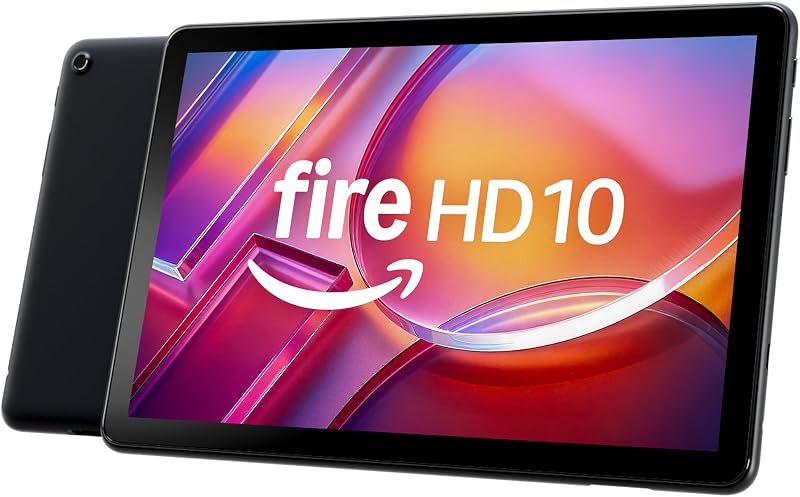
The Amazon Fire HD 10 tablet features a 10.1-inch Full HD screen, an octa-core processor, 4 GB of RAM, and 32 GB of storage space. It is designed primarily for relaxation and media consumption within the Amazon services ecosystem, making it a viable alternative for readers who want a simple media viewer rather than an unlocked 4G LTE device with 8GB of RAM.
24GB RAM 256GB ROM

The 24GB RAM 256GB ROM RT9 rugged tablet brings extreme durability with a waterproof, drop-proof, and glove-friendly design. It features an 11000mAh battery, a 10.1-inch Full HD display, a 93dB loud speaker, a 16MP camera, dual SIM support, and 256GB of internal storage, making it suited for outdoor field workers who prioritize rugged survival over slim chassis design.
1280×800 IPS HD Touchscreen 6000mAh
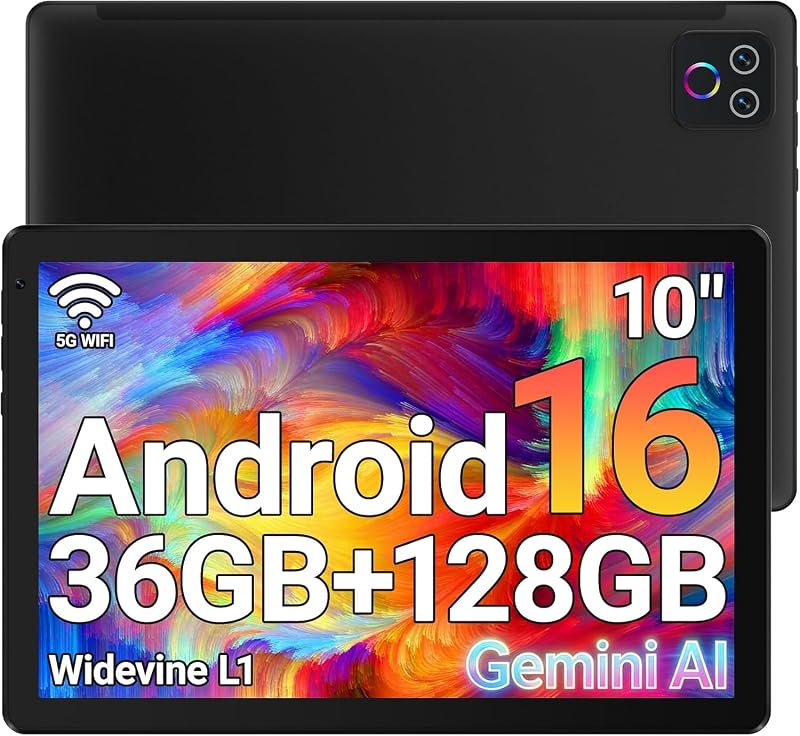
The 1280×800 IPS HD Touchscreen 6000mAh URAO tablet features a 10.1-inch display with 1280×800 resolution, a 6000mAh battery, Wi-Fi 6, Bluetooth 5.4, 128GB of internal storage, and support for up to 1TB expansion. It runs Android 16 with a listed memory configuration of 36GB (6GB physical plus 30GB virtual), serving buyers looking for a basic entry-level Android tablet for light casual use.
Final Verdict
Answering whether the OnePlus Pad Go is worth it comes down to clear expectations about what an Android tablet can and cannot do when compared to a traditional laptop computer. With its sharp 11.35-inch 1720 x 2408 IPS panel, power-efficient MediaTek Helio G99 processor, generous 8GB of RAM, and factory-unlocked 4G LTE modem, the device delivers smooth, dependable operation across web browsing, media streaming, and mobile office tasks.
However, it cannot fully stand in for a full-featured laptop for power users who require extensive multi-window desktop environments, native PC software installations, or out-of-the-box physical keyboard input. If you approach the OnePlus Pad Go as an ultra-portable, always-connected secondary machine for travel and daily administrative tasks, it provides a well-balanced hardware package that handles mobile workloads with ease.
FAQ
Can the OnePlus Pad Go replace a standard laptop?
It can replace a laptop for light, cloud-focused duties such as writing in Google Docs, replying to emails, attending video conferences, and browsing the web. However, users who require desktop-exclusive software suites, complex multi-window multitasking, or advanced local file systems will find traditional laptops more capable.
Does the OnePlus Pad Go come with a keyboard in the box?
No. The manufacturer listing specifies only the tablet and a USB cable under included components. If you want a laptop-like physical typing experience, you must connect an external Bluetooth or USB keyboard separately.
What cellular networks work with the OnePlus Pad Go?
The tablet is factory unlocked for GSM networks, supporting 2G GSM (850/900/1800/1900 MHz), 3G HSDPA (850/900/2100 MHz), and 4G LTE. The listing explicitly states that it is not compatible with CDMA carriers, so you must verify frequency compatibility with your cellular provider before use.
Can you expand the storage on the OnePlus Pad Go?
Yes. The OnePlus Pad Go includes 128GB of internal storage and features a dedicated microSDXC memory card slot, allowing you to increase your local storage capacity without relying strictly on cloud services.
What version of Android does the tablet run?
The device comes configured with Android 13 customized with OnePlus OxygenOS 13.2, which introduces split-screen and floating window multitasking tools optimized for the 11.35-inch display.