As Amazon Associates, we earn from qualifying purchases. This means we may receive a small commission at no extra cost to you if you click through and make a purchase.
The MSI GeForce RTX 5090 SUPRIM SOC represents the pinnacle of consumer graphics hardware, engineered specifically for users who refuse to compromise on visual fidelity or compute capability. Powered by NVIDIA’s 50 Series architecture and loaded with 21,760 CUDA cores alongside 32 GB of cutting-edge GDDR7 memory, this msi 5090 graphics card is designed to dominate intense rendering pipelines and extreme visual processing workloads. Our verdict is unambiguous: it is an astonishingly capable technological showcase that delivers unparalleled graphical muscle, provided your PC case and power infrastructure can support its formidable physical footprint and massive electrical intake.
This flagship offering is built primarily for enthusiast PC builders, creative rendering professionals, and visual simulation specialists running dense multi-monitor or ultra-high-resolution configurations. If your desktop workstation already features a high-wattage power supply and an expansive chassis with superior ventilation, this card will serve as an extraordinary centerpiece. Conversely, everyday users seeking balanced gaming performance or those operating compact desktop towers should steer clear, as mainstream platforms or efficient processors like the AMD Ryzen 5 8600G provide far more sensible utility without requiring extensive system rebuilding.


MSI GeForce RTX 5090 SUPRIM SOC at a Glance

| Feature | Specification |
|---|---|
| Graphics Coprocessor | NVIDIA GeForce RTX 5090 |
| CUDA Cores | 21,760 Cores |
| Video Memory | 32 GB GDDR7 |
| Memory Interface & Speed | 512-bit, 28 Gbps |
| Clock Speeds | 2565 MHz Boost / 2580 MHz Extreme (MSI Center) |
| Power Consumption | 600 W (Gaming Mode) |
| Recommended PSU | 1000 W |
| Power Connector | 16-pin x 1 (includes 8-pin x4 to 16-pin adapter) |
| Dimensions | 14.2 x 5.9 x 3.0 inches (359 x 150 x 75 mm) |
| Display Outputs | 3 x DisplayPort (2.1b), 1 x HDMI (2.1b) |
Power Demands and System Requirements
Understanding the msi rtx 5090 power requirements is essential before adding this component to your build plan. According to manufacturer specifications, the MSI GeForce RTX 5090 SUPRIM SOC draws an extraordinary 600 watts of power in Gaming Mode, which places it among the most electrically demanding consumer graphics cards ever produced. MSI establishes a clear baseline by recommending a 1000-watt power supply unit. Combining this card with a modern high-end desktop processor will quickly push standard power units to their limits, making an upgraded, high-efficiency power supply an absolute prerequisite rather than an optional safeguard.
Power is delivered to the card through a single 16-pin auxiliary power connector. To ensure broad system compatibility with existing modular power units, MSI bundles an 8-pin x4 to 16-pin conversion connector directly inside the box. System builders must connect four independent 8-pin PCIe power cables directly from the power supply rather than daisy-chaining split leads, ensuring clean, continuous current delivery across all four lines. This level of power management contrasts sharply with balanced upper-midrange units such as the MSI RTX 4070 Ti Super 16G Ventus 3X Black OC GeForce RTX 4070 Ti Super 16 GB video card, which operates within standard desktop thermal and power envelopes without demanding dedicated multi-rail power planning.
Managing a sustained 600W electrical load also introduces ambient environment considerations. Under prolonged computational tasks or intense rendering sessions, that electrical energy is converted into exhaust heat that must escape your PC chassis into the room. Desktop users must ensure their computer case features unrestricted exhaust pathways and that their room has sufficient airflow to keep operating temperatures stable throughout long computing sessions.
Cooling Performance and Thermal Management
Dissipating the massive heat output generated by a 600-watt card requires sophisticated cooling engineering, and the msi 5090 cooling performance relies on MSI’s Hyper Frozr cooling design. At the foundation of this thermal architecture sits advanced Vapor Chamber technology, which makes direct contact with the RTX 5090 processor and surrounding memory modules. Unlike traditional solid copper cold plates, a vapor chamber utilizes an internal fluid phase-change cycle that rapidly absorbs heat, transforms liquid into vapor, and distributes that thermal energy across an extensive array of cooling fins before returning condensed liquid back to the heat source.
Because the thermal fin stack must manage such an immense heat load, the card measures a full 3.0 inches (75 mm) in thickness, occupying three expansion slots on your motherboard. The substantial weight of this cooling assembly introduces leverage on the motherboard slot that cannot be ignored. Recognizing this physical reality, MSI includes a heavy-duty VGA support stay in the package. Installing this support bracket is necessary to prevent long-term GPU sag and protect the physical integrity of both the graphics card frame and the motherboard expansion slot.
Cooling operation can be monitored and customized using the MSI Center application, which allows users to engage an Extreme Performance profile that lifts the boost clock to 2580 MHz. While the Hyper Frozr system is built to keep the 21,760 CUDA cores functioning within stable thermal limits, overall cooling efficiency remains dependent on unobstructed intake air. Cases with restrictive solid front panels or limited chassis fan mounts will force the cooling fans to spin at higher velocities, increasing acoustic output to prevent thermal throttling.
Core Architecture and Memory Specifications
A detailed examination of the msi 5090 graphics card specs reveals an unprecedented jump in hardware capability. The graphics processor contains 21,760 CUDA cores operating at a boost clock speed of 2565 MHz in standard Gaming Mode, with an optional 2580 MHz profile accessible through MSI Center. This massive density of parallel processing units delivers transformative compute speeds, allowing high-polygon 3D viewport navigation, real-time lighting calculations, and complex ray-traced rendering tasks to execute with exceptional fluidity.
Equally critical to the card’s overall processing throughput is the inclusion of rtx 5090 32gb gddr7 memory running across an ultra-wide 512-bit bus. Operating at a memory clock speed of 28 Gbps, this memory architecture provides immense bandwidth that prevents data starvation during high-load operations. The generous 32 GB frame buffer ensures you can load complex 3D asset libraries, edit uncompressed high-bitrate video footage, or run multi-layered creative simulations entirely within dedicated VRAM without spilling over into slower system memory.
The GDDR7 standard introduces advanced signaling protocols that maximize data transmission efficiency between the memory modules and the GPU core. This massive data highway proves particularly valuable for visual effects artists and computational researchers whose tasks depend on moving immense datasets in real time. Rather than waiting on cache flushes or texture streaming delays, the card maintains continuous data throughput across all internal compute pipelines.
Display Capabilities and High-Resolution Gaming
When evaluated for high-end interactive entertainment, deploying the msi 5090 for 4k gaming delivers unmatched graphical headroom. With a maximum display resolution of 7680×4320 pixels, this graphics card handles native 8K output and pushes modern 4K gaming displays to their highest potential refresh rates. Demanding visual features such as full path tracing, high-density volumetric effects, and complex real-time lighting calculations can be engaged simultaneously without reducing render scales or disabling visual assets.
Connectivity options are built around modern display standards, featuring three DisplayPort 2.1b connections and a single HDMI 2.1b output. These high-bandwidth video outputs allow the card to drive up to four simultaneous displays at extreme resolutions and refresh rates. Multi-screen simulator rigs, high-refresh esports setups, and professional HDR editing monitors can all run concurrently without experiencing signal bottlenecking or color compression artifacts.
This immense visual capacity translates directly into professional creative workflows. Video colorists and editors can drive primary high-DPI calibrated monitors alongside client reference panels without dropping frames during 8K raw timeline playback. The broad connectivity ensures that your workstation remains fully compatible with current and upcoming display hardware across various professional fields.
Chassis Dimensions and Desktop Compatibility
Physical rtx 5090 desktop compatibility is the most critical hurdle buyers must evaluate before purchasing this hardware. The msi 5090 dimensions are substantial: the card measures 14.2 inches (359 mm) in length, 5.9 inches (150 mm) in width, and 3.0 inches (75 mm) in thickness. With a length exceeding 14 inches and a triple-slot profile, this graphics card will simply not fit into compact mid-towers, small-form-factor builds, or cases that feature thick front-mounted liquid cooling radiators that limit interior clearance.
In addition to length, the 5.9-inch width requires careful side-panel clearance planning. When the 16-pin power connector or the included 8-pin x4 adapter is attached to the top edge of the card, the power cabling extends further toward the case side panel. Ensuring adequate clearance prevents bending the power connector at sharp angles, which is vital for maintaining proper terminal pin contact and avoiding cable stress. Full-tower enclosures or wide modern mid-tower chassis are strongly recommended.
Motherboard clearance must also be considered. Operating over a PCIe 5.0 x16 interface, the card occupies the primary expansion slot while its 3.0-inch cooler thickness covers neighboring PCIe slots directly beneath it. If your workstation relies on internal capture cards, dedicated audio hardware, or PCIe expansion storage cards, you must verify that your motherboard layout provides adequate slot spacing so that secondary cards do not physically block the intake fans of the MSI GeForce RTX 5090 SUPRIM SOC.
MSI GeForce RTX 5090 SUPRIM SOC Pros and Cons
Pros
- Massive 32GB GDDR7 memory capacity
- Staggering 21,760 CUDA cores
- Advanced Hyper Frozr vapor chamber cooling
- Includes 8-pin x4 to 16-pin adapter
- Bundled VGA support stay prevents GPU sag
- Modern DisplayPort 2.1b and HDMI 2.1b outputs
Cons
- Extreme 600W power draw requires 1000W PSU
- Massive 14.2-inch length limits chassis compatibility
- Thick 3.0-inch profile blocks adjacent expansion slots
Check MSI GeForce RTX 5090 SUPRIM SOC on Amazon
Who Should Buy the MSI GeForce RTX 5090 SUPRIM SOC
Selecting the right graphics card requires balancing your computational demands against the physical and electrical commitments required by flagship hardware. Here is a clear breakdown of who benefits most from this card and who should consider different alternatives.
Buy It If
- You demand uncompromised native 4K and 8K visual performance with maximum ray tracing settings enabled.
- You are a professional creator who requires 32 GB of GDDR7 VRAM and 21,760 CUDA cores for large 3D scenes and heavy workstation rendering.
- Your desktop chassis has at least 15 inches of internal clearance and your power supply is rated at 1000 watts or higher.
- You intend to power up to four high-resolution monitors using modern DisplayPort 2.1b and HDMI 2.1b interfaces.
Skip It If
- You build in a compact or small-form-factor case that cannot accommodate a 14.2-inch, 3.0-inch triple-slot graphics card.
- Your system uses a standard 650W to 750W power supply and you do not intend to invest in a major power upgrade.
- Your display setup is limited to standard 1080p or 1440p gaming where 32 GB of GDDR7 memory remains substantially underutilized.
MSI GeForce RTX 5090 SUPRIM SOC Alternatives Worth a Look
While the MSI flagship represents the upper limit of consumer GPU power, alternative options cater to different chassis sizes, power budgets, and platform needs. Moving away from older legacy hardware such as an AMD Radeon RX 580 8GB does not require jumping immediately to a 600-watt card if your setup is better suited to balanced hardware.
ASUS SFF-Ready Prime NVIDIA GeForce

For builders working with restricted internal space, the ASUS SFF-Ready Prime NVIDIA GeForce RTX 5070 OC Edition offers a compact alternative. Built with a 2.5-slot profile, 12GB of GDDR7 memory, PCIe 5.0 connectivity, Axial-tech fans, Dual BIOS support, and HDMI/DP 2.1 outputs, this card fits comfortably into small-form-factor builds where the SUPRIM SOC cannot fit. It delivers modern architecture and solid visual output without requiring an oversized chassis.
GIGABYTE Radeon RX 9070 XT
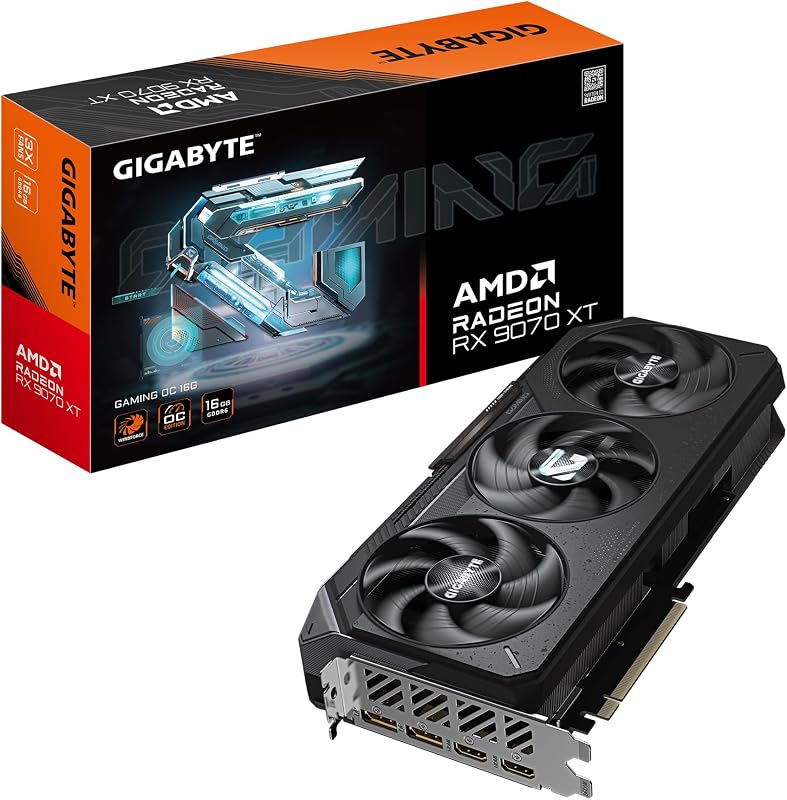
If you prefer an AMD platform with ample video memory, the GIGABYTE Radeon RX 9070 XT Gaming OC 16G Graphics Card provides an attractive non-NVIDIA route. Featuring 16GB of GDDR6 memory on a PCIe 5.0 interface, this card handles demanding high-resolution gaming and creative tasks with a more conventional power profile, making it a compelling option for desktop builders seeking high performance without 600W power demands.
ASUS TUF Gaming GeForce RTX 5080
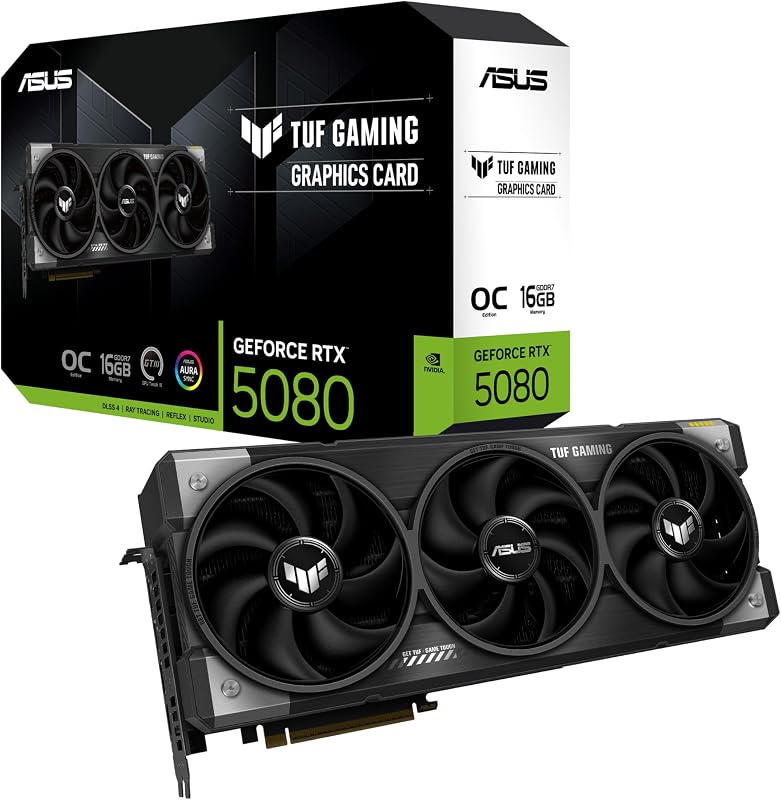
If you desire high-end NVIDIA performance with slightly more modest dimensions and electrical requirements, look at the ASUS TUF Gaming GeForce RTX 5080 16GB GDDR7 OC Edition. Featuring military-grade components, a protective PCB coating, Axial-tech fans, and a 3.6-slot cooling build, this PCIe 5.0 card offers a rugged, high-bandwidth intermediate step for enthusiast gamers who want top-tier GDDR7 speeds without stretching their power supplies to 1000W territory.
Final Verdict
Determining whether the question is msi 5090 worth it depends on whether your daily computing demands can actually leverage its monumental technical specs. The MSI GeForce RTX 5090 SUPRIM SOC sets an exceptionally high bar for desktop hardware, combining 21,760 CUDA cores, 32 GB of rapid GDDR7 memory, and an advanced Hyper Frozr vapor chamber cooling system. For professional content creators rendering multi-gigabyte models, simulation enthusiasts running complex virtual environments, and gamers demanding native 4K ray-traced visuals, it represents an unrivaled compute powerhouse.
At the same time, this hardware demands a major infrastructure commitment from its owner. With a 600-watt power draw under load, a 1000-watt recommended power supply, and a length exceeding 14 inches, this card requires a spacious chassis, robust case airflow, and dedicated multi-cable power delivery to operate safely and effectively. If your desktop workstation is built to accommodate its extreme physical and electrical demands, the MSI GeForce RTX 5090 SUPRIM SOC delivers unmatched performance that will anchor high-end systems for years to come.
FAQ
What power supply is recommended for the MSI GeForce RTX 5090 SUPRIM SOC?
MSI recommends a minimum power supply capacity of 1000 watts. The graphics card consumes 600 watts in Gaming Mode, so having a 1000-watt or larger power unit provides the necessary headroom to handle system-wide power spikes and high CPU loads simultaneously.
What are the exact dimensions of this graphics card?
The card measures 14.2 inches (359 mm) in length, 5.9 inches (150 mm) in width, and 3.0 inches (75 mm) in thickness. Because it is 3.0 inches thick, it occupies three expansion slots on your desktop motherboard.
What accessories are included inside the box?
The package includes the graphics card, an 8-pin x4 to 16-pin power conversion connector, a dedicated VGA support stay to prevent card sag, and a quick installation guide.
What display outputs does the card provide?
The MSI GeForce RTX 5090 SUPRIM SOC features three DisplayPort 2.1b connections and one HDMI 2.1b port. It supports up to four simultaneous display outputs with a maximum resolution of 7680×4320 pixels.
What clock speeds does this model reach?
The GPU features a boost clock speed of 2565 MHz in standard Gaming Mode. Using the MSI Center software, users can enable an Extreme Performance profile that increases the boost clock to 2580 MHz. The 32 GB of GDDR7 memory operates at 28 Gbps.