As Amazon Associates, we earn from qualifying purchases. This means we may receive a small commission at no extra cost to you if you click through and make a purchase.
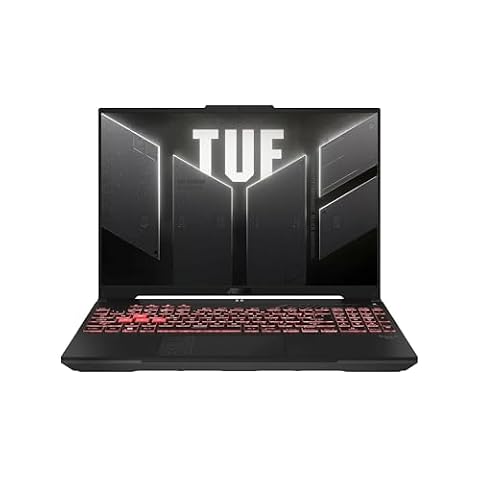
The Dell XPS 16 is a full-sized performance workstation designed for creators and professionals who require substantial processing muscle, modern dedicated graphics, and an expansive workspace. Equipped with an Intel Core Ultra 7 processor and dedicated NVIDIA GeForce RTX 5050 graphics inside a sleek platinum chassis, this machine serves as a capable mobile powerhouse for demanding applications. For those seeking desktop-class utility in a refined portable package, it delivers a potent blend of speed, modern connectivity, and visual fidelity.
This notebook best suits digital content creators, 3D modelers, data analysts, and multitasking power users who regularly stress their system with intensive timelines and heavy rendering passes. Casual users looking for a basic travel companion or shoppers who insist on native legacy USB-A ports without external adapters may prefer exploring a lighter alternative like a compact xps 13 laptop. By prioritizing modern standards and high-throughput hardware, this 16.3-inch system makes a clear statement about the future of professional creative workflows.



Dell XPS 16 at a Glance

| Attribute | Detail |
|---|---|
| Processor | Intel Core Ultra 7 255H (16 Cores, Up to 5.10GHz, 24MB Cache, 28W) |
| Graphics | NVIDIA GeForce RTX 5050 8GB GDDR7 (Dual Integrated + Dedicated) |
| Display | 16.3-inch 2K (1900 x 1200) IPS, 30-120Hz, 500 nits, InfinityEdge, Low Blue Light |
| Memory | 32GB LPDDR5X (7467MT/s) |
| Storage | 1TB PCIe NVMe M.2 SSD |
| Battery | 6-Cell, 99.5 WHr Lithium-Ion |
| Connectivity | Intel Killer Wi-Fi 7 1750i BE201, Bluetooth 5.4 |
| Ports | 3x Thunderbolt 4 Gen 2 Type-C (DisplayPort 2.1 & Power Delivery), 1x Universal Audio Jack |
| Dimensions | 14.15 inches L x 9.5 inches W x 0.75 inches Th |
| Operating System | Windows 11 Home |
Hardware Performance and Processing Power
At the center of everyday operation, the Dell XPS 16 Intel Core Ultra 7 255H provides the foundation for demanding workflows. This architecture features 16 individual processing cores operating up to 5.10GHz with a 24MB cache, configured around a 28W base profile. The multi-core structure allows the system to balance background management against foreground computing, preventing timeline stutter during complex computations. For users managing large databases, compiling code, or manipulating multi-layered image files, overall Dell XPS 16 performance remains agile under load.
The graphics pipeline is driven by an NVIDIA GeForce RTX 5050 featuring 8GB of dedicated GDDR7 memory. Using the Dell XPS 16 for video editing highlights the value of this dedicated hardware, as modern creative applications offload real-time effects rendering, color grading, and video encoding to the GPU. Because the system features dual integrated and dedicated graphics switching, it can engage the discrete Dell XPS 16 RTX 5050 for heavy 3D rendering or timeline playback while defaulting to lower-power integrated processing during simpler tasks.
Memory throughput plays a vital role in preventing system bottlenecks, and this machine features 32GB of LPDDR5X RAM rated at 7467MT/s. Combined with a responsive 1TB PCIe NVMe solid-state drive, application loading times remain virtually instantaneous and large asset libraries open smoothly. When examining the broader xps 16 laptop specs, this high-speed memory configuration provides sufficient headroom for running intensive virtualization tools alongside demanding creative suites without exhausting temporary memory buffers.
Display Quality and Visual Experience
The visual centerpiece is a 16.3-inch 2K panel with a native resolution of 1900 x 1200 pixels. Dell has integrated its InfinityEdge design, which minimizes borders on all sides to produce an immersive viewing area. When evaluating Dell XPS 16 display quality, the panel offers a maximum brightness of 500 nits, which helps maintain visibility in brightly lit workspaces or sunlit home offices. Built-in low blue light technology helps minimize optical fatigue during extended editing sessions without throwing color presentation completely off balance.
Motion fluidity is supported by a dynamic variable refresh rate spanning from 30Hz up to 120Hz. The 120Hz ceiling makes cursor tracking, high-frame-rate video playback, and general system navigation feel exceptionally responsive. When viewing static text documents or still images, the panel automatically scales down toward 30Hz, conserving energy without requiring manual intervention from the user.
The display utilizes IPS panel technology to deliver wide viewing angles, ensuring colors and contrast remain consistent even when viewing content from off-center positions. This particular configuration is a non-touch display with an anti-glare finish, keeping surface reflections under control. While touch enthusiasts might miss tactile input, the non-touch surface eliminates oily fingerprint smudges, preserving an uncompromised view of critical project details.
Port Selection and Everyday Connectivity
Analyzing the Dell XPS 16 ports reveals a decisive step into modern connectivity standards that requires thoughtful cable planning. The chassis features three Thunderbolt 4 Gen 2 Type-C ports, all of which support DisplayPort 2.1 video output and Power Delivery for system charging. A universal audio jack is also present for headphones and wired headsets. Because legacy connections like USB Type-A or dedicated full-sized HDMI are absent, users who depend on older thumb drives or legacy external monitors will need to adopt USB-C adapters or docking stations.
Wireless networking utilizes an Intel Killer Wi-Fi 7 1750i BE201 adapter paired with Bluetooth 5.4. Wi-Fi 7 compatibility allows users with modern network routers to access broader channel widths and reduced latency, which expedites massive cloud backups and raw video file transfers. The Bluetooth 5.4 radio provides steady connections for wireless peripherals, low-latency audio gear, and external input devices without signal dropouts.
Remote communication is managed by a 1080p Full HD RGB-IR camera that captures video at 30 frames per second. Dual-array microphones work in tandem with the webcam to isolate vocal audio during meetings. Security and authentication are handled seamlessly through Windows Hello compliance, Express Sign-In proximity detection, and a physical fingerprint reader built directly into the platinum palmrest for rapid biometric entry.
Chassis Design and Build Quality
The physical Dell XPS 16 build quality centers on an understated platinum aesthetic that fits naturally into corporate boardrooms and creative studios alike. Measuring 14.15 inches long, 9.5 inches wide, and 0.75 inches thick, the chassis retains a structured form factor that houses high-performance cooling components while fitting into standard 16-inch laptop sleeves. The clean metallic lines reflect the refined heritage seen across modern ultrabook dell xps designs, emphasizing minimalist exterior surfaces.
Typing is handled by a US English backlit platinum keyboard integrated flush into the top deck. The key switches offer uniform feedback for long writing and coding sessions, while subtle under-key illumination ensures keycaps remain legible in dim studio spaces. The unified deck design includes the integrated palmrest, creating a continuous surface that supports comfortable wrist positioning during all-day productivity.
Thermal management is built directly into the physical dimensions of the chassis, routing airflow across the Core Ultra processor and discrete graphics card. While the internal fans engage during sustained 3D exports or high-stress computational loads, the casing remains rigid without noticeable keyboard deck flex. Dell maintains structural integrity throughout the hinge assembly and base, giving the device a dense, premium feel in hand.
Battery Capacity and Power Management
Power delivery and mobility are anchored by an expansive 6-cell, 99.5 WHr lithium-ion battery. This battery capacity sits right at the 100 WHr limit established for commercial air travel, ensuring maximum possible internal energy storage without running into transit restrictions. Real-world XPS 16 battery life benefits substantially from the efficiency improvements built into the Core Ultra 7 processor architecture and the panel’s adaptive 30-120Hz refresh rates.
During standard office productivity, text processing, and media streaming, the laptop optimizes system draw by parking high-demand processing threads and relying on integrated graphics. When running dedicated rendering engines or complex timeline processing, the system taps the full wattage potential of the dedicated RTX 5050, resulting in faster battery drain under high-wattage loads. The included charger supplies power over Thunderbolt 4 Type-C, enabling users to re-energize the large 99.5 WHr cell using any of the three ports on the machine.
Dell XPS 16 Pros and Cons
Pros
- 16-core Intel Core Ultra 7 processor
- Dedicated NVIDIA RTX 5050 8GB GDDR7 graphics
- Spacious 16.3-inch 120Hz 500-nit InfinityEdge display
- Generous 32GB high-speed LPDDR5X memory
- Large 99.5 WHr airline-compliant battery
- Modern Wi-Fi 7 and Thunderbolt 4 connectivity
Cons
- Lacks legacy USB-A and HDMI ports
- Non-touch display without stylus support
- Heavier footprint compared to ultraportable notebooks
Who Should Buy the Dell XPS 16
Buy It If
- You need the combination of a 16-core Intel Core Ultra 7 processor and dedicated RTX 5050 graphics for media creation.
- You want a fast 120Hz 16.3-inch display with 500 nits of brightness for bright workspace environments.
- You rely on high-bandwidth peripherals, fast data transfers, and future-proof Wi-Fi 7 wireless connectivity.
- You want the maximum allowable airline battery capacity (99.5 WHr) built directly into your primary laptop.
Skip It If
- You rely heavily on legacy USB-A ports, built-in HDMI, or legacy connectors without using dongles.
- You prefer an ultra-compact, featherweight form factor suited for frequent handheld travel.
- You require a touchscreen display with stylus support, as this model features a non-touch anti-glare screen.
Dell XPS 16 Alternatives Worth a Look
If the hardware footprint, port selection, or feature configuration of the Dell XPS 16 does not align with your daily computing routine, other laptops emphasize different strengths. Those seeking versatile 2-in-1 designs might also consider checking out an hp – omnibook x flip 2-in-1 – 16 2k oled touchscreen laptop – amd ryzen ai 5 430 (2026) – 16gb memor for touch-focused workflows.
2026-2027 edition

The 2026-2027 edition HP 14 Laptop Computer offers a compact, lightweight 14-inch footprint driven by an Intel N150 processor, 4GB of DDR5 RAM, and 128GB of internal storage alongside included Microsoft 365 and 1TB cloud storage. Shoppers who only require entry-level document processing, web browsing, and basic cloud storage access will find this option far more basic and portable than the heavyweight Dell workstation.
Supports 1TB TF Card Expansion
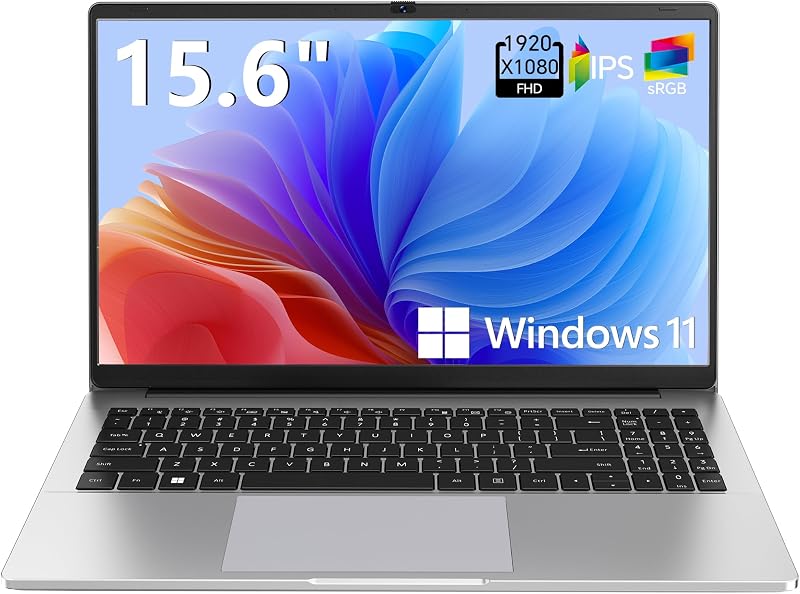
The Supports 1TB TF Card Expansion 15.6-inch Laptop Computer is an entry-level notebook designed for home office tasks and students, featuring an Intel N4020 processor, 4GB DDR4 RAM, 128GB eMMC storage, and an FHD LCD display. Pick this system over the Dell XPS 16 if your computing needs are strictly limited to casual schoolwork, simple streaming, and inexpensive media storage via expandable memory cards.
Copilot AI

The Copilot AI HP 2026 Essential Laptop features a natural silver portable chassis with an LED display, 128GB storage, Office 365, and 1TB cloud storage integration. It serves shoppers who need a dedicated AI-assisted productivity tool for basic cloud documents and light daily office work, rather than a graphics-heavy mobile workstation.
Final Verdict
Determining whether the Dell XPS 16 is worth it comes down to what you expect from a high-performance 16-inch machine. With its 16-core Intel Core Ultra 7 255H processor, 32GB of 7467MT/s memory, and discrete NVIDIA RTX 5050 graphics card, it excels at complex multitasking, visual editing, and technical software execution. The 500-nit InfinityEdge display with a smooth 120Hz refresh rate and the massive 99.5 WHr battery further reinforce its reputation as a serious productivity instrument.
The trade-offs involve its all-Thunderbolt port selection and standard non-touch configuration. If you are prepared to use USB-C adapters for legacy peripherals and do not need a touch panel, this laptop rewards you with exceptional construction, dependable graphical acceleration, and modern wireless connectivity. It stands as a reliable, future-ready choice for professionals who demand serious power in an elegant form factor.
FAQ
Is the Dell XPS 16 good for video editing?
Yes, the combination of an Intel Core Ultra 7 255H processor, 32GB of high-speed LPDDR5X RAM, and a dedicated NVIDIA GeForce RTX 5050 GPU with 8GB of GDDR7 memory makes it well suited for timeline scrubbing, rendering, and media encoding tasks.
What ports are available on the Dell XPS 16?
The laptop is equipped with three Thunderbolt 4 Gen 2 Type-C ports, each supporting DisplayPort 2.1 video output and Power Delivery, alongside one universal 3.5mm audio jack. It does not feature built-in legacy USB Type-A ports.
Does the Dell XPS 16 display support touch input?
No, this configuration features a 16.3-inch 2K (1900 x 1200) IPS InfinityEdge non-touch display with an anti-glare coating and low blue light hardware technology.
How large is the battery in the Dell XPS 16?
The system houses a 6-cell, 99.5 WHr lithium-ion battery, which provides maximum internal energy capacity right under the standard 100 WHr limit for airline travel.
What wireless standards does the Dell XPS 16 support?
The machine includes an Intel Killer Wi-Fi 7 1750i BE201 card supporting high-speed Wi-Fi 7 networks, as well as Bluetooth 5.4 for connecting wireless mice, keyboards, and audio peripherals.