
As Amazon Associates, we earn from qualifying purchases. This means we may receive a small commission at no extra cost to you if you click through and make a purchase.
The HP Pavilion 15 Touchscreen is a full-size clamshell notebook engineered to tackle demanding daily productivity, academic coursework, and home multitasking without unnecessary complexity. Powered by a 13th Generation Intel Core i7-1355U processor, 16GB of DDR4 memory, and a 512GB PCIe solid-state drive, this configuration aims to eliminate the sluggishness common in budget laptops while retaining a user-friendly touch interface. Our analysis of the hardware specifications indicates that this machine is built primarily as a reliable, responsive workhorse that prioritizes computational headroom and everyday comfort over flashy gaming novelties.
This hp 15.6 full hd touchscreen laptop suits office workers, remote employees, and university students who regularly keep dozens of browser tabs open, juggle data sheets, and manage continuous video calls. It is an optimal pick for those who value the efficiency of a physical numeric keypad alongside direct screen interaction. However, digital artists demanding wide color spectrums and competitive gamers needing high-powered graphics should look elsewhere, potentially considering a dedicated gaming rig like a cyberpowerpc – gamer xtreme gaming desktop – intel core i5-12400f – 16gb memory – nvidia geforce rtx or an alternative creator machine instead.


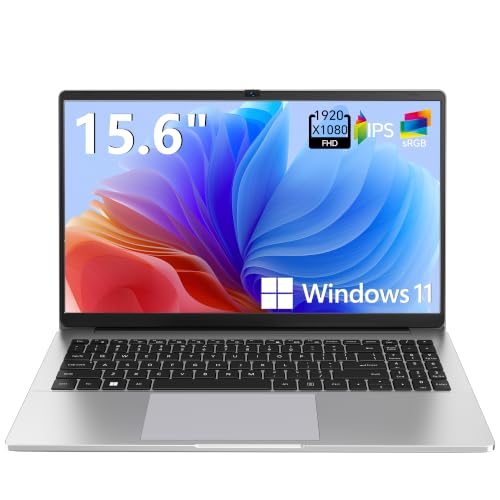

HP Pavilion 15 Touchscreen at a Glance

| Feature | Specification Detail |
|---|---|
| Processor | Intel 13th Gen Core i7-1355U (10 cores, 12 threads, up to 5.0 GHz, 12MB cache) |
| Memory | 16GB DDR4 RAM |
| Storage | 512GB PCIe Solid State Drive |
| Display | 15.6-inch Full HD (1920 x 1080) IPS Touchscreen, 300 nits, anti-glare |
| Graphics | Integrated Intel Iris Xe Graphics |
| Operating System | Windows 11 Home |
| Battery Life | Up to 9.5 hours |
| Weight and Dimensions | 3.52 lbs; 14.17 x 9.29 x 0.73 inches |
| Ports | 1 USB-C 3.2 Gen 1, 2 USB-A 3.2 Gen 1, HDMI 1.4b, audio jack, AC smart pin |
Intel Core i7-1355U Multitasking Performance
At the center of this machine is a capable processing engine that defines the overall user experience. Evaluating the hp pavilion 15 core i7 specs reveals a modern 10-core, 12-thread hybrid architecture consisting of two performance cores and eight efficiency cores. The performance cores ramp up to 5.0 GHz when tackling compute-heavy assignments, while the efficiency cores quietly manage system operations, background updates, and light tasks. This division of labor keeps the system feeling snappy even when you are compiling code, running detailed spreadsheet formulas, or filtering large datasets.
Real-world hp 15 touchscreen i7 1355u performance benefits substantially from the 16GB of DDR4 memory. Many consumer laptops ship with an inadequate 8GB allocation that creates instant bottlenecks when Windows 11 manages memory-hungry web browsers and cloud synchronization tools simultaneously. On this hp 15.6 touchscreen laptop 16gb ram configuration, you can freely alternate between research documents, communication platforms, and multimedia streams without stuttering or tab-reloading delays. The 512GB PCIe solid-state drive complements this setup by ensuring rapid system boot times and speedy access to local documents.
While the integrated Intel Iris Xe Graphics coprocessor handles standard photo viewing, streaming media playback, and basic photo adjustments with ease, it is not built for heavy 3D rendering or high-end modern gaming. Shoppers considering a flexible hybrid form factor might cross-shop against a machine like the lenovo ideapad 5i 2-in-1 16 touchscreen laptop, intel core 5 120u, 16gb ram, 512 ssd, luna grey, but for standard clamshell computing, this hp core i7 512gb ssd laptop provides a dependable, responsive foundation for daily workflows.
Display Quality and Touchscreen Usability
The visual experience on this machine is anchored by a 15.6-inch Full HD display sporting a native resolution of 1920 x 1080 pixels. Thanks to the integration of In-plane Switching (IPS) technology, the panel provides consistent viewing angles, preventing the frustrating contrast washing that often plagues budget notebooks when viewed off-center. With a micro-edge bezel design creating an 85% screen-to-body ratio, the visual presentation feels expansive whether you are viewing split-screen documents side by side or streaming training presentations.
Assessing the hp core i7 touchscreen display quality highlights a practical, utility-first setup. The panel outputs 300 nits of peak brightness paired with an anti-glare coating, making it comfortable to view under typical fluorescent office lighting or in bright lecture halls. However, the color saturation is rated at 45% NTSC, which means colors look clear and natural for text, web pages, and casual video viewing, but lack the wide gamut required for professional color grading or print publication work.
Direct touch input adds an extra layer of navigation speed. While this laptop does not fold flat or rotate 360 degrees like a convertible, having ten-point touch support allows you to intuitively pinch to zoom into blueprints, pan across digital maps, tap dialogue boxes, or swipe through presentation slides. Those looking for a fully flexible 360-degree hinge might prefer the hp – envy 2-in-1 14 full hd touch-screen laptop – intel core i7 – 16gb memory – 1tb ssd – natural si, but within standard desk setups, the Pavilion’s touch capability serves as an ergonomic supplement to the keyboard and trackpad.
Keyboard Ergonomics, Build, and Audio
Data entry is a major strength of this 15.6-inch chassis. The laptop features a full-size, soft grey keyboard complete with an integrated dedicated numeric keypad on the right-hand side. For accounting specialists, business analysts, and students inputting quantitative data, having direct access to number keys without hunting across the top row is a significant daily convenience. Furthermore, the keyboard assembly incorporates spill resistance, providing peace of mind against accidental coffee splashes during busy work sessions.
The chassis comes finished in a modern Natural Silver tone, presenting a clean and professional aesthetic suited for corporate boardrooms and campus libraries alike. Despite housing a 15.6-inch screen and a numeric keypad, the notebook maintains a slim 0.73-inch thickness and weighs in at a reasonable 3.52 pounds. This makes the hp pavilion 15 for college students an appealing option, as it slides easily into standard backpacks without creating excessive back strain during long commutes across campus.
For remote collaboration, the machine is equipped with an HP True Vision 720p HD camera featuring temporal noise reduction. This hardware works in tandem with integrated dual-array digital microphones to eliminate ambient background hum and clarify your voice during conference calls. Stereo speakers powered by High Definition (HD) Audio round out the multimedia package, producing clear speech reproduction for online lectures, meetings, and podcasts.
Battery Life and Port Selection
Portability depends heavily on endurance, and the hp 15.6 laptop battery life is rated for up to 9.5 hours on a single charge under typical operating scenarios. This provides enough stamina to carry you through a standard workday or a full schedule of university lectures without constantly tethering you to a wall outlet. Actual battery depletion will naturally vary based on display brightness settings and workload intensity, but the efficiency cores of the 1355U processor help conserve energy when managing basic text documents.
Physical connectivity on this notebook is broad enough to accommodate essential office peripherals without requiring a rat’s nest of external dongles. The chassis includes a versatile set of ports:
- One USB 3.2 Gen 1 Type-C port for fast data transfer with modern devices.
- Two USB 3.2 Gen 1 Type-A ports for thumb drives, mice, and standard accessories.
- One HDMI 1.4b port for straightforward connection to external monitors and conference room projectors.
- One headphone and microphone combo jack for wired headsets.
- One dedicated AC smart pin port for charging.
Wireless communication is supported by modern Wi-Fi 6 (2×2) and Bluetooth hardware. Wi-Fi 6 offers enhanced connection stability and faster data throughput across congested networks, which is invaluable when working from crowded coffee shops or student unions. The wide device compatibility ensures hassle-free pairing with external storage drives, wireless input devices, and home office printers.
HP Pavilion 15 Touchscreen Pros and Cons
Pros
- Fast 10-core Intel Core i7-1355U processor
- Generous 16GB DDR4 system memory
- Responsive Full HD IPS touchscreen display
- Spill-resistant keyboard with numeric keypad
- Lightweight 3.52-pound chassis for a 15-inch laptop
- Fast 512GB PCIe solid-state storage
Cons
- Limited 45% NTSC color gamut coverage
- Clamshell design does not fold into tablet mode
- Integrated graphics unsuitable for modern gaming
Check HP Pavilion 15 Touchscreen on Amazon
Who Should Buy the HP Pavilion 15 Touchscreen
Choosing the right notebook comes down to aligning internal hardware specifications with your daily workload demands. The HP Pavilion 15 provides an excellent balance of memory, processing speed, and touch capability, but it is tailored for specific user profiles.
Buy It If
- You need reliable multitasking speed with a 10-core Core i7 processor and 16GB of RAM to prevent browser slowdowns.
- You crunch numbers frequently and need a full-size keyboard equipped with a dedicated physical numeric keypad.
- You prefer standard clamshell reliability but appreciate the quick navigation benefits of an interactive Full HD touchscreen.
- You want a portable 15.6-inch machine weighing around 3.5 pounds that fits comfortably in a standard commuter bag.
Skip It If
- You require a 360-degree rotating 2-in-1 form factor that can be used flat like a drawing tablet.
- You work in color-critical photography or video production where a 45% NTSC color gamut is insufficient.
- You want to play graphics-intensive AAA video games that require a dedicated external graphics card.
HP Pavilion 15 Touchscreen Alternatives Worth a Look
If your budget or technical requirements lean toward simpler day-to-day web tasks or basic lightweight utility, several entry-level alternatives are available from the same marketplace category.
2026-2027 edition

The 2026-2027 edition HP 14-inch laptop is equipped with an Intel N150 processor, 4GB of DDR5 RAM, 128GB of SSD storage, and includes Microsoft 365 with 1TB of cloud storage. This machine is geared toward ultra-light productivity tasks such as word processing and web searching, making it an option for shoppers on strict budgets who do not need the heavy multitasking performance or 15.6-inch touchscreen of the Pavilion.
Supports 1TB TF Card Expansion
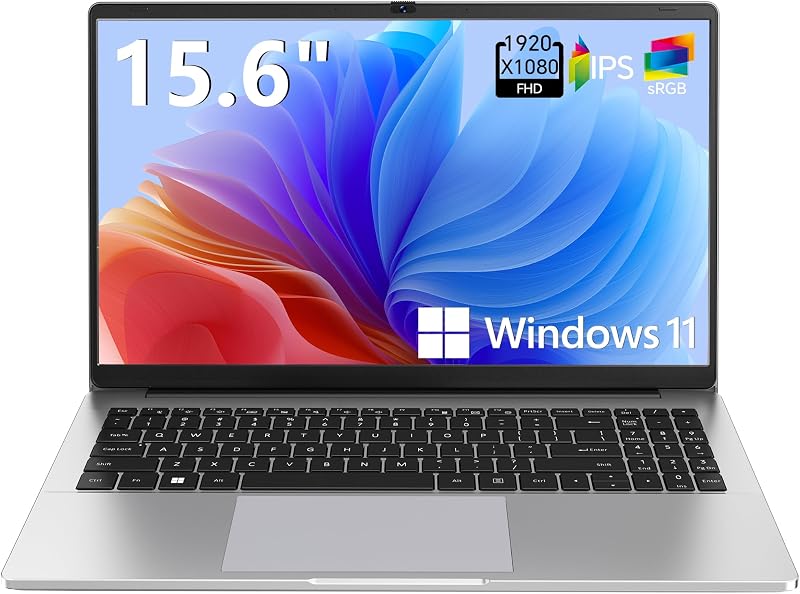
The Supports 1TB TF Card Expansion portable notebook features an entry-level Intel N4020 processor, 4GB of DDR4 memory, 128GB of eMMC storage, and a 15.6-inch Full HD LCD display running Windows 11. It provides basic screen real estate and memory card expandability, making it suited strictly for very light office viewing or basic student study tasks rather than active multitasking.
Copilot AI

The Copilot AI HP Essential Laptop offers an Intel processor, 128GB of internal storage, Office 365 integration, and 1TB of cloud storage in a Natural Silver finish. It is tailored for casual users who focus primarily on basic cloud-based tasks and simple document management rather than the local compute power offered by a Core i7 processor.
Final Verdict
When asking the core question, is hp pavilion 15 worth it, the answer is a decisive yes for users seeking robust, practical computing. By outfitting this laptop with a 13th Generation Intel Core i7-1355U chip and a full 16GB of memory, HP eliminates the stutter and sluggishness that often frustrate owners of lower-tier notebooks. The inclusion of a 512GB PCIe solid-state drive ensures that file transfers and application launches remain brisk throughout the machine’s lifespan.
While creative specialists will find the 45% NTSC color gamut too narrow for professional image editing and gamers will miss dedicated graphics, these trade-offs are entirely standard for productivity-focused clamshells. For office administrators, business owners, and university students seeking a modern, comfortable machine with a spill-resistant numeric keyboard and intuitive touch controls, the HP Pavilion 15 stands out as an exceptionally balanced everyday companion.
FAQ
Does the HP Pavilion 15 Touchscreen fold back into a tablet?
No. This laptop features a traditional clamshell form factor with a standard hinge mechanism. While it provides an interactive ten-point touchscreen display for tapping, zooming, and scrolling, it does not rotate 360 degrees or detach into a tablet.
How does the Intel Core i7-1355U processor perform under heavy multitasking?
The Intel Core i7-1355U features 10 cores and 12 threads configured in a hybrid architecture. Paired with 16GB of DDR4 RAM, it effortlessly handles multiple running applications, heavy spreadsheet computations, and dozens of simultaneous browser tabs without thermal throttling or system freeze-ups.
Is the 512GB SSD storage large enough for general office and school use?
Yes. A 512GB PCIe solid-state drive provides ample room for the Windows 11 operating system, essential productivity software suites, and thousands of personal documents, presentations, and photos. If extra storage is needed later, external drives can be connected via the USB-C or USB-A ports.
Can I connect this laptop to an external monitor?
Yes. The notebook features an integrated HDMI 1.4b port that allows you to connect directly to external computer monitors, office projectors, or television screens. External displays can also be managed through compatible adapters.
Does this model come with a physical numeric keypad?
Yes. The laptop features a full-size, soft grey keyboard that includes an integrated 10-key numeric pad on the right side, along with spill-resistant construction to protect against accidental minor liquid contact.


