
As Amazon Associates, we earn from qualifying purchases. This means we may receive a small commission at no extra cost to you if you click through and make a purchase.
The ASUS Zenbook Duo is a dual-screen laptop that pairs twin 14-inch Lumina OLED touch displays with an Intel Core Ultra 9 285H processor and 32GB of high-speed memory. Rather than relying on a half-width secondary screen strip, this design provides two full-sized displays that expand to 19.8 inches of workspace alongside a detachable Bluetooth keyboard. It is an ambitious, genuinely productive mobile workstation built for demanding professionals who need desktop-grade screen real estate on the go.
This configuration fits power users, financial analysts, researchers, and developers who constantly manage multiple active application windows and need an asus zenbook 32gb ram setup to prevent system lag. However, everyday shoppers who only need a traditional clamshell for casual typing or media streaming may find two displays unnecessary and should consider a conventional ultraportable like the asus zenbook 14 oled 2024 instead.



ASUS Zenbook Duo at a Glance

| Feature | Specification |
|---|---|
| Displays | Dual 14-inch Lumina OLED, 3K (2880 x 1800), 120Hz, 500-nit HDR peak, 100% DCI-P3 |
| Processor | Intel Core Ultra 9 285H with Intel AI Boost NPU |
| Graphics | Integrated Intel Arc Graphics |
| Memory | 32GB LPDDR5x RAM |
| Storage | 1TB PCIe 4.0 NVMe SSD |
| Battery | 75Wh (Up to 16 hours laptop mode, 9 hours dual-screen mode) |
| Dimensions & Weight | 12.34″ x 8.58″ x 0.57″ ~ 0.78″, 3.64 lbs |
| Ports | 2x Thunderbolt 4, 1x USB 3.2 Gen 1 Type-A, 1x HDMI 2.1 TMDS, 3.5mm combo audio |
| Wireless | Wi-Fi 7, Bluetooth 5.4 |
| Included Accessories | ASUS Pen 2.0 (SA203H), sleeve, 65W USB-C charger, magnetic Bluetooth keyboard |
Dual-Screen Workspace and Lumina OLED Quality
The centerpiece of the ASUS Zenbook Duo is its dual 14-inch Lumina OLED display arrangement. Each panel features a sharp 3K resolution of 2880 x 1800 in a productive 16:10 aspect ratio. The screens deliver vibrant color performance with 100% DCI-P3 coverage, Pantone validation, and a peak HDR brightness of 500 nits. A 120Hz refresh rate ensures that cursor tracking, scrolling through dense documentation, and window transitions remain visually smooth across both screens.
This zenbook duo dual screen oled system expands your total visible viewing area up to 19.8 inches diagonal using the built-in kickstand. The laptop supports four primary operating configurations tailored to specific work environments:
- Dual Screen Mode: Stacks both screens vertically while using the wireless keyboard on your desk, effectively doubling vertical reading and monitoring space.
- Desktop Mode: Sets the two displays side-by-side in portrait orientation, which is well-suited for software development, spreadsheet auditing, and reviewing long text documents.
- Laptop Mode: Positions the magnetic keyboard directly over the lower display, transforming the device into a familiar 14-inch clamshell notebook.
- Sharing Mode: Lays both screens flat on a conference table to mirror or share visual materials with colleagues seated across from you.
Both screens feature precise touch support and active pen input via the included ASUS Pen 2.0 SA203H stylus with MPP 2.0 technology. Switching your focus between screens feels natural because both panels share identical resolutions, brightness levels, and color profiles, eliminating the visual mismatch common when pairing laptops with mismatched external travel monitors.
Processing Performance and Multitasking Power
Operating two high-resolution 120Hz screens simultaneously requires substantial computational bandwidth. The ASUS Zenbook Duo meets this challenge with the Intel Core Ultra 9 285H processor, which features an integrated Intel AI Boost NPU and Intel Arc graphics. This asus zenbook core ultra 9 chip delivers responsive performance for multi-threaded office work, web development, and background system tasks without thermal choking.
Memory capacity is critical when running multi-window workloads across two screens. With an asus zenbook duo 32gb configuration utilizing fast LPDDR5x RAM, the machine easily accommodates dozens of active browser tabs, communication suites, and complex office files simultaneously. Strong zenbook 32gb ram performance ensures that the operating system rarely relies on disk paging, maintaining snappy app switching throughout the workday. Shoppers comparing traditional large-screen laptops with similar memory capacity can also evaluate conventional models like the asus vivobook s16 32gb ram.
Storage is handled by a 1TB PCIe 4.0 SSD, providing fast system boot times and swift file transfers for local media libraries. While the integrated Intel Arc graphics engine provides capable rendering for lightweight video editing in tools like the included CapCut app, it is an integrated graphics architecture, meaning it is not intended for high-end 3D rendering or intensive AAA gaming.
Battery Life and Power Management
Powering dual high-refresh OLED panels demands careful power regulation. ASUS equips the laptop with a 75Wh battery designed to balance everyday mobility with multi-panel operation. Manufacturer specifications state that the laptop can achieve up to 16 hours of video playback when operated in single-screen Laptop mode. In full Dual Screen mode, the listed runtime drops to approximately 9 hours.
Real-world asus zenbook duo battery life depends heavily on your screen brightness settings and how frequently both OLED panels are active. For extended work sessions away from power outlets, switching to single-screen Laptop mode preserves energy. When you are situated at a desk or near an electrical outlet, unfolding both displays delivers the full productivity benefits of the dual-screen configuration.
Recharging is handled through either of the two Thunderbolt 4 USB-C ports using Fast-Charge technology. The included 65W USB-C charger is compact and lightweight, making it easy to carry in a travel bag while quickly replenishing battery reserves during short breaks.
Build Quality, Portability, and Included Accessories
The ASUS Zenbook Duo comes in an Inkwell Gray finish that looks professional in business settings. At 3.64 pounds (and noted as 3.6 pounds in the general listing data) with a thickness ranging between 0.57 and 0.78 inches, it is slightly heavier than conventional ultraportables like the asus zenbook s14. However, factoring in that it contains two complete displays and an integrated kickstand, the overall package remains remarkably compact for commuter bags.
Structural reliability is supported by US MIL-STD 810H military-grade testing standards, ensuring resilience against everyday transit bumps, temperature swings, and vibration. The integrated kickstand unfolds cleanly from the rear panel and supports the laptop firmly in both landscape and portrait orientations without slipping or wobbling during touchscreen interaction.
ASUS provides a generous accessory bundle inside the retail packaging. Buyers receive the detachable full-size Bluetooth magnetic keyboard, the ASUS Pen 2.0 SA203H stylus, a protective sleeve, and a 65W power adapter. Port selection is practical, featuring two Thunderbolt 4 ports, one USB 3.2 Gen 1 Type-A port, an HDMI 2.1 TMDS port, and a 3.5mm headphone jack, minimizing the need for external dongles.
Dual-Screen Multitasking and Workflow Efficiency
A central question in any zenbook duo productivity review is whether the dual-screen form factor provides practical everyday gains. In practice, the asus zenbook duo for multitasking significantly cuts down on window management friction. Instead of repeatedly minimizing windows or toggling between workspaces, you can keep reference data, communication channels, or video calls visible on the bottom screen while writing or coding on the top display.
The detachable keyboard offers practical versatility. When placed over the bottom display, physical pogo pins provide direct connection and keep the keyboard battery charged. When detached, it connects automatically over Bluetooth 5.4, letting you position it comfortably on your desk. A virtual on-screen keyboard with gesture controls is also accessible if you prefer to travel without the physical keyboard accessory.
Software integration through ASUS ScreenXpert simplifies multi-window organization by allowing you to flick application windows between screens with a single click or gesture. Paired with Windows 11 Home, GlideX cross-device sharing, and MyASUS utilities, the comprehensive asus zenbook duo specs translate into a refined, genuinely useful multitasking setup.
ASUS Zenbook Duo Pros and Cons
Pros
- Dual 14-inch 3K 120Hz Lumina OLED touchscreens
- Generous 32GB LPDDR5x RAM for heavy multitasking
- Intel Core Ultra 9 285H processor with AI Boost NPU
- Detachable magnetic Bluetooth keyboard and built-in kickstand
- Includes ASUS Pen 2.0 stylus, sleeve, and 65W charger
- Tested to US MIL-STD 810H military durability standards
Cons
- Heavier than traditional 14-inch notebooks at 3.64 pounds
- Dual-screen mode drops battery life to 9 hours
- Relies on integrated Intel Arc graphics rather than discrete GPU
Check ASUS Zenbook Duo on Amazon
Who Should Buy the ASUS Zenbook Duo
Buy It If
- You regularly work across multiple windows and want an integrated dual-screen setup without carrying external portable monitors.
- You need 32GB of RAM to maintain fluid performance while handling heavy multitasking and data-heavy productivity software.
- You value visual fidelity and require color-accurate 3K 120Hz OLED panels with 100% DCI-P3 coverage for media or research tasks.
- You prefer an all-inclusive bundle that comes ready with a stylus pen, protective sleeve, and detachable Bluetooth keyboard.
Skip It If
- You want a traditional single-screen laptop that weighs less than 3 pounds for basic travel use.
- You require a high-power discrete graphics card for heavy 3D rendering or AAA gaming.
- You rarely use secondary monitors and work primarily within a single full-screen application.
ASUS Zenbook Duo Alternatives Worth a Look
If you are exploring the broader laptop market for simpler, budget-oriented single-screen machines, several basic entry-level models provide alternatives for lighter everyday workloads.
HP 14 Laptop
The 2026-2027 edition HP 14 laptop features an Intel N150 processor, 4GB DDR5 RAM, 128GB SSD storage, 1TB cloud storage, and Windows 11 with Microsoft 365. Buyers who do not require dual OLED displays or intensive multi-app processing should look here for basic, lightweight document drafting and internet browsing.

Gray 15.6 Inch Laptop
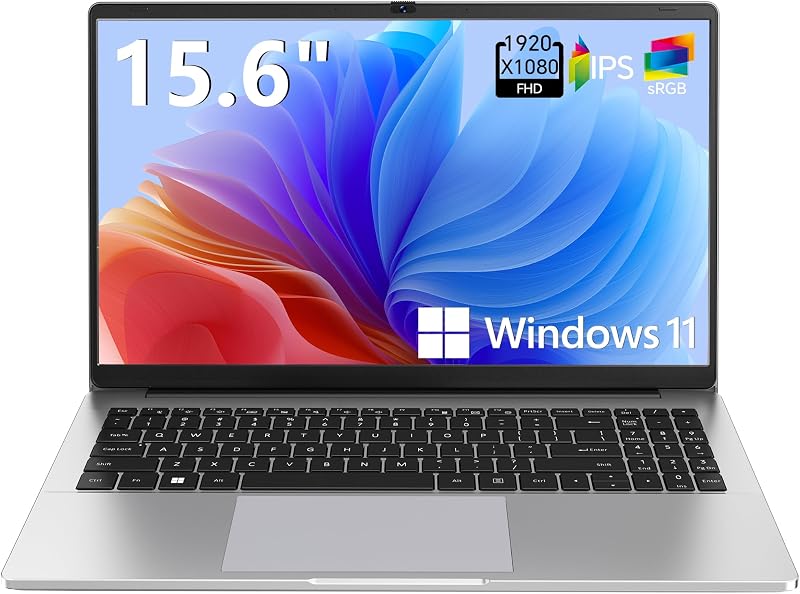
The Supports 1TB TF Card Expansion Gray 15.6 Inch Laptop Computer features an Intel N4020 processor, 4GB DDR4 RAM, 128GB eMMC storage, and an FHD LCD screen running Windows 11. It provides a larger single display and memory card expansion for students or home office users needing basic administrative functionality.
HP 2026 Essential Laptop
The Copilot AI Natural Silver HP 2026 Essential Laptop includes an Intel processor, 128GB storage, an LED display, Windows 11, Office 365, and 1TB cloud storage. It offers a conventional single-screen clamshell design for users focused strictly on cloud-based productivity without specialized dual-panel hardware.

Final Verdict
Answering whether is asus zenbook duo worth it comes down to how much you value portable screen workspace. The ASUS Zenbook Duo avoids the compromises of earlier multi-screen concepts by delivering two magnificent 14-inch 3K 120Hz Lumina OLED displays paired with a versatile magnetic keyboard and integrated kickstand. Supported by an Intel Core Ultra 9 285H processor, 1TB SSD, and MIL-STD 810H durability, the laptop represents an impressive evolution in practical mobile design.
Choosing this model with 32GB of LPDDR5x RAM ensures that the dual displays are backed by sufficient system memory to run demanding workflows smoothly. Although its 3.64-pound weight and the battery reduction to 9 hours in dual-screen mode require consideration, the sheer productivity benefit of having a dual-monitor workstation inside a standard laptop bag makes it an outstanding productivity machine.
FAQ
How does the detachable keyboard charge on the ASUS Zenbook Duo?
The detachable Bluetooth keyboard charges automatically through magnetic pogo pins whenever it is docked directly over the lower OLED screen in standard Laptop mode.
Can you use the ASUS Zenbook Duo as a regular single-screen laptop?
Yes, docking the physical magnetic keyboard onto the bottom display turns off the lower screen and allows the machine to function exactly like a standard 14-inch clamshell notebook.
What accessories come inside the box with the ASUS Zenbook Duo?
The retail package includes the Zenbook Duo laptop, the magnetic Bluetooth keyboard, an ASUS Pen 2.0 (SA203H) with MPP 2.0 support, a dedicated protective sleeve, and a 65W USB-C power charger.
How does the 32GB RAM benefit dual-screen multitasking?
The 32GB of LPDDR5x RAM allows the laptop to keep multiple demanding applications, spreadsheets, and numerous browser tabs open across both 3K displays without memory swapping or performance slowdowns.
What are the exact display specifications on both screens?
Both 14-inch Lumina OLED touch displays feature a 2880 x 1800 3K resolution, 16:10 aspect ratio, 120Hz refresh rate, 500-nit HDR peak brightness, and 100% DCI-P3 color gamut coverage with Pantone validation.


