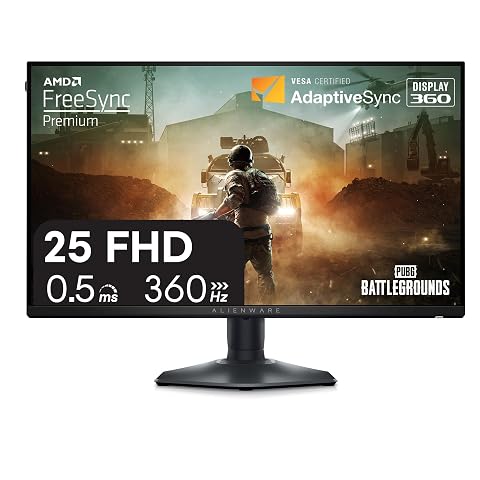
As Amazon Associates, we earn from qualifying purchases. This means we may receive a small commission at no extra cost to you if you click through and make a purchase.
The Alienware AW3425DW brings next-generation display technology to wide-format PC gaming by pairing an expansive 34.2-inch quantum dot organic light-emitting diode panel with a rapid 240Hz refresh rate and an ultra-low 0.03ms response time. Designed for enthusiasts seeking uncompromising visual immersion and elite competitive speed, this curved display eliminates the traditional trade-off between infinite contrast and rapid frame delivery. If you want a sweeping curved screen that renders dark environments with absolute depth while tracking intense gaming action with clarity, this monitor stands as a top-tier ultrawide choice.
This curved monitor suits dedicated PC gamers, simulation enthusiasts, and content creators who possess high-performance graphical hardware capable of driving an ultrawide resolution at high frame rates. Conversely, shoppers on a strict budget, console players limited to standard 16:9 aspect ratios, and office professionals who spend full workdays editing static spreadsheets under bright office lights should look elsewhere for a screen better tailored to their specific needs.



Alienware AW3425DW at a Glance

| Feature | Specification |
|---|---|
| Screen Size | 34.2 inches |
| Panel Technology | QD-OLED |
| Native Resolution | 3440 x 1440 (WQHD Ultrawide) |
| Refresh Rate | 240Hz |
| Response Time | 0.03ms |
| Aspect Ratio | 21:9 |
| Curvature | 1800R |
| Color Gamut and Accuracy | 99.3% DCI-P3, Delta E less than 2 |
| HDR Certification and Peak Brightness | VESA DisplayHDR TrueBlack 400, 1000 nits peak |
| Contrast Ratio | 1,500,000:1 (Infinite) |
Visual Immersion and QD-OLED Picture Quality
The centerpiece of the Alienware AW3425DW is its quantum dot OLED panel, which delivers per-pixel self-illumination instead of relying on a traditional edge-lit or full-array local dimming backlight. In standard gaming monitors, dark scenes often suffer from backlight bleed, haloing, or washed-out grayish blacks. With an exceptional contrast ratio of 1,500,000:1 and true infinite black levels, this display renders black pixels by turning them off completely. This design ensures that bright highlights emerge against deep dark backgrounds without distracting blooming effects.
Color performance across the expansive 34.2-inch screen is equally remarkable. The monitor covers 99.3 percent of the DCI-P3 cinema color space and maintains factory calibration with a Delta E rating under 2, ensuring balanced, accurate, and lifelike hues directly out of the box. Whether you are navigating dense fantasy environments or evaluating digital media, the quantum dot technology ensures rich saturation across the entire spectrum. Gamers weighing screen formats can contrast this curved experience against a flat esports panel like the Alienware AW2725DF QD-OLED to decide between sweeping peripheral immersion and flat-screen tournament pacing.
Regarding dynamic range, the Alienware 34 oled hdr performance is anchored by VESA DisplayHDR TrueBlack 400 certification alongside a peak HDR brightness of 1000 nits. While the listing notes a typical SDR brightness of 250 nits, HDR gaming highlights such as muzzle flashes, sun glare, and magical effects pop with intense brilliance. Dell equips the screen with a matte finish to reduce glare and diffuse reflections, allowing players to stay focused during intense gameplay without distracting room reflections marring the display surface.
High Refresh Rate and Motion Handling
Motion clarity on the Alienware 34 qd-oled 240hz panel represents a major technological jump for ultrawide gaming monitors. While earlier ultrawide displays typically capped out at 144Hz or 175Hz, pushing the refresh rate to 240Hz delivers a remarkably fluid experience in fast-paced first-person shooters and racing titles. Screen movement remains incredibly stable, camera pans stay legible, and visual tracking feels immediate, granting players an edge when scanning environments for moving opponents.
Equally crucial is the listed Alienware 34 oled response time of 0.03ms. Traditional liquid crystal displays require several milliseconds for pixels to transition between colors, which frequently leads to smearing and trailing behind rapid motion. Because self-emissive organic pixels shift states almost instantaneously, ghosting is practically nonexistent on this display. This near-instant pixel transition ensures crisp image clarity during chaotic gameplay, preserving fine environmental details even during rapid mouse sweeps.
To prevent visual artifacts and stuttering, the monitor includes comprehensive variable refresh rate support. The display features AMD FreeSync Premium Pro, NVIDIA G-SYNC Compatible certification, and VESA AdaptiveSync standards. These synchronization technologies align the panel refresh rate with GPU frame output, eliminating tearing without adding perceptible input lag. However, pushing modern games to 240 frames per second at 3440 x 1440 resolution requires substantial GPU performance, making a high-end system like an Alienware Area-51 gaming desktop ideal for reaching the monitor full graphical potential.
Ultrawide Curvature and Physical Design
The physical design of the Alienware 34 oled curved monitor centers on an expansive 21:9 ultrawide aspect ratio shaped into a gentle 1800R curve. On a flat 34-inch display, the outer edges sit noticeably further from your eyes than the center, creating subtle visual distortion and requiring frequent eye refocusing. The 1800R radius curves the edges inward to match the natural field of human sight, pulling your peripheral vision into the action and creating an engaging viewing experience across wide virtual environments.
Buyers must consider their desk setup when installing this sizable monitor. The physical dimensions measure 31.71 inches in depth, 9.13 inches in width, and 21.84 inches in height, with an overall weight of 20 pounds. The sturdy stand provides a solid foundation that prevents screen wobble, but the wide depth footprint means you need a deep desk so the monitor does not crowd your keyboard or force you to sit too close to the panel.
Viewing angles are exceptionally wide at 178 degrees both horizontally and vertically, meaning colors and contrast do not shift if you lean back or adjust your seating position. With a pixel pitch of 110 pixels per inch across the 3440 x 1440 WQHD panel, the display produces sharp in-game textures and well-defined interface elements, maintaining clear detail without overburdening rendering pipelines the way full 4K resolutions can.
Productivity and Everyday Usability
Beyond intensive gaming, the 21:9 ultrawide format provides substantial utility for everyday productivity and desktop multitasking. The 3440 x 1440 WQHD resolution supplies roughly thirty percent more horizontal screen real estate than a standard 16:9 widescreen display. This additional width allows users to comfortably place two or three full application windows side by side without constantly switching between desktop tabs, making research, editing, and content review feel organized and efficient.
For users who connect a portable computer for office duties, this wide canvas easily turns a slim machine like a Lenovo Yoga Slim 7 into an expansive productivity hub. While the listing notes an operational power consumption of 36.7 watts, buyers who plan to use this monitor primarily for office work should recognize that the 250-nit typical SDR brightness is optimized for indoor light levels rather than sunlit rooms, and static window layouts require standard OLED care awareness over prolonged periods.
Alienware AW3425DW Pros and Cons
Pros
- Fluid 240Hz refresh rate
- Near-instantaneous 0.03ms response time
- Infinite contrast with DisplayHDR TrueBlack 400
- Expansive 34.2-inch 1800R curved ultrawide panel
- Wide 99.3 percent DCI-P3 color coverage
Cons
- Substantial desk footprint requiring significant depth
- Modest 250-nit typical SDR brightness
- Demanding 3440 x 1440 resolution requires powerful GPU
Check Alienware AW3425DW on Amazon
Who Should Buy the Alienware AW3425DW
Deciding whether this display belongs on your desk comes down to your primary gaming genres, desk space, and connected computer hardware.
Buy It If
- You want an expansive 34.2-inch 21:9 ultrawide curved monitor that pulls your peripheral vision into immersive game worlds.
- You prioritize ultra-fast competitive motion clarity delivered by a 240Hz refresh rate and a 0.03ms response time.
- You play atmospheric titles that benefit from true blacks, infinite contrast, and VESA DisplayHDR TrueBlack 400 highlights.
- You have a high-performance gaming PC capable of pushing high frame rates at 3440 x 1440 WQHD resolution.
Skip It If
- You have a shallow desk that cannot easily accommodate a 20-pound monitor with substantial stand depth.
- You play primarily on home consoles like PlayStation or Xbox that standardly output in 16:9 rather than 21:9 ultrawide.
- Your primary computer use involves static spreadsheets and text editing in a room flooded with direct sunlight.
Alienware AW3425DW Alternatives Worth a Look
If a 34-inch curved QD-OLED display does not match your workspace dimensions or gaming preferences, several alternative monitors offer different screen sizes, panel technologies, and refresh rates.
Sceptre New 22-Inch Gaming Monitor

The Sceptre New 22-Inch Gaming Monitor offers a compact 1080p Full HD display with a refresh rate of up to 144Hz, HDMI and DisplayPort inputs, and built-in speakers in a machine black chassis. Shoppers who need an agile monitor for a small dorm desk or secondary workstation will appreciate its space-saving footprint and smooth 144Hz motion clarity.
Acer 27in FHD Gaming Monitor
The 1ms (Acer 27in FHD Gaming Monitor) features a 27-inch 1080p IPS panel with a 120Hz refresh rate, 1ms response time, 99 percent sRGB coverage, and AdaptiveSync support. It provides an accessible option for buyers who prefer a traditional 16:9 flat screen with VGA and HDMI connectivity for everyday computing and casual gaming.

Dell 24 Monitor
The Dell 24 Monitor is a 23.8-inch Full HD 1080p display utilizing IPS technology with a 144Hz refresh rate, 1ms response time, dual HDMI inputs, and AMD FreeSync support. Competitive players who favor standard esports dimensions and reliable IPS viewing angles will find this smaller screen easier to place on crowded desks.

Final Verdict
The Alienware AW3425DW stands as a premier curved gaming display that brings together the best elements of OLED technology and high-speed competitive motion. By combining a 3440 x 1440 WQHD resolution, an expansive 1800R curve, and a rapid 240Hz refresh rate, this monitor delivers smooth animation and captivating contrast. In researching this Alienware aw3425dw review, the instant 0.03ms pixel response time and 99.3 percent DCI-P3 color gamut ensure games look sharp, vibrant, and remarkably lifelike in every session.
So, is alienware 34 oled worth it for your setup? If you own a powerful graphics card and want an ultrawide display that excels in both dark atmospheric adventures and fast competitive multiplayer games, the answer is an emphatic yes. While the 20-pound weight and deep stand require adequate desk space, the stunning black levels, peerless response time, and expansive field of view make this curved screen a standout investment for serious PC gamers.
FAQ
What is the response time of the Alienware 34 OLED?
The Alienware 34 oled response time is rated at 0.03ms, which allows the QD-OLED panel to transition between colors almost instantaneously and prevents visible motion smearing or ghosting.
Does the Alienware AW3425DW support both G-Sync and FreeSync?
Yes, the display supports NVIDIA G-SYNC Compatible technology, AMD FreeSync Premium Pro, and VESA AdaptiveSync to eliminate screen tearing across a wide range of framerates.
What are the primary Alienware AW3425DW specs for resolution and refresh rate?
The Alienware aw3425dw specs feature a native WQHD resolution of 3440 x 1440 across a 21:9 ultrawide aspect ratio, paired with a maximum refresh rate of 240Hz.
Is the Alienware 34 OLED curved monitor suitable for bright rooms?
The monitor includes a matte screen finish to diffuse light and reaches a peak HDR brightness of 1000 nits, though its standard SDR brightness is 250 nits, making it best suited for moderate or dim room lighting.
How much power does the Alienware AW3425DW consume?
According to the product data specifications, the monitor has a typical operating power consumption of 36.7 watts.