As Amazon Associates, we earn from qualifying purchases. This means we may receive a small commission at no extra cost to you if you click through and make a purchase.
The Samsung Odyssey G55C is a dedicated 32-inch curved gaming display designed to maximize visual immersion through an aggressive wrap-around profile and rapid refresh rates. Featuring a 2560 x 1440 Quad HD resolution, a tight 1000R curvature, and a 165Hz refresh rate, this monitor delivers expansive, fluid visuals tailored for cockpit simulators, racing titles, and narrative adventures.
This screen suits desktop players who prioritize a panoramic field of view and high contrast without demanding the hefty computing hardware needed for 4K. However, competitive esports players who prefer flat viewing angles, along with graphic designers and spreadsheet users who require strictly straight lines, should look toward a flat alternative.


Samsung Odyssey G55C at a Glance

| Feature | Specification |
|---|---|
| Screen Size | 32 Inches |
| Native Resolution | 2560 x 1440 (QHD) |
| Screen Curvature | 1000R |
| Refresh Rate | 165Hz |
| Response Time | 1ms (MPRT) |
| Contrast Ratio | 2500:1 |
| Brightness | 300 cd/m² |
| Color Gamut | 0.99 (99%) |
| Screen Finish | Glossy |
| Sync Technology | AMD Radeon FreeSync |
| Power Consumption | 50 Watts |
| Dimensions with Stand | 28″ W x 10.7″ D x 21.01″ H |
Curvature and Visual Immersion
The defining physical characteristic of this display is the Samsung G55C 1000R curve. In monitor design, a 1000R rating matches the natural curvature of the human visual field by forming an arc with a 1000-millimeter radius. Across a 32-inch diagonal screen, this creates a pronounced curve that pulls the peripheral edges forward, keeping the edges of the display equidistant from your eyes to reduce neck movement and visual readjustment.
During flight simulators, open-world RPGs, and driving games, this geometry wraps around your peripheral vision to produce an immediate sense of scale. While gentle 1500R or 1800R screens offer only subtle depth, this Samsung 32 inch curved gaming monitor focuses directly on enveloping your central view, placing virtual cockpits and game environments directly around you.
Room lighting plays an important role with this display. The panel sports a glossy screen finish, which enhances clarity and gives colors extra punch compared to matte coatings that can look hazy. However, glossy curved panels tend to gather ambient light from across the room and stretch reflections along the curve. For the best experience, place this monitor away from uncovered windows or direct light sources positioned directly behind your seat.
Resolution and Visual Fidelity
Achieving crisp visuals without overtaxing your graphics card makes the Samsung Odyssey G55C 1440p performance an appealing middle ground. Spanning 2560 x 1440 pixels over 32 inches results in a 0.27mm pixel pitch, delivering 1.7 times the pixel density of standard Full HD. Visual assets, text, and distant textures remain sharp and well-defined, providing noticeably cleaner details than entry-level 1080p monitors of this size.
Image depth is driven by an LED panel featuring a 2500:1 static contrast ratio. This contrast performance significantly surpasses traditional IPS panels that often hover around 1000:1, allowing deep shadows, dark corridors, and starry nights to display with rich darkness rather than dull gray tones. It also supports HDR10 and 99% color gamut coverage for vibrant color rendering. While it does not deliver the pixel-level light control found in premium displays like the Samsung Odyssey OLED, its native contrast delivers satisfying visual depth for standard LED technology.
With a maximum brightness of 300 candela per square meter and 178-degree viewing angles, the panel stays clear and readable under standard indoor lighting. Players evaluating the broader Samsung 32 Odyssey family will find that the pairing of QHD resolution and high contrast delivers a clear upgrade over standard office monitors.
Motion Clarity and Gaming Responsiveness
Fluid gameplay depends heavily on quick refresh cycles and reliable frame timing. As a true Samsung G55C 165Hz gaming monitor, the panel refreshes up to 165 times per second. This rapid refresh cycle makes camera panning, aiming, and high-speed motion feel significantly smoother than standard 60Hz or 120Hz displays, giving you clearer tracking during hectic on-screen action.
To reduce trailing behind fast-moving sprites, the monitor offers a 1ms response time measured by Motion Picture Response Time (MPRT). Samsung clarifies that this reflects an average response time between 1.00ms and 1.99ms under internal testing conditions. This Samsung G55C response time keeps ghosting and motion blur contained during rapid turns, ensuring clean object contours in racing and action titles.
Visual tears are mitigated through integrated AMD Radeon FreeSync. The Samsung Odyssey G55C FreeSync technology aligns the monitor refresh cycle directly with your graphics card frame output. When graphics workloads cause frame rates to fluctuate, adaptive sync eliminates image tearing and minimizes stutter. Gamers who have researched flat models such as the Samsung Odyssey G51C 32 will appreciate having this variable sync support to keep fast-paced gameplay stable.
Desk Setup, Ergonomics, and Daily Usability
Accommodating a 32-inch curved display requires evaluating your physical desk space. The monitor measures 28 inches wide, 21.01 inches tall, and 10.7 inches deep with the stand, weighing 11.5 pounds. The 10.7-inch stand depth is substantial, meaning shallow desks will place the screen quite close to your face. Having a deep workspace is essential to sit far enough back to enjoy the 1000R curvature comfortably.
Regarding mechanical adjustments, the listing does not specify whether the stand includes height, swivel, or pivot capabilities. Shoppers should expect standard fixed positioning unless mounting the screen on an aftermarket arm. Additionally, the listing does not specify exact port selections or connection counts, though standard inputs handle 1440p at 165Hz. Power consumption is rated at 50 watts, representing typical energy draw for a large high-refresh LED monitor.
For prolonged use, the monitor incorporates Eye Saver Mode and flicker-reduction technology. Eye Saver Mode reduces blue light emission to limit eye fatigue during late-night sessions, while flicker reduction prevents invisible screen strobing. These features help keep your eyes relaxed when spending long hours in front of the screen.
Samsung Odyssey G55C Pros and Cons
Pros
- Dramatic 1000R curved immersion
- Fluid 165Hz refresh rate
- Sharp 2560 x 1440 QHD resolution
- Deep 2500:1 static contrast ratio
- AMD Radeon FreeSync tear-free performance
- Fast 1ms MPRT response time
Cons
- Deep 10.7-inch stand footprint
- Aggressive curve distorts straight lines in productivity
- Stand adjustability not specified in listing
Check Samsung Odyssey G55C on Amazon
Who Should Buy the Samsung Odyssey G55C
The Samsung G55C for gaming provides a focused feature set aimed at players who want large-format visual immersion. Your desk dimensions and typical game genres will determine if it matches your setup.
Buy It If
- You play driving, flight, or open-world action games where a deep 1000R curve wraps around your field of view.
- You want sharp 1440p resolution that provides crisp visuals without requiring extreme graphics card power.
- You play in dark or dim rooms where a 2500:1 contrast ratio helps shadow details stand out.
- You value smooth motion and want a 165Hz refresh rate backed by AMD Radeon FreeSync.
Skip It If
- You work extensively with architectural drawings, spreadsheets, or graphics where curved lines distort straight geometric grids.
- You have a shallow desk that cannot easily accommodate a 10.7-inch stand depth.
- You work directly across from bright windows where a glossy screen finish might catch visible reflections.
Samsung Odyssey G55C Alternatives Worth a Look
If your room layout or gaming preferences do not align with a large, deeply curved monitor, several alternative displays offer different screen sizes, flat panels, and ergonomic profiles.
Sceptre New 22-Inch Gaming Monitor

The Sceptre New 22-Inch Gaming Monitor features a compact Full HD 1080p panel capable of reaching up to 144Hz. It includes DisplayPort and HDMI connectivity, as well as built-in speakers in a machine black housing. Gamers working with extremely limited desk space or shopping for a compact secondary screen will find this flat, lightweight monitor much easier to fit than a 32-inch curved display.
Acer 27-Inch 1ms Gaming Monitor

The Acer 27in FHD 1920×1080 IPS 120Hz Gaming Monitor (model KB272 G0bi) delivers a flat IPS panel with a 120Hz refresh rate, 1ms response time, and AdaptiveSync. It also features 99% sRGB coverage, HDMI and VGA ports, VESA mounting capability, and a blue light filter. Buyers who prefer wide IPS viewing angles and a traditional flat profile for mixed office work will prefer this monitor over a deeply curved screen.
Dell 24 Monitor

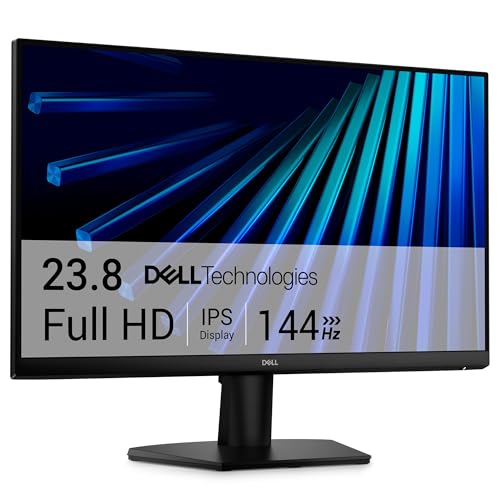
The Dell 24 Monitor (SE2426H) is a 23.8-inch Full HD 1080p display offering a 144Hz refresh rate and a 1ms response time on an IPS panel. Esports players who want a smaller, flat field of view for quick competitive scanning will find this compact monitor a better fit than a 32-inch wrap-around screen.
Final Verdict
This Samsung Odyssey G55C 32 inch review highlights a monitor tailored specifically for wrap-around entertainment. With its 2560 x 1440 resolution, fast 165Hz refresh rate, and deep 2500:1 contrast ratio, it delivers crisp, atmospheric graphics that bring game environments to life. The tight 1000R curvature stands out as its main selling point, pulling edge details into view to match your natural visual periphery.
Deciding is Samsung Odyssey G55C worth it comes down to whether your space accommodates a 10.7-inch stand depth and whether your software benefits from a curved panel. For simulation pilots, action RPG enthusiasts, and players seeking an expansive wrap-around canvas, this monitor provides a balanced blend of speed, resolution, and immersion.
FAQ
What are the core Samsung 32 Odyssey G55C specs?
The display features a 32-inch LED panel with a 2560 x 1440 QHD resolution, 1000R curvature, 165Hz refresh rate, and 1ms MPRT response time. It delivers a 2500:1 contrast ratio, 300 cd/m² brightness, 0.27mm pixel pitch, 99% color gamut coverage, HDR10 support, and AMD Radeon FreeSync, consuming 50 watts of power.
How noticeable is the 1000R curvature during use?
The 1000R curve is distinctly noticeable and forms a tighter arc than standard 1500R or 1800R displays. It matches human visual geometry, bringing the sides of the 32-inch screen forward to envelop your peripheral vision during gameplay.
Does this monitor feature adaptive sync technology?
Yes, the display supports AMD Radeon FreeSync, which matches the monitor refresh rate to your graphics card output to prevent image tearing and reduce stutter in fast-moving scenes.
Is the screen finish matte or glossy?
The monitor has a glossy screen finish. This finish enhances color vibrancy and contrast clarity, but it can catch reflections from lights or windows positioned directly behind your desk.
Can this monitor be used comfortably for office work?
While the 1440p resolution provides plenty of desktop workspace, the pronounced 1000R curve bends straight lines. Users working on detailed architectural layouts or large spreadsheets may prefer a flat screen to prevent optical distortion.