
As Amazon Associates, we earn from qualifying purchases. This means we may receive a small commission at no extra cost to you if you click through and make a purchase.
The Alienware 16 Aurora AC16250 pairs Intel’s hybrid mobile architecture with entry-tier dedicated graphics in an anodized aluminum chassis, offering a well-rounded configuration for users who split their screen time between everyday tasks and modern gaming. In this Alienware 16 Aurora AC16250 review, the verdict is straightforward: it delivers a dependable computing foundation with a remarkably sharp screen and useful productivity extras, provided you understand the practical limits of its entry-level graphics hardware.
This laptop suits everyday power users, college students, and mainstream players who want a capable setup for work by day and smooth gaming by night. If your primary goal is playing cutting-edge titles at maximum visual settings and native 1600p resolution without compromise, or if you need an ultra-thin featherweight travel notebook, you will want to look at more powerful gaming rigs or dedicated ultrabooks instead.


Alienware 16 Aurora AC16250 at a Glance

| Attribute | Specification |
|---|---|
| Processor | Intel Core 7 240H (10 Cores, 16 Threads, Up to 5.2 GHz) |
| Graphics Processing Unit | NVIDIA GeForce RTX 5050 Laptop GPU (8GB GDDR7) |
| Screen Size and Resolution | 16-inch WQXGA (2560 x 1600), Anti-glare |
| Refresh Rate and Response | 120Hz Refresh Rate, 3ms Response Time |
| Color Space Coverage | 100% sRGB |
| Memory | 16GB RAM |
| Internal Storage | 1TB Solid State Drive (SSD) |
| Cooling Architecture | Alienware Cryo-Tech 4-Exhaust Stormfront with Vapor Chamber |
| Chassis Dimensions and Weight | 14.05 x 10.45 x 0.6 inches, 5.49 lbs |
| Operating System | Windows 11 Home |
Processing Hardware and Real-World Gaming Performance
The core computational strength of this machine stems from the Intel Core 7 240H processor. Built with 10 physical cores and 16 processing threads, this chip reaches maximum turbo frequencies of up to 5.2 GHz alongside a 2.5 GHz base frequency on its performance cores. For multitasking, office computing, software development, and everyday content creation, the Alienware 16 Aurora Core 7-240H architecture provides smooth throughput. Having 16GB of system memory combined with a 1TB solid state drive ensures that Windows 11 Home operates responsively, with fast boot times and plenty of local storage space for large game libraries and productivity assets.
On the graphics side, evaluating Alienware 16 Aurora RTX 5050 performance reveals a capable, modern entry-tier gaming experience. The dedicated GPU features 8GB of next-generation GDDR7 video memory, giving it enough memory bandwidth to manage complex modern texture packs. In competitive multiplayer shooters and esports games such as tactical shooters or battle royales, the GPU comfortably drives high frame rates. However, when tackling demanding modern AAA titles at the laptop’s native 2560 x 1600 resolution, the RTX 5050 requires sensible settings adjustments. Activating resolution scaling or stepping down graphical presets ensures stable frame rates, whereas high-end gaming laptops like the Dell Alienware 16x Aurora lean into significantly higher graphical tiers to run raw native resolutions without fine-tuning.
When assessing the Alienware 16 Aurora for gaming and work, the balance struck between the CPU and GPU shines. The 10-core processor handles CPU-intensive workloads like compiling code, processing spreadsheets, and rendering 1080p video projects effortlessly, while the 8GB GDDR7 GPU accelerates timeline scrubbing and creative filters. This creates a versatile hybrid workstation that handles daily professional deadlines while retaining the muscle needed to unwind with modern games in the evening.
Display Clarity and 120Hz Visuals
The Alienware 16 Aurora WQXGA 120Hz display is one of the standout elements of this configuration. Measuring 16 inches diagonally, the screen sports a 2560 x 1600 resolution that produces sharp text and detailed graphics. The 16:10 aspect ratio provides noticeable vertical headroom compared to standard widescreen panels, which benefits anyone reading lengthy web articles, managing code repositories, or editing documents. An anti-glare finish reduces reflections from overhead fluorescent office lights or nearby windows, keeping visuals clear throughout long work sessions.
Motion clarity is supported by a 120Hz refresh rate and a rapid 3ms response time. Fast camera pans in first-person games appear fluid without distracting ghosting or smearing. Furthermore, the panel covers 100% of the sRGB color gamut, delivering vivid, accurate hues for digital art, photo editing, and video streaming. While some creative machines like the ASUS Vivobook S 15.6 inch 3K OLED 120Hz focus on ultra-deep glossy blacks for cinema viewing, this Alienware display prioritizes matte practical clarity and fast pixel responsiveness suited for competitive gaming and extended reading.
Pushing 2560 x 1600 pixels does require realistic expectations during graphic-intensive gaming. Because the panel features higher pixel density than standard 1080p screens, the RTX 5050 must work harder to render native frames. Gamers will frequently find that rendering games at 1920 x 1200 or using modern upscaling technologies allows them to take full advantage of the smooth 120Hz refresh rate while preserving visual fidelity.
Cryo-Tech Cooling and Thermal Management
Thermal regulation is crucial in high-performance laptops, and the Alienware 16 Aurora cooling system relies on Alienware Cryo-Tech engineering. This setup uses a 4-exhaust “Stormfront” cooling architecture designed to pull cool air through the chassis and expel heat rapidly through multiple exhaust vents. Inside, precision-crafted vapor chambers sit over the processor and graphics chip, transferring heat away from concentrated hot spots faster than traditional copper heat pipes alone can manage.
Under heavy, sustained gaming loads or extended CPU rendering runs, the internal fans spin aggressively to maintain thermal margins and prevent hardware throttling. While this results in audible fan noise typical of performance-oriented laptops, it allows the Core 7 240H to sustain higher turbo boost frequencies longer. During everyday productivity tasks like web browsing or writing documents, the fans quiet down to an unobtrusive hum, making the laptop comfortable to use in quiet study halls or shared offices.
Buyers should also note that this specific Alienware 16 Aurora AC16250 specs configuration involves professional customization. According to the product details, the manufacturer packaging is opened by professional engineers for hardware customization and thorough inspection. This internal testing process helps catch factory blemishes and hardware defects early, and the unit is backed by a 12-month warranty from the provider for continued technical support.
Chassis Design, AlienFX Keyboard, and Connectivity
The Alienware 16 Aurora AC16250 is enclosed in an anodized aluminum clamshell finished in an Interstellar Indigo blue hue. The metal construction gives the chassis rigidity, minimizing deck flex during intense typing or gaming sessions. Measuring 14.05 inches long, 10.45 inches wide, and just 0.6 inches thick, the profile is remarkably slim for a machine housing discrete cooling hardware. However, with an approximate weight of 5.49 pounds, it leans on the heavier side, making it better suited for backpack commuting rather than continuous one-handed carrying.
Typing is handled by an AlienFX keyboard featuring per-key RGB backlighting and an integrated numeric keypad. The inclusion of the full numpad makes data entry, numerical calculations, and in-game macro keybindings straightforward. Above the display sits a front-facing camera paired with dual-array microphones and HD audio stereo speakers, providing clear communication during Zoom calls or team voice chats. While flexible convertibles like the Lenovo IdeaPad 5i 2-in-1 16 touchscreen laptop offer tablet-style flexibility for handwriting notes, the Alienware focuses on a rigid, traditional clamshell built for durability and gaming ergonomics.
Connectivity options are extensive across the chassis edges. Physical ports include two USB Type-A ports, two USB Type-C ports, an HDMI video output for external monitors, an RJ45 Gigabit Ethernet jack for stable low-latency wired networking, and a headphone/microphone audio combo jack. For wireless peripherals and internet connections, the system supports modern WiFi standards alongside Bluetooth. Adding to the convenience, this Alienware AC16250 gaming laptop bundle includes an RGB wireless headset, an HDMI cable, and a Microsoft Office 2019 Professional Plus product key that can be activated on the device for lifetime productivity software access.
Alienware 16 Aurora AC16250 Pros and Cons
Pros
- Sharp 16-inch WQXGA 120Hz display with 100% sRGB
- 10-core Intel Core 7 240H processor performance
- Dedicated RTX 5050 GPU with 8GB GDDR7
- Cryo-Tech vapor chamber cooling architecture
- Productivity bundle with Office 2019 and wireless headset
Cons
- Unsealed manufacturer box due to professional testing
- Requires lowered settings for native 1600p AAA gaming
- Heavy chassis at nearly five and a half pounds
Check Alienware 16 Aurora AC16250 on Amazon
Who Should Buy the Alienware 16 Aurora AC16250
Buy It If
- You want a versatile laptop capable of handling daily business tasks, code compiling, and modern 1080p or 1440p gaming on a single device.
- You appreciate a sharp 16-inch 16:10 display featuring 2560 x 1600 resolution, a smooth 120Hz refresh rate, and 100% sRGB color accuracy.
- You value an out-of-the-box bundle that includes an RGB wireless gaming headset, an HDMI cable, and a permanent Microsoft Office 2019 Professional Plus license.
- You prefer a sturdy anodized aluminum build equipped with a per-key RGB backlit keyboard and a dedicated numeric keypad.
Skip It If
- You require a lightweight travel companion under four pounds for daily handheld portability.
- You expect to play the latest AAA blockbusters at maximum graphical settings and native 1600p resolution without using upscaling or lowering details.
- You want a factory-sealed original box without any third-party customization or inspection before delivery.
Alienware 16 Aurora AC16250 Alternatives Worth a Look
While the Alienware 16 Aurora AC16250 provides a balanced package of hardware and bundled software, several other gaming machines on the market offer alternative combinations of screen refresh speeds, graphics cards, and memory capacities.
ASUS ROG Strix G16
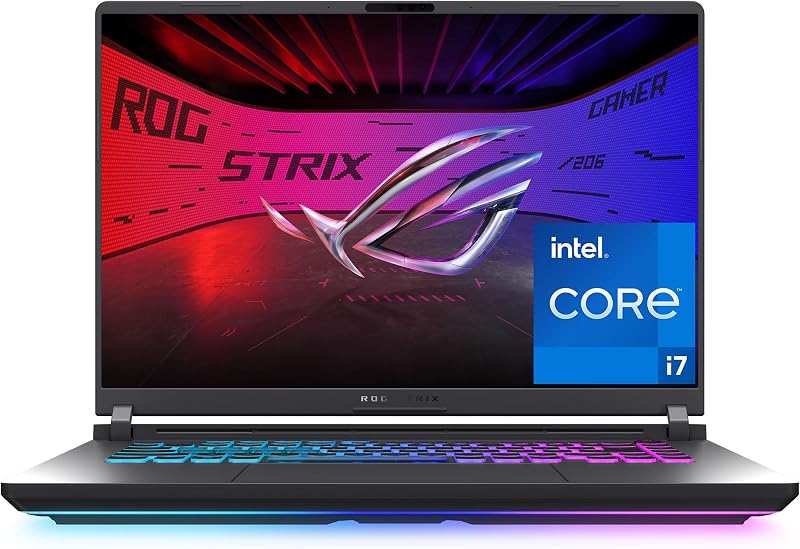
The ASUS ROG Strix G16 is tailored for competitive players who place frame rates above resolution. It features an Intel Core i7 14650HX processor, an NVIDIA GeForce RTX 5060 graphics card, 16GB of DDR5 RAM, and a 1TB Gen 4 SSD. Its 16-inch display runs at an FHD+ resolution with a faster 165Hz refresh rate and 3ms response time. Shoppers who prioritize higher in-game frame rates and a step up to RTX 5060 graphics over the sharper 1600p resolution of the Alienware should consider this model.
Acer Nitro V 16S AI
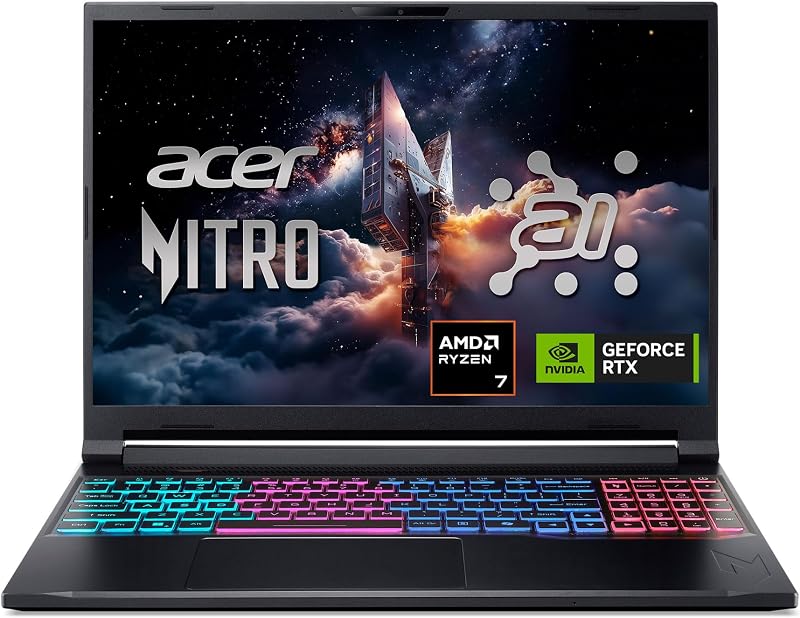
The Acer Nitro V 16S AI combines an AMD Ryzen 7 260 processor with an NVIDIA GeForce RTX 5060 GPU and an upgraded 32GB of DDR5 memory alongside a 1TB Gen 4 SSD. It is equipped with a 16-inch WUXGA IPS screen offering an ultra-fast 180Hz refresh rate. Users who need generous multitasking memory out of the box for virtual machines or heavy video editing will find this an appealing alternative to the Alienware’s 16GB configuration.
msi Cyborg 17 17.3″ FHD

For shoppers who prefer a larger visual workspace, the msi Cyborg 17 17.3″ FHD offers a 17.3-inch 144Hz display, an Intel Core 9-270H processor, and an RTX 5060 graphics card. It includes 16GB of DDR5 RAM and total storage of 2TB split between a 1TB internal SSD and an included 1TB docking station set. This model suits buyers looking for desktop-replacement screen real estate and expanded external storage accessories rather than the compact 16-inch aluminum profile of the Aurora.
Final Verdict
The Dell Alienware 16 Aurora AC16250 successfully balances workstation utility with solid entry-tier gaming capabilities. Its 10-core Intel Core 7 240H processor provides ample muscle for heavy computing, while the 16-inch 120Hz WQXGA panel delivers sharp text, vibrant sRGB colors, and smooth motion clarity. The included productivity bundle, complete with a wireless headset and Microsoft Office 2019 Professional Plus, makes it an attractive out-of-the-box workstation for students and home professionals.
When asking whether the machine meets everyday demands, the answer hinges on managing gaming expectations. The RTX 5050 with 8GB GDDR7 handles modern titles smoothly, but its native 2560 x 1600 resolution requires graphical tweaks and resolution scaling on demanding games. If you want a well-built, aluminum gaming laptop that serves as a dependable daytime office machine and an enjoyable nighttime entertainment center, this configuration delivers dependable real-world utility.
FAQ
Is the Alienware 16 Aurora AC16250 worth it for competitive gaming?
Yes, the Alienware 16 Aurora AC16250 is well suited for competitive esports gaming. Popular multiplayer titles run smoothly on the RTX 5050 GPU, and the 120Hz refresh rate paired with a 3ms response time provides crisp visual feedback without noticeable motion blur.
What processor is included in the Alienware 16 Aurora AC16250?
The laptop is powered by an Intel Core 7 240H processor. This CPU features 10 cores and 16 threads, with performance cores running at a 2.5 GHz base frequency and reaching max turbo speeds of up to 5.2 GHz for fast multi-threaded operations.
Can the RTX 5050 run games at native 2560 x 1600 resolution?
The RTX 5050 can run lighter esports titles and older releases at native 2560 x 1600 resolution. However, for demanding modern AAA titles, you will need to lower graphical settings or utilize resolution upscaling to maintain smooth, consistent frame rates on the 1600p panel.
What accessories come in the Alienware AC16250 gaming laptop bundle?
The bundle includes an RGB wireless gaming headset, an HDMI cable, and a Microsoft Office 2019 Professional Plus product key that can be activated directly on the laptop, giving you full access to productivity software right away.
Why does the product listing state that the box is opened?
The manufacturer box is opened by professional engineers prior to delivery to perform hardware customization, installation, and inspection testing. This process verifies hardware integrity to minimize factory defects and blemishes, backed by a 12-month warranty.


