As Amazon Associates, we earn from qualifying purchases. This means we may receive a small commission at no extra cost to you if you click through and make a purchase.
The XREAL 1S is a pair of augmented reality glasses engineered to project a massive wearable monitor directly into your line of sight. Equipped with an onboard spatial computing chip, native three-degrees-of-freedom tracking, and custom speakers, the glasses aim to eliminate the clunky external hubs and software workarounds that have historically held wearable displays back.
This headset fits traveling professionals, mobile console gamers, and remote workers who want a private cinema or floating workspace without hauling physical screens. Shoppers wanting full standalone virtual reality with six-degrees-of-freedom room-scale movement or those whose devices lack display output over USB-C will need to look elsewhere.



XREAL 1S at a Glance

| Feature | Specification |
|---|---|
| Virtual Screen Size | Up to 500 inches |
| Resolution | 1920 x 1200 maximum (also supports 1920 x 1080) |
| Display Refresh Rate | 120Hz (3DoF mode), 90Hz global refresh |
| Field of View | 52 degrees |
| Display Hardware | OLED panel with LCD lens technology |
| Processor | XREAL X1 spatial computing processor |
| Spatial Tracking | Native 3DoF via Accelerometer and Gyroscope |
| Audio System | Co-developed Sound by Bose with AR-grade drivers |
| Connectivity | USB Type-C DisplayPort (DP) |
| Platform Compatibility | Android, iOS, PC VR, Console VR, Smartphone VR |
Display Quality and Spatial Viewing Modes
Visual fidelity defines the value of any wearable display, and the XREAL 1S display quality is anchored by an OLED optical engine that projects an image simulating up to a 500-inch canvas. The display runs at a native resolution of 1920 x 1200, pairing a 52-degree field of view with individual factory color calibration to maintain natural tones. To eliminate motion blur and optical fatigue, the hardware delivers a 90Hz global refresh rate alongside a boosted 120Hz refresh rate during active spatial tracking. Eye comfort is backed by official TÜV Rheinland certifications covering low blue light, flicker-free operation, and full UV protection.
Beyond raw panel specs, the flexibility of the XREAL 1S virtual screen comes from its built-in spatial modes. Users can toggle between standard 0DoF follow mode, where the display remains locked dead-center in front of your eyes, and 3DoF anchor mode, which pins the floating display to a fixed point in physical space. When multi-tasking, the hardware supports Ultrawide modes in both 21:9 and 32:9 aspect ratios, allowing desktop workers to stretch out spreadsheets and timelines. A dedicated Side-View mode shifts the projection to your peripheral vision so you can watch content while walking or keeping an eye on your surroundings. Compared to earlier hardware like the xreal air 2, the inclusion of integrated wide formats without third-party desktop utilities significantly streamlines workflow management.
The glasses also introduce on-hardware REAL 3D rendering. With a dedicated toggle, standard content including compatible games, movies, and photos gains immediate stereoscopic depth without relying on cloud servers or post-processing software. Because this functionality is handled at the optical engine level, visual transitions between standard flat video and spatial depth remain stable without introducing rendering lag.
Native 3DoF Tracking and the X1 Chip
Stable head tracking has traditionally been the biggest bottleneck for portable display glasses. Most lightweight glasses force users to rely on mobile apps to calculate positioning, which introduces heat, battery drain, and screen drift. The XREAL 1S 3DoF tracking solves this at the silicon level using the proprietary X1 chip. As a dedicated spatial processor built directly into the frame, the X1 processes sensor data from onboard accelerometers and gyroscopes independently of the host machine.
The core benefit of the X1 processor is a motion-to-photon latency of just 3ms at 120Hz. In practical terms, this low latency ensures that when you anchor your display and turn your head, the virtual monitor remains firmly in place rather than swimming or jittering across your view. Text remains crisp and readable during rapid head movements, preventing the motion-induced nausea that often plagues wearable monitors.
Because the tracking calculations occur on the glasses themselves, the 3DoF anchor mode operates as true plug-and-play hardware. You do not need to install background services, pair Bluetooth peripherals, or run proprietary operating environments on your host device. Plugging the glasses into any compatible USB-C video source instantly gives you access to anchored multi-angle viewing.
Gaming Performance and Bose Audio Immersion
For mobile and console players, XREAL 1S AR glasses gaming benefits directly from the pairing of high refresh rates and minimal input lag. Direct USB-C DisplayPort passthrough feeds raw display signals straight to the OLED panels, avoiding the frame compression and wireless transmission lag found on remote-play headsets. Operating at 120Hz, high-intensity action titles and competitive shooters stay fluid, while the 500-inch virtual canvas provides an arcade-scale field of vision whether you are sitting in a plane seat or lying on a couch. The glasses can be compared directly to gaming-focused wearable displays like the asus rog xreal r1 ar gaming glasses in terms of responsive handheld integration.
Audio is handled through a built-in sound system co-developed with Bose. Rather than relying on generic micro-speakers, the XREAL 1S Bose audio system incorporates custom AR-grade drivers mounted inside dedicated acoustic chambers within the temple arms. The acoustic design produces a balanced soundstage that delivers punchy low-end impact alongside clean dialogue and distinct directional cues.
The directional output of the temple speakers projects sound directly toward the user’s ears to maintain immersion while minimizing ambient leakage to bystanders. While high-volume situations in quiet rooms will still produce some audible spill, the acoustic tuning ensures you do not strictly need to carry a separate pair of wireless earbuds just to enjoy game dialogue or movie soundtracks.
Device Compatibility and Connection Setup
Evaluating XREAL 1S compatibility comes down to your host device’s physical connection standards. The glasses connect exclusively via a USB Type-C connector utilizing DisplayPort alternate mode (USB-C DP). As long as your smartphone, handheld console, laptop, or tablet supports video output across its USB-C port, the glasses establish an immediate secondary display connection without requiring driver installation.
According to the official XREAL 1S specs, the glasses support Android and iOS operating environments, as well as PC VR, Console VR, and Smartphone VR platforms. Because the glasses do not carry an internal battery, they draw operational power directly from the connected host device. This keeps the physical weight of the glasses down, though extended gaming sessions will consume the host device’s battery faster than normal usage.
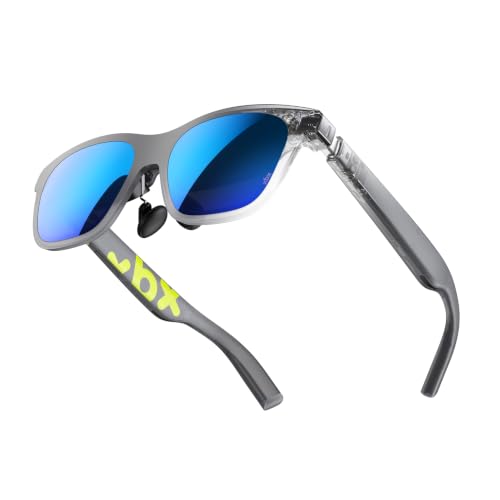
If you intend to connect devices that lack direct USB-C DisplayPort output, such as standard HDMI-only consoles or older hardware, you will need compatible external conversion hardware, as the listing confirms only direct USB Type-C connectivity out of the box. For mobile hardware setups, lightweight competitors like the xbx a01 glasses share similar display-over-cable architectures.
XREAL 1S Pros and Cons
Pros
- Native 3DoF tracking without host software
- Fast 3ms latency via custom X1 chip
- Smooth 120Hz refresh rate for gaming
- Crisp 1920 x 1200 OLED visual engine
- Integrated Sound by Bose acoustic system
- Certified TÜV Rheinland eye comfort protection
Cons
- Requires devices with USB-C DisplayPort video output
- No integrated physical diopter myopia dials
- Lacks standalone 6DoF room-scale positional tracking
Who Should Buy the XREAL 1S
Buy It If
- You want anchored 3DoF virtual displays without installing background software on your laptop or phone.
- You play handheld console or PC games and require a fast 120Hz refresh rate with low display latency.
- You travel frequently and want a private, cinema-sized entertainment screen that fits inside a pocket or carry-on.
- You value refined onboard sound and prefer not wearing headphones during media playback.
Skip It If
- You need six-degrees-of-freedom spatial movement to walk around virtual rooms and interact with 3D models.
- Your primary playback devices do not feature USB Type-C ports capable of DisplayPort video output.
- You require mechanical diopter dials built directly into the frame to adjust for personal vision prescriptions.
XREAL 1S Alternatives Worth a Look
Shoppers exploring the portable display market should weigh the XREAL 1S against other prominent wearable monitors featuring alternative panel technologies and frame designs.
50°FOV with Sony Micro-OLED

The 50°FOV with Sony Micro-OLED is a lightweight 63-gram display headset delivering a 146-inch virtual canvas with 1600 nits of brightness and a 120Hz refresh rate. It features built-in UltraClarity 3.0 myopia adjustment ranging down to -5.0D, making it ideal for nearsighted users who want to bypass prescription lens inserts when connecting to devices like the Steam Deck, iPhone, or PC.
62g Ultralight

The 62g Ultralight glasses focus entirely on minimal physical bulk, packing a bright 1600-nit HDR10 display into a featherweight 62-gram body. Projecting a 147-inch virtual image over USB-C DP, this option suits mobile minimalists who prioritize the absolute lightest wearability for everyday video streaming and portable console use.
with Sony Micro-OLED

Comparing the XREAL 1S vs VITURE category highlights the with Sony Micro-OLED headset, which sports a broader 58-degree field of view and a 174-inch 1200p display. Powered by 1250 nits of brightness, 9-level dimming, 3DoF tracking, and HARMAN AudioEFX sound, it serves users who demand wider peripheral coverage and variable lens tinting across diverse lighting conditions.
Final Verdict
Deciding whether the XREAL 1S is worth it depends on how much you value frictionless spatial displays. By baking the X1 computing processor and native 3DoF tracking straight into the glasses, XREAL successfully cuts the cord on complex software requirements. You get an anchored, stable virtual monitor with a rapid 120Hz refresh rate and custom Bose audio tuning that functions the moment you plug it into a compatible USB-C port.
The primary limitations stem from the form factor itself: you will need source hardware that supports USB-C DisplayPort output, and the lack of mechanical myopia adjustment means users needing corrective vision must plan accordingly. Nevertheless, for remote productivity, mobile console gaming, and personal media viewing on planes or trains, the XREAL 1S sets a high benchmark for standalone display performance.
FAQ
Does the XREAL 1S require a companion phone app for spatial screen tracking?
No. The XREAL 1S features native 3DoF tracking driven by its self-developed X1 spatial computing chip, allowing you to anchor virtual displays directly without installing separate host software or apps.
What display resolution does the XREAL 1S support?
The listing specifies a maximum display resolution of 1920 x 1200, alongside standard 1920 x 1080 display support, running at up to 120Hz in spatial 3DoF viewing modes and 90Hz globally.
Does the XREAL 1S have built-in speakers?
Yes. The glasses feature an integrated audio system co-developed with Bose, utilizing AR-grade drivers and a dedicated acoustic chamber inside the temples to deliver spatial sound directly to your ears.
Can I use the XREAL 1S with an iPhone or game console?
The XREAL 1S is compatible with iOS devices, game consoles, Android devices, and PCs that support video output through USB-C DisplayPort alternate mode.
Does the XREAL 1S contain an internal battery?
The product listing does not specify an internal battery. The glasses draw their operating power directly from the connected host device via the USB-C cable.