
As Amazon Associates, we earn from qualifying purchases. This means we may receive a small commission at no extra cost to you if you click through and make a purchase.
The WD 14TB Elements Desktop is an expansive external hard drive designed to provide high-capacity add-on storage for personal computer setups without operational friction. Combining a massive 14TB capacity with a straightforward USB 3.0 interface, this desktop drive focuses strictly on delivering reliable bulk storage while bypassing complicated configuration utilities. For everyday users seeking a dependable, no-nonsense repository to back up entire workstations or archive sprawling media collections, this unit delivers an uncomplicated and effective storage solution right out of the box.
This desktop drive is tailored for home office workers, media archivists, and everyday PC users who find their internal drives constrained by massive collections of raw footage, family photos, or full-system recovery images. It shines brightest when parked beside a workstation as a dedicated backup repository for Windows systems. However, users who require ultra-fast scratch disk speeds for multi-stream video editing, or mobile professionals needing a bus-powered drive they can slip into a laptop sleeve, will be better served by portable solid-state drives. Shoppers exploring high-volume storage can also read our western digital 14tb elements coverage to learn more about how desktop drives handle long-term data duties.



WD 14TB Elements Desktop at a Glance

| Feature | Specification |
|---|---|
| Digital Storage Capacity | 14 TB |
| Form Factor | 3.5 inches |
| Interface | USB 3.0 (compatible with USB 2.0) |
| Data Transfer Rate | Up to 5 Gbps bus interface |
| Listed Read Speed | 113.5 MB/s |
| Hardware Compatibility | Windows PC, Mac (requires reformatting for macOS) |
| Product Dimensions | 9 inches long by 8 inches wide by 3.5 inches thick |
| Item Weight | 2.7 pounds |
| Intended Application | Personal add-on storage and desktop backup |
Massive Storage Capacity for Archival and System Backups
The standout feature of this desktop drive is its 14TB digital storage capacity, which provides enormous breathing room for personal storage. For users managing years of high-resolution family photos, extensive uncompressed music collections, and 4K home video archives, a single volume of this scale consolidates files that would otherwise be fragmented across several smaller external drives. Having all your files anchored to a single desktop drive simplifies long-term file management and reduces desktop clutter substantially.
When used as a wd 14tb external hard drive for backup, the drive easily accommodates regular automated system images alongside rolling snapshot histories. Operating system utilities such as Windows File History or third-party backup software can run scheduled tasks quietly in the background without worrying about running out of space after just a few weeks of incremental updates. If your storage requirements stretch even higher, reviewing our thoughts on the wd easystore 20tb can help clarify how stepping up to ultra-dense capacities alters storage planning.
Beyond personal backups, the 14TB volume makes an outstanding holding tank for cold storage. Infrequently accessed digital documents, finished video client archives, and expansive application installation libraries can live on this drive for months or years without taxing your computer’s high-speed internal solid-state storage. Consolidating your archival footprint into a dedicated drive ensures that your primary operating system drive remains lean and responsive for day-to-day productivity.
Data Transfer Speeds and USB Connectivity
Connectivity is handled via a standard USB 3.0 interface, which is backwards compatible with legacy USB 2.0 ports. The hardware interface delivers a theoretical bus transfer rate of up to 5 gigabits per second, matching modern USB 3.2 Gen 1 bandwidth capabilities. The manufacturer listing notes a baseline read speed of 113.5 megabytes per second, representing realistic throughput for traditional mechanical drive platters executing standard file reading workloads.
When evaluating the wd elements 14tb transfer speed during daily operations, performance aligns closely with what mechanical drive technology is built to achieve. Large sequential file transfers, such as moving a 50GB video folder or an operating system image, move smoothly across the USB connection. However, users transferring directories filled with hundreds of thousands of tiny text files or program libraries will notice lower effective speeds, which is typical for mechanical hard disks seeking physical platter sectors.
As a wd 14tb usb 3.0 external drive, the unit strikes an effective balance between wide hardware compatibility and sufficient data throughput for archival needs. It is fast enough to perform continuous background backups without bogging down computer responsiveness, yet it avoids the price premiums associated with high-speed solid-state drives. While it will not match the transfer rates of external NVMe SSDs, it provides plenty of speed for stream playback, photo browsing, and mass file transfers.
Setup Simplicity and Operating System Compatibility
One of the primary appeals of this external drive is its straightforward deployment. The wd 14tb elements desktop setup requires nothing more than connecting the included power adapter to a wall outlet, plugging the USB cable into your desktop or laptop, and turning on the system. Western Digital configures this drive to be plug-and-play ready for Windows systems right out of the box, meaning it mounts immediately as an available drive letter without requiring manual partition creation or driver installations.
Examining wd 14tb elements compatibility across broader operating environments reveals straightforward flexibility with one minor caveat. While Windows PCs recognize the default file system immediately, Mac users will need to reformat the drive using macOS Disk Utility into APFS or macOS Extended formats, or choose exFAT for cross-platform utility between Windows and macOS. The hardware itself connects seamlessly to desktop towers, compact laptops, and home media servers that support external USB storage mass storage devices.
Unlike some competing desktop solutions that bundle invasive proprietary backup managers or cloud synchronization utilities, this Elements unit arrives free from software bloat. You are free to choose the backup utility you prefer, whether that involves built-in native operating system backup tools, open-source synchronization software, or simply dragging and dropping folders manually. Shoppers wanting to see how this no-frills philosophy compares against feature-heavy alternatives can reference our review of the seagate hub 6tb for another perspective on desktop storage peripherals.
Desktop Footprint, Build Quality, and Acoustic Characteristics
Built around a 3.5-inch hard disk form factor, this external unit is clearly built for desktop permanence rather than mobile transport. With physical dimensions measuring 9 inches long by 8 inches wide by 3.5 inches thick and weighing 2.7 pounds, the chassis requires dedicated desk or shelf space adjacent to your workstation. The vertical enclosure features a clean, minimalist matte exterior with subtle ventilation grids designed to passively exhaust internal heat during prolonged writing sessions.
Prospective buyers frequently inquire about the wd elements 14tb noise level during active duty cycles. While the product listing does not specify precise decibel measurements or internal spindle rotational speeds, high-capacity 3.5-inch mechanical drives naturally generate audible feedback. You can expect gentle mechanical clicking sounds during intensive drive head seek operations and a low continuous hum from the spinning platters when large backup transfers occur.
To keep acoustic reverberations to a minimum, placing the drive on a solid surface, such as a sturdy wooden desk or a specialized desktop mat, prevents vibration amplification across hollow surfaces. The rubber feet on the base of the enclosure assist in damping physical vibrations, ensuring that normal background tasks remain discreet during typical office work. The passive thermal enclosure avoids small, noisy cooling fans, relying instead on natural convection to keep internal temperatures balanced under ordinary household operating environments.
WD 14TB Elements Desktop Pros and Cons
Pros
- Expansive 14TB digital storage capacity
- Plug-and-play ready for Windows PCs
- Universal USB 3.0 and USB 2.0 compatibility
- No unwanted pre-installed software bloat
- Dependable desktop casing with passive ventilation
Cons
- Requires external power adapter connection
- Heavier 2.7-pound 3.5-inch desktop footprint
- Mechanical transfer speeds slower than SSD alternatives
Check WD 14TB Elements Desktop on Amazon
Who Should Buy the WD 14TB Elements Desktop
Buy It If
- You need massive 14TB bulk storage to consolidate multiple smaller hard drives into a single organized library.
- You want a plug-and-play backup destination for Windows PCs without dealing with bundled background bloatware.
- You manage extensive collections of raw photos, 4K home video footage, or uncompressed media archives.
- You want reliable desktop storage that operates continuously through standard USB 3.0 or USB 2.0 ports.
Skip It If
- You require a lightweight, bus-powered portable drive that can travel easily in a backpack or laptop sleeve.
- You need high-speed solid-state performance for real-time multicam video editing or instantaneous file rendering.
- You require an enclosure with integrated USB hub ports or built-in hardware charging capabilities.
WD 14TB Elements Desktop Alternatives Worth a Look
While the 14TB capacity of this Elements drive makes it an outstanding candidate for centralized archiving, different workflows often demand varying combinations of mobility, speed, and size. Below are three compelling alternatives that cater to alternate computing environments.
Everyday HDD storage. Plug-and-play backup.
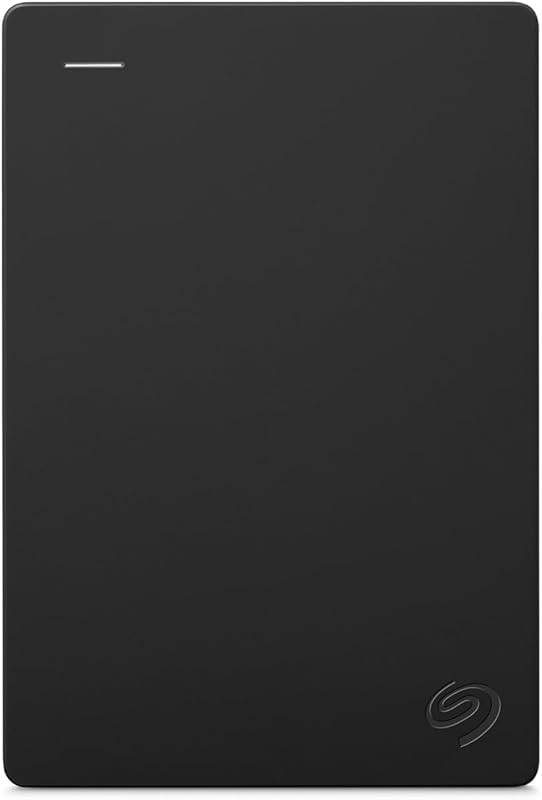
The Everyday HDD storage. Plug-and-play backup. is a compact 2TB Seagate portable hard drive running on USB 3.0 that offers seamless plug-and-play operation for both Windows and macOS systems. It includes an Adobe Creative Cloud trial and comes backed by a 1-year warranty. Shoppers should choose this option over the 14TB desktop drive if they prioritize portable, bus-powered convenience for everyday document transport rather than an anchored multi-terabyte desktop repository.
Seagate Portable 4TB External Hard
The Seagate Portable 4TB External Hard drive is an external HDD designed with USB 3.0 connectivity that works across PC, Mac, Xbox, and PlayStation platforms, complemented by a 1-year rescue service. This drive is an ideal pick for console gamers or laptop users who need a sizable 4TB expansion that does not require an external electrical wall outlet, offering higher capacity than entry-level portables while maintaining pocket-friendly dimensions.
1TB Dual Drive External SSD

The 1TB Dual Drive External SSD is a solid-state thumb drive engineered with USB 3.2 Gen 2 connectivity featuring dual Type-C and USB-A connectors, delivering performance up to 500 MB/s read and 450 MB/s write speeds. You should pick this drive if your primary requirements are blistering transfer speeds, instantaneous file indexing, and maximum physical durability, trading off the colossal 14TB archival capacity for rapid solid-state agility.
Final Verdict
To conclude our wd 14tb elements desktop review, this external storage unit succeeds by doing exactly what it promises without extraneous complications. By pairing a massive 14TB volume with a standard USB 3.0 interface and reliable plug-and-play Windows integration, Western Digital provides a dependable solution for backing up home workstations and safeguarding extensive digital archives. It does not pretend to be a portable drive or a blazing-fast video editing scratch disk, focusing instead on dependable mass capacity.
When asking is wd 14tb elements worth it, the answer comes down to your capacity needs and workflow demands. If your desk is cluttered with half a dozen small external drives or your computer storage warnings are constantly popping up, this single high-capacity desktop unit restores order cleanly. Its straightforward hardware profile, solid construction, and uncluttered software footprint make it an easy recommendation for anyone in need of serious desktop storage.
FAQ
Does the WD 14TB Elements Desktop work with Mac computers?
Yes, the hardware connects to Mac computers via USB, but the listing specifies that the drive comes pre-formatted for Windows PCs. Mac users must reformat the drive using the built-in macOS Disk Utility to APFS, macOS Extended, or exFAT before they can write files to it on an Apple computer.
Does this external hard drive require an external power supply?
Yes, because the drive utilizes a 3.5-inch desktop hard disk form factor, it cannot draw sufficient electrical current from a computer USB port alone. It requires connection to a standard electrical wall outlet via an external power adapter to function.
What transfer rates can users expect from this drive?
The hardware interface supports USB 3.0 transfer speeds up to 5 gigabits per second, and the manufacturer listing specifies a baseline read speed of 113.5 megabytes per second. Actual transfer rates will fluctuate depending on whether you are moving large sequential video files or folders containing thousands of small files.
Can the drive be used with laptops as well as desktop computers?
Yes, the listing explicitly includes both desktop and laptop computers under compatible devices. As long as your laptop features an available USB Type-A port or you use an appropriate adapter, the drive will mount normally once connected and powered.
Does the drive come with pre-installed backup software?
No, the WD Elements lineup focuses on simple plug-and-play functionality without bundling proprietary background management software. Users can utilize native backup tools provided by Windows or macOS, or install their preferred third-party backup software.


