As Amazon Associates, we earn from qualifying purchases. This means we may receive a small commission at no extra cost to you if you click through and make a purchase.
The Gigabyte Z790 Aorus Pro X is an ATX motherboard designed around the Intel Z790 chipset and the LGA 1700 processor socket. Built to support multiple generations of Intel desktop hardware, it brings together high-bandwidth connectivity, expansive high-speed storage interfaces, and heavy-duty voltage regulation into a single full-sized package. For builders seeking a balance of bleeding-edge wireless networking and rugged power handling for their processor, this motherboard delivers an exceptional, future-ready foundation without unnecessary complexity.
This board is an ideal match for PC enthusiasts, content creators, and competitive gamers assembling a high-performance system powered by recent Intel silicon. It provides modern conveniences like rapid drive installation and high-bandwidth wired and wireless networking straight out of the box. However, builders who are shopping for an AMD platform, those looking for compact micro-ATX or Mini-ITX form factors, or system builders seeking older legacy connectivity without modern PCIe 5.0 lanes will want to look toward different platforms.


Gigabyte Z790 Aorus Pro X at a Glance

| Feature | Specification |
|---|---|
| Processor Socket | Intel LGA 1700 |
| Chipset | Intel Z790 |
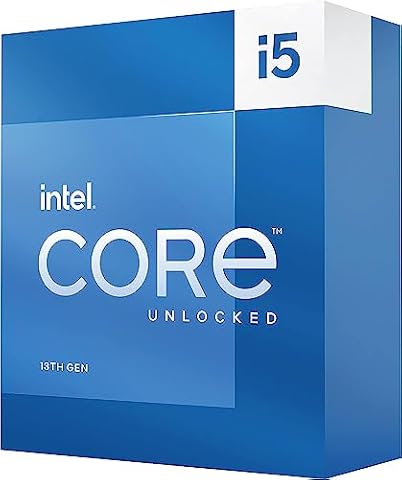
| Compatible Processors | Intel Core 14th, 13th, and 12th Gen Processors |
| Power Phase Design | Digital Twin 18+1+2 Phases VRM Solution |
| Memory Support | DDR5, 5600 MHz base clock, up to 128 GB, XMP 3.0 |
| M.2 Storage Slots | 5x M.2 (including 1x PCIe 5.0 x4) |
| SATA Ports | 6x SATA 3 (6Gb/s) |
| Networking | Wi-Fi 7 and 5GbE LAN |
| Audio / Digital Interface | Optical S/PDIF connector included |
| Hardware Innovations | EZ-Latch, Q-Flash, RGB Fusion |
Power Delivery and VRM Design
A motherboard’s power delivery system dictates how stably and reliably your CPU operates under demanding workloads. The gigabyte z790 aorus vrm design implements a Digital Twin 18+1+2 phases VRM solution, feeding direct and balanced voltage through a standard 24-Pin main power connector. This multi-phase arrangement divides electrical current across numerous dedicated stages, preventing any single component from overheating while maintaining clean voltage to the socket under burst and continuous loads.
Managing high-draw multi-core processors like the Core i9-13900K requires clean power filtering to avert throttling during CPU-heavy tasks. Because power demands spike instantaneously when compiling large code bases, rendering complex three-dimensional scenes, or running high-refresh gaming titles, the digital controller fine-tunes power supply response in fractions of a second. The resulting electrical stability protects sensitive silicon and ensures that transient power drops do not cause sudden system crashes.
By delivering clean, steady voltage, this power stage setup ensures that modern Intel chips maintain sustained turbo clocks without erratic voltage droop. Builders who focus heavily on the underlying gigabyte z790 aorus xtreme specs will appreciate that this model emphasizes robust voltage regulation to ensure reliable operation under intensive daily operation.
Thermal Architecture and Heat Dissipation
Heavy electrical throughput naturally generates concentrated heat around the socket and storage lanes, making thermal management a fundamental pillar of platform stability. To address this, the board integrates VRM Thermal Armor Advanced paired with M.2 Thermal Guard coverage across sensitive hotspots. The heavy heatsinks draw thermal buildup away from the power stages and disperse it evenly, preventing thermal throttling from curbing processor performance during prolonged system stress.
Maintaining solid gigabyte z790 aorus thermal performance is equally critical for solid-state storage. High-speed NVMe drives run remarkably warm when transferring sustained sequential data, and inadequate dissipation will trigger automated thermal slowdowns. The integrated M.2 Thermal Guard covers fit snug against installed solid-state drives, effectively acting as dedicated heat sinks that absorb and radiate drive heat before it can compromise storage responsiveness.
Effective passive cooling on the motherboard also contributes to overall chassis acoustics. When the VRM and drive bays stay cool on their own passive thermal armor, system fans do not need to ramp up aggressively to compensate for ambient heat buildup inside the case. This creates a quieter computing environment during routine office tasks and intense productivity sessions alike.
Memory and Storage Expansion
Memory throughput and storage expandability are central to any modern Intel build. The motherboard brings comprehensive gigabyte z790 aorus ddr5 support, running memory modules at a baseline clock speed of 5600 MHz with support for extreme memory profile XMP 3.0 configurations. While the listing notes both 4 DIMM sockets with dual channel architecture and a separate specification line stating 2 memory slots available, it accommodates up to a total of 128 GB of DDR5 system RAM, giving power users massive headroom for creative assets and heavy multitasking.
Storage flexibility is an undeniable highlight, centered around five gigabyte z790 aorus m.2 slots. Among these slots is one dedicated PCIe 5.0 x4 connection, providing maximum theoretical bandwidth for next-generation solid-state storage. The remaining M.2 slots give you ample opportunity to add secondary and tertiary storage drives without relying on loose cables. For traditional bulk storage, the board supplies six SATA 3 ports, allowing builders to carry over existing mechanical hard drives or standard 2.5-inch SSDs effortlessly.
In addition to raw M.2 lane availability, graphics card connectivity utilizes a dedicated gigabyte z790 aorus pcie 5.0 interface. This high-speed PCIe lane configuration ensures that modern and upcoming graphics hardware operates with uncompromised bandwidth. Whether you are installing a high-end rendering card or planning a dual-drive operating system array, the expansion layout accommodates deep upgrade plans without forcing interface compromises.
Next-Gen Networking and Connectivity
Modern connectivity demands rapid network performance and flexible peripheral inputs. The gigabyte z790 aorus pro x wifi7 brings state-of-the-art wireless networking alongside a wired 5GbE LAN controller. Wi-Fi 7 support unlocks wider channel bandwidth and lower latency on supported wireless networks, while the 5GbE wired jack provides more than double the transfer speed of conventional 2.5GbE solutions, facilitating lightning-quick local network transfers to network-attached storage.
Peripheral connectivity covers high-bandwidth external needs as well as legacy devices. The motherboard includes high-speed USB-C 3.2 connectivity for rapid external SSD transfers, alongside two USB 2.0 ports for keyboard, mouse, and basic peripheral routing. For clean audio transmission, the rear panel features an optical S/PDIF connector, allowing sound enthusiasts to bypass noisy onboard analog circuitry and route digital signals straight to external digital-to-analog converters.
System builders will also find user-friendly DIY assembly features that eliminate routine building hassles. Gigabyte integrates their EZ-Latch system, which lets you install and release M.2 drives and full-length graphics cards without tiny screws or finger gymnastics. When pairing the motherboard with modern enthusiast graphics cards like the gigabyte aorus 5080, the EZ-Latch mechanism simplifies GPU removal inside crowded cases. Furthermore, Q-Flash functionality allows quick BIOS updates directly from a thumb drive without requiring a CPU or memory to be fully initialized.
Gaming Capabilities and Multi-Gen Processor Support
When assembling a high-refresh gaming station, the gigabyte z790 aorus intel 14th gen processor support offers immediate out-of-the-box readiness. The LGA 1700 socket is backward and forward compatible across Intel 12th, 13th, and 14th Gen processors, providing tremendous flexibility whether you are migrating an existing 12th Gen chip or installing a brand-new Core i9 processor. It runs smoothly on modern 64-bit systems like Windows 11 to take full advantage of Intel hybrid thread scheduling.
Deploying the gigabyte z790 aorus xtreme for gaming setups ensures zero bottlenecks across audio, storage loading, and frame delivery. Ultra-fast NVMe access speeds up asset streaming in modern open-world gaming engines, while the low-latency Wi-Fi 7 connection minimizes packet jitter during competitive multiplayer sessions. Gigabyte also incorporates RGB Fusion, allowing gamers to synchronize chassis illumination, cooler lighting, and internal peripheral accents to suit their battlestation aesthetic.
The platform design represents an evolved iteration of the Aorus Z790 X family, engineered with an upgraded BIOS interface and enhanced trace routing. Builders who have previously worked on boards like the aorus x570 ultra will immediately notice how streamlined modern board firmware and physical build layouts have become on newer Intel generations.
Gigabyte Z790 Aorus Pro X Pros and Cons
Pros
- Digital Twin 18+1+2 phase VRM design
- Wi-Fi 7 and fast 5GbE LAN networking
- Five M.2 slots including PCIe 5.0 lane
- VRM Thermal Armor and M.2 Thermal Guard
- Convenient EZ-Latch and Q-Flash features
Cons
- Listing contains conflicting memory slot counts
- Base memory clock listed at 5600 MHz
- Locked to legacy LGA 1700 socket
Check Gigabyte Z790 Aorus Pro X on Amazon
Who Should Buy the Gigabyte Z790 Aorus Pro X
Deciding on a motherboard requires matching your exact system requirements, upgrade expectations, and processor selection against the physical hardware specifications.
Buy It If
- You are building an Intel-based workstation or gaming PC using 12th, 13th, or 14th Gen Core desktop processors.
- You need expansive storage capability with five separate M.2 slots and native PCIe 5.0 solid-state support.
- Your home or studio network can take advantage of 5GbE wired ethernet or high-bandwidth Wi-Fi 7 connectivity.
- You appreciate DIY quality-of-life hardware touches such as EZ-Latch brackets and Q-Flash firmware updates.
Skip It If
- You are planning an AMD AM4 or AM5 processor build that requires entirely different socket pins and architecture.
- You are constructing a compact Small Form Factor (SFF) desktop that requires an ITX or mATX footprint.
- You only require basic office computing where budget-oriented chipsets provide all the connectivity you need.
Gigabyte Z790 Aorus Pro X Alternatives Worth a Look
If you are exploring other platform standards, alternative form factors, or distinct socket ecosystems, these alternatives provide valuable reference points for your build decision.
Asus ROG Strix B550-F Gaming

The Asus ROG Strix B550-F Gaming is an ATX motherboard built around the AMD AM4 platform, featuring support for 3rd Gen Ryzen processors, DDR4 system memory, PCIe 4.0 expansion, and 2.5Gb LAN alongside Wi-Fi 6E. It also features BIOS Flashback, an HDMI 2.1 display output, and Aura Sync addressable RGB headers.
Choose this Asus board if you already own an AMD AM4 processor or want a dedicated DDR4-based build rather than investing in modern Intel LGA 1700 silicon and DDR5 memory modules.
paired with Asrock Z890 PRO

The paired with Asrock Z890 PRO bundle combines an Asrock Z890 PRO RS WiFi ATX motherboard with an Intel Core Ultra 5 250K Plus processor, offering 18 cores up to 5.3 GHz, 30MB cache, PCIe 5.0 lanes, 20Gbps Type-C connectivity, and Wi-Fi 6E.
This bundle option is the right path if you prefer a bundled CPU-and-board combo centered around Intel newer Core Ultra series silicon on the Z890 platform rather than the established Z790 and LGA 1700 architecture.
MSI MAG B850 Tomahawk MAX

The MSI MAG B850 Tomahawk MAX is an ATX motherboard engineered for AMD Ryzen 9000, 8000, and 7000 processors on socket AM5. It delivers an 80A SPS VRM, DDR5 Memory Boost up to 8400+ MT/s (OC), a PCIe 5.0 x16 slot, Gen5 M.2 capability, Wi-Fi 7, and a 5G LAN port.
Shoppers seeking modern Wi-Fi 7 and 5Gb networking but building on an AMD AM5 processor foundation should choose this MSI model over an Intel Z790 board. If you prefer to explore alternative AMD configurations, checking out a board like the b850 aorus elite can help clarify your options across the AM5 spectrum.
Final Verdict
When weighing the overall hardware landscape, shoppers frequently ask: is gigabyte z790 aorus xtreme worth it for an Intel build? The Gigabyte Z790 Aorus Pro X demonstrates that a thoughtfully engineered Z790 board can deliver top-tier power stability, expansive drive support, and bleeding-edge Wi-Fi 7 networking without unnecessary gimmicks. Its Digital Twin 18+1+2 phase power setup handles demanding Intel processors reliably, while the comprehensive thermal heatsinks keep both power stages and five M.2 drives operating well within safe thermal thresholds.
For builders who want a dependable, future-proofed foundation on the LGA 1700 platform, this motherboard hits the sweet spot between enthusiast-grade connectivity and practical assembly convenience. Between the EZ-Latch installation mechanisms, high-bandwidth 5GbE LAN, and pristine PCIe 5.0 expansion, it provides an outstanding backbone for competitive gaming rigs and intensive creative workstations alike.
FAQ
What processors are compatible with this motherboard?
The motherboard features an Intel LGA 1700 socket and directly supports Intel Core 14th Gen, 13th Gen, and 12th Gen desktop processors on Windows 11.
Does this motherboard support PCIe 5.0 storage?
Yes, among its five total M.2 storage slots, one slot is wired for ultra-fast PCIe 5.0 x4 operation, while the remaining slots offer high-speed M.2 expansion protected by thermal guards.
What memory type does the motherboard use?
It supports DDR5 system memory with a baseline 5600 MHz clock speed, XMP 3.0 profile support, and an overall maximum capacity of up to 128 GB.
What networking capabilities are built into this board?
The board includes an integrated Wi-Fi 7 wireless module for low-latency wireless connections as well as an onboard 5GbE LAN port for high-speed wired network transfers.
What is the benefit of the Digital Twin 18+1+2 VRM design?
The 18+1+2 power phase architecture distributes current across multiple stages, ensuring cleaner voltage delivery, reduced localized component heat, and stable performance when running high-demand processors.