
As Amazon Associates, we earn from qualifying purchases. This means we may receive a small commission at no extra cost to you if you click through and make a purchase.
The Acer Swift 14 AI represents a significant architectural shift in portable Windows computing, replacing traditional x86 silicon with Qualcomm’s Snapdragon X Plus platform. Equipped with an integrated Hexagon neural processing unit delivering 45 TOPS, a vibrant 14.5-inch 120Hz display, and a rated battery life reaching up to 24 hours, this machine serves as a flagship introduction to Microsoft’s Copilot+ PC ecosystem. The verdict on this machine is clear: for mobile professionals and remote workers seeking marathon battery life, whisper-quiet operation, and responsive everyday multitasking, it delivers one of the most balanced portable computing experiences currently available.
This laptop is particularly well-suited for business commuters, writers, college students, and remote workers who prioritize unplugged stamina, high-resolution video conferencing, and seamless productivity across browser and office applications. However, dedicated PC gamers, creative professionals relying on niche workstation plugins, and legacy enterprise users dependent on proprietary x86 software drivers should look elsewhere, as ARM-based Windows still requires emulation layers for non-native applications that can impact performance in specialized scenarios.



Acer Swift 14 AI at a Glance

| Feature | Specification |
|---|---|
| Processor | Qualcomm Snapdragon X Plus X1P-64-100 (10 Cores, up to 3.4GHz, 42MB Cache) |
| Neural Processing Unit | Qualcomm Hexagon NPU (45 TOPS) |
| Graphics | Qualcomm Adreno GPU (Up to 3.8 TFLOPs) with Adreno VPU (AV1 Encode/Decode) |
| System Memory | 16GB Onboard LPDDR5X |
| Storage Capacity | 1TB PCIe Gen 4 Solid State Drive |
| Display Panel | 14.5-inch WQXGA (2.5K) 120Hz, 16:10, TÜV Rheinland Eyesafe Certified 2.0 |
| Webcam | 1440p IR QHD with Acer PurifiedView 2.0, 3-mic array, privacy shutter |
| Wireless Connectivity | Wi-Fi 7 with Multi-Link Operation (MLO) |
| Chassis and Weight | Gray Aluminum, 2.9 pounds, 180-degree hinge, Gorilla Glass touchpad |
| Operating System | Windows 11 Home (Copilot+ PC certified) |
Snapdragon X Plus and Real-World AI Performance
At the core of the Acer Swift 14 AI is the Qualcomm Snapdragon X Plus X1P-64-100 processor. Featuring 10 Oryon CPU cores reaching frequencies up to 3.4GHz alongside 42MB of total cache, this chip departs from the high-heat, power-hungry designs of legacy architectures. Day-to-day office computing feels immediate: system startup is instantaneous, switching between dozens of browser tabs occurs without stutter, and local document processing remains snappy. The inclusion of 16GB of high-speed LPDDR5X onboard memory ensures that the system handles intensive productivity multitasking without bogging down the operating system.
The defining capability of this machine rests in its dedicated silicon for artificial intelligence. With a Qualcomm Hexagon NPU capable of 45 trillion operations per second (TOPS), the system easily clears Microsoft’s strict Copilot+ PC baseline. In practical terms, this dedicated neural hardware handles on-device features without draining battery or overloading the main CPU. Users gain access to native capabilities such as live video transcription, advanced Windows Studio Effects, improved natural language search across local files, and preview tools like Click to Do and Recall. By offloading computational vision and language models directly to the Hexagon NPU, real-time background blur and gaze tracking consume negligible system overhead compared to older architectures like those found in the acer swift go.
Graphics tasks are managed by the integrated Qualcomm Adreno GPU, rated for up to 3.8 TFLOPs, paired with a dedicated Adreno Video Processing Unit (VPU). While not configured for high-end 3D gaming, the VPU provides robust hardware acceleration for media playback, including hardware AV1 encode and decode up to 4K HDR. For photo retouching, everyday graphical rendering, and smooth user interface animations, the Adreno GPU provides fluid response while keeping thermal output low.
Display Quality and Visual Comfort
The screen is a central highlight of the Acer Swift 14 AI. Sporting a 14.5-inch WQXGA panel with a crisp 2.5K resolution, the display balances compact mobility with expanded screen real estate. The modern 16:10 aspect ratio provides crucial vertical height compared to traditional 16:9 widescreen panels, allowing spreadsheets, documents, and code editors to present more readable lines before requiring scrolling. For professionals who spend continuous hours reviewing text, this vertical layout noticeably reduces interface fatigue.
Acer has incorporated a dynamic 120Hz refresh rate, delivering double the frame rate of typical 60Hz business laptops. Cursor tracking feels exceptionally fluid, web pages glide effortlessly during rapid scrolling, and window transitions appear entirely smooth. Unlike larger, desk-bound options such as the acer swift edge 16, this 14.5-inch footprint retains supreme portability while still offering an expansive panoramic workspace for multitasking side-by-side applications.
Visual comfort is reinforced by official TÜV Rheinland Eyesafe Certified 2.0 compliance. This hardware-level certification reduces harmful blue light emissions while maintaining accurate color balance, avoiding the distracting amber tint that plagues basic software filters. Whether working beneath harsh corporate fluorescent lighting or writing late at night in a dim bedroom, the panel maintains exceptional clarity and eye protection over prolonged work sessions.
Battery Life and Mobile Portability
Battery endurance is where the ARM-based Qualcomm architecture clearly separates itself from standard mobile platforms. The manufacturer listing rates the Acer Swift 14 AI for up to 24 hours of battery life on a single charge. Because the Snapdragon X Plus processor is built around high-efficiency ARM cores, idle power consumption is minuscule. Standby battery drain behaves much like a tablet or smartphone, meaning closing the lid overnight results in practically zero lost charge by morning.
In continuous daily productivity scenarios—such as document editing, streaming cloud audio, composing emails, and attending web conferences—the laptop comfortably delivers all-day, unplugged autonomy. Remote workers and commuters can confidently leave the charging brick at home when heading out for a full day of meetings, library study sessions, or cross-country flights. When charging is necessary, the two USB Type-C ports support standard 65W Power Delivery, allowing rapid top-ups using universal compact GaN travel chargers.
Portability is further enhanced by the physical chassis design. Weighing just 2.9 pounds with an ultra-thin profile measuring 0.38 inches at its thinnest edge, the laptop slips effortlessly into standard backpacks and messenger bags without creating strain. The gray aluminum shell provides structural rigidity against backpack flex while maintaining an understated, professional appearance suitable for boardroom tables, lecture halls, and coffee shops alike.
Webcam, Audio, and Video Conferencing Features
Remote communication is thoroughly addressed on the Acer Swift 14 AI through a premium video conference subsystem. Rather than using an entry-level 720p or 1080p sensor, Acer integrates a 1440p QHD infrared webcam powered by Acer PurifiedView 2.0. This elevated resolution produces sharp, artifact-free video clarity even in unevenly lit rooms. When paired with the integrated IR sensor, the camera also supports instant biometric facial authentication via Windows Hello, allowing swift and secure desktop access.
The conferencing experience benefits directly from the local Qualcomm AI Engine. Features like automatic framing keep you centered on screen as you shift positions, while gaze correction subtly adjusts your eye contact so you appear to be looking directly into the camera lens rather than down at your display. Portrait refinement algorithms smooth blemishes naturally, while advanced background blur keeps domestic distractions hidden from colleagues. Crucially, a built-in physical privacy shutter lets you physically block the lens whenever the camera is not in active use.
Audio processing receives equal attention. The laptop incorporates a 3-microphone array driven by AI noise cancellation. This hardware and software combination actively isolates your vocal frequencies while filtering out distracting ambient noise, such as keyboard clicks, barking dogs, passing traffic, or air conditioner hum. Conference calls remain clear on both ends, minimizing the need for an external headset during fast-paced remote meetings.
Build Quality, Ports, and Day-to-Day Usability
The structural design of the Swift 14 AI emphasizes ergonomic versatility and durability. Built with a lightweight aluminum body, the laptop incorporates a fully extendable 180-degree hinge that allows the display to lie completely flat on a table. This makes sharing blueprints, presentations, or data tables with colleagues seated across from you straightforward. Navigation is handled by a smooth Corning Gorilla Glass touchpad, which resists grease, prevents micro-scratches, and delivers precise multi-finger gesture tracking. The keyboard includes an integrated backlight for comfortable low-light typing and houses a dedicated fingerprint reader for secondary biometric security.
Despite its ultra-slim 0.38-inch form factor, the laptop offers a well-rounded physical port configuration that avoids the need for immediate dongles:
- 2 x USB Type-C Ports: Supporting USB4 data transfer speeds up to 40Gbps, 65W USB Power Delivery charging, and external display output via the included USB Type-C to HDMI adapter cable.
- 2 x USB 3.2 Gen 1 Type-A Ports: Ensuring seamless connectivity for traditional flash drives, wired mice, or external hard drives, with one port featuring power-off charging capability to juice your phone on the go.
Wireless networking is ready for next-generation networks thanks to an onboard Wi-Fi 7 module. Supporting Multi-Link Operation (MLO), the system can simultaneously transmit and receive data across multiple frequency bands and channels, drastically reducing latency and improving data throughput in crowded office environments. While cloud-centric users might also consider simpler alternatives like the acer chromebook plus 514, the Swift 14 AI retains the comprehensive versatility of full Windows 11 Home backed by 1TB of PCIe Gen 4 solid-state storage.
Acer Swift 14 AI Pros and Cons
Pros
- Up to 24 hours of rated battery life
- Sharp 14.5-inch 120Hz 2.5K display
- Snapdragon X Plus with 45 TOPS NPU
- Crisp 1440p QHD webcam with privacy shutter
- Lightweight 2.9-pound aluminum chassis
- High-speed Wi-Fi 7 connectivity
Cons
- ARM platform requires emulation for legacy x86 software
- Integrated Adreno graphics not built for heavy gaming
- HDMI output requires included Type-C adapter cable
Check Acer Swift 14 AI on Amazon
Who Should Buy the Acer Swift 14 AI
Buy It If
- You require all-day unplugged stamina: The Snapdragon X Plus platform and battery rating of up to 24 hours eliminate battery anxiety during long commutes and off-site workdays.
- You prioritize video conference fidelity: The 1440p QHD webcam, AI-enhanced Studio Effects, and 3-microphone array provide class-leading virtual meeting quality.
- You want a crisp, fluid display: The 14.5-inch 2.5K 120Hz panel offers sharp text, smooth motion, and TÜV Rheinland Eyesafe 2.0 blue-light protection.
- You frequently travel or commute: At just 2.9 pounds and 0.38 inches thick, this aluminum chassis slips easily into any bag without weighing you down.
Skip It If
- You are an avid competitive PC gamer: Integrated Adreno graphics and ARM architecture are not designed to drive demanding modern AAA titles.
- Your daily workflow relies on niche legacy x86 software: Proprietary enterprise plugins and custom legacy drivers may face performance or compatibility hurdles on ARM.
- You require a native full-sized HDMI port built directly into the chassis: External HDMI monitor connections depend on the included USB Type-C to HDMI adapter cable.
Acer Swift 14 AI Alternatives Worth a Look
If you are exploring the portable laptop market, several alternatives cater to different computing priorities, operating systems, and workflow demands.
2026-2027 edition

The 2026-2027 edition HP 14 Laptop Computer provides an entry-level mobile computing setup powered by an Intel N150 processor, 4GB of DDR5 RAM, and a 128GB SSD. Running Windows 11 with Microsoft 365 and 1TB of cloud storage included, it targets shoppers seeking a straightforward, basic personal computer for elementary word processing and web navigation rather than the advanced on-device AI acceleration and high-refresh 2.5K display of the Swift 14 AI.
Supports 1TB TF Card Expansion
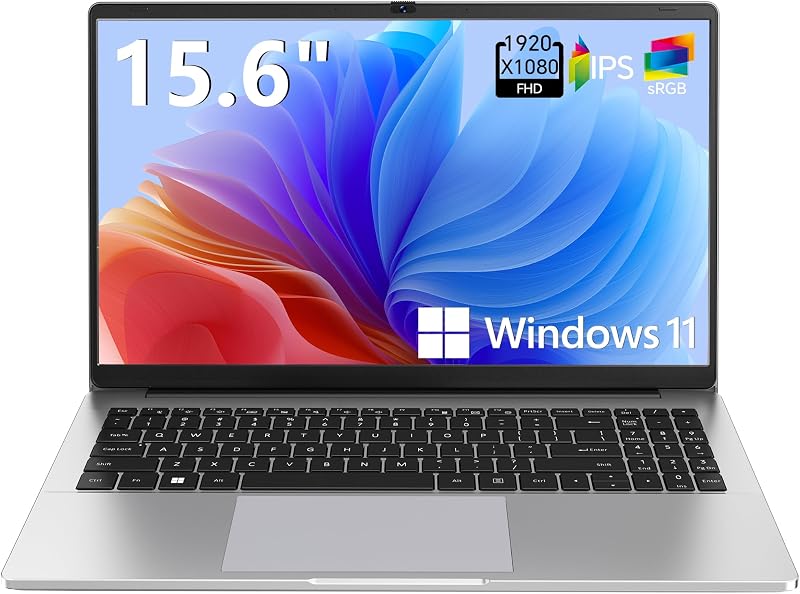
For users who need a larger screen format for home office tasks, the Supports 1TB TF Card Expansion Gray 15.6 Inch Laptop Computer features an Intel N4020 processor, 4GB of DDR4 memory, and 128GB of eMMC storage running Windows 11. It offers expandable local storage via a 1TB TF card slot and a 15.6-inch FHD LCD display, making it an option for budget-conscious home users who prefer a larger screen footprint over ultra-lightweight portability.
Copilot AI

Another alternative in the entry-level Windows space is the Copilot AI HP 2026 Essential Laptop. Finished in Natural Silver with an LED display, Intel processor, 128GB of storage, and Office 365, it introduces essential Copilot AI assistance features in a lightweight, portable form factor. It appeals to users who want access to basic cloud AI assistance and lightweight office productivity without the premium hardware specifications of a dedicated 45 TOPS NPU or 16GB of onboard memory.
Final Verdict
The Acer Swift 14 AI marks an impressive milestone in ultraportable Windows design, demonstrating that thin-and-light laptops no longer need to sacrifice battery longevity for responsive performance. By coupling the Snapdragon X Plus processor with 16GB of LPDDR5X RAM and a 1TB PCIe Gen 4 SSD, Acer has built a dependable machine tailored for modern productivity. The 14.5-inch 2.5K 120Hz display is a visual treat for document work, and the 1440p QHD webcam sets a high standard for remote video calls.
While power users dependent on heavy legacy x86 workstation software or intensive 3D gaming will want to stick to traditional x86 hardware, the vast majority of mobile professionals, college students, and remote workers will find the Swift 14 AI to be an exceptional daily companion. With stellar unplugged endurance, sophisticated AI integration, Wi-Fi 7 speeds, and a premium aluminum build, it represents a compelling, future-ready investment for on-the-go productivity.
FAQ
How long does the battery last on the Acer Swift 14 AI?
The Acer Swift 14 AI is rated by the manufacturer for up to 24 hours of battery life. Thanks to the power-efficient Qualcomm Snapdragon X Plus architecture, real-world productivity workflows such as writing, web browsing, and document handling easily last through a full workday and commute without requiring a power adapter.
Can the Acer Swift 14 AI run standard Windows software?
Yes, the laptop runs Windows 11 Home. Applications compiled natively for ARM architecture run at full speed, while traditional x86 and x64 applications operate through Microsoft’s built-in Prism emulation layer. However, specialized legacy enterprise software or anti-cheat engines designed exclusively for x86 chips may experience compatibility constraints.
What display specifications does the Acer Swift 14 AI feature?
The laptop features a 14.5-inch WQXGA (2.5K) display with a 16:10 aspect ratio and a smooth 120Hz refresh rate. It is also TÜV Rheinland Eyesafe Certified 2.0, which minimizes blue light exposure during long hours of work without distorting natural colors.
Does the laptop support dual monitor outputs?
The Acer Swift 14 AI includes two USB4 Type-C ports capable of 40Gbps data throughput and video output. Acer includes a USB Type-C to HDMI cable in the box, allowing you to easily connect an external HDMI display without buying separate third-party adapters.
What makes this laptop a Copilot+ PC?
To qualify as a Copilot+ PC, a system must include a dedicated NPU capable of at least 40 TOPS. The Acer Swift 14 AI features Qualcomm’s Hexagon NPU rated at 45 TOPS, which powers advanced on-device AI experiences like live captions, enhanced Windows Studio Effects, and preview features like Recall and Click to Do.


