As Amazon Associates, we earn from qualifying purchases. This means we may receive a small commission at no extra cost to you if you click through and make a purchase.
The Lenovo ThinkPad X1 Carbon Gen 11 represents the eleventh iteration of one of corporate computing’s most enduring flagship lines, pairing a 13th Generation Intel Core i7 processor with a lightweight chassis engineered for intense day-to-day productivity. Built on the Intel Evo platform and equipped with a 14-inch touchscreen display, this business machine delivers an exceptional blend of typing ergonomics, solid enterprise-grade security, and modern connectivity. For mobile professionals seeking a dependable workhorse that handles demanding office workloads without unnecessary bulk, it stands as an exceptionally capable device.
This notebook suits corporate executives, mobile consultants, writers, and analysts who spend long hours navigating spreadsheets, writing extensive reports, and participating in virtual client meetings. The combination of a world-class spill-resistant keyboard, sharp 1080p webcam, and dual Thunderbolt 4 ports ensures frictionless remote and in-office work. However, users requiring discrete graphics for intense 3D rendering, expandable memory for extreme virtualization, or native mobile cellular connectivity right out of the box will want to explore specialized workstations or consider alternative business machines such as a thinkpad x1 business laptop configured for their particular hardware requirements.



Lenovo ThinkPad X1 Carbon Gen 11 at a Glance

| Attribute | Detail |
|---|---|
| Processor | 13th Generation Intel Core i7-1355U (2 P-Cores up to 5.00 GHz, 8 E-Cores up to 3.70 GHz, 12 Threads, 12 MB Cache) |
| Memory | 16GB LPDDR5-6400MHz (Soldered) |
| Storage | 512 GB SSD M.2 2280 PCIe Gen4 Performance TLC Opal |
| Display | 14.0-inch WUXGA (1920 x 1200) Touchscreen IPS, Anti-Glare, 100% sRGB, 400 nits, Low Power |
| Graphics | Integrated Intel Iris Xe Graphics |
| Ports | Two Thunderbolt 4, Two USB-A 3.2 Gen 1, One HDMI 2.0, Headphone / mic combo |
| Wireless | Intel Wi-Fi 6E AX211 802.11AX (2×2) and Bluetooth 5.1 |
| Camera and Audio | 1080p FHD RGB with Privacy Shutter, quad-mic 360-degree far-field array, four speakers |
| Operating System | Windows 11 Pro |
| Listed Weight | 1.4 pounds |
Keyboard Comfort and Navigation Controls
Input ergonomics represent a defining factor for any business laptop, and the thinkpad x1 carbon gen 11 keyboard continues the brand legacy of prioritizing typing comfort above all else. This unit features a standard US English QWERTY six-row layout equipped with crisp white LED backlighting that simplifies working in dimly lit conference rooms or late-night hotel settings. Beneath the keycaps, Lenovo integrates a spill-resistant design that mitigates damage from accidental desk spills, while an innovative air intake layout pulls cooling airflow directly through the keyboard structure to aid thermal management without increasing chassis thickness.
Typing response feels tactically defined, providing distinct tactile actuation that allows typists to log thousands of words daily without developing wrist fatigue. In addition to standard typing functions, the keyboard integrates dedicated multimedia Fn keys configured with Unified Communications controls, allowing you to answer or terminate video conference calls with a single keypress. These dedicated communications shortcuts streamline call management during high-stakes client meetings, eliminating the need to search through open software windows for software mute toggles.
Pointing and navigation controls remain equally comprehensive. Lenovo incorporates a smooth 4.33-inch glass trackpad that supports precise Windows multi-touch gestures, fluid tracking, and responsive physical clicks. Complemented by the red TrackPoint nub nestled between the G, H, and B keys along with dedicated physical click buttons positioned above the trackpad, users can effortlessly manipulate spreadsheets and documents without lifting their palms from the typing deck.
Display Clarity and Video Conferencing Hardware
The visual centerpiece of this notebook is a 14.0-inch touchscreen panel featuring a 16:10 aspect ratio and a WUXGA resolution of 1920 by 1200 pixels. The thinkpad x1 carbon gen 11 display utilizes IPS technology to deliver broad viewing angles, ensuring spreadsheets and presentations look sharp and uniform even when viewed off-center. With a rated brightness of 400 nits, a low-power design, and an anti-glare matte coating, the screen resists harsh office overhead glare and natural outdoor reflections while conserving energy during sustained unplugged operation.
Color accuracy measures up to creative and professional standards with 100 percent sRGB coverage, delivering lifelike colors for visual media, slide deck creation, and web browsing. Touch functionality adds intuitive navigation, letting users scroll through dense financial spreadsheets, sign digital contracts, or zoom into PDF blueprints directly on the panel. The anti-glare finish significantly minimizes visible fingerprint smudges compared to traditional glossy touchscreens, preserving clear visibility throughout demanding workdays.
Remote collaboration hardware receives notable attention on this generation. Lenovo equips the upper display bezel with a 1080p Full HD RGB camera that renders sharp facial detail and natural colors during virtual conferences. When calls conclude, a physical webcam privacy shutter slides over the lens for complete peace of mind. Audio capture and playback rely on a sophisticated quad-microphone 360-degree far-field array paired with a four-speaker sound system, ensuring that your voice transmits clearly across virtual meetings while incoming dialogue remains intelligible without relying on external headphones.
Core Performance and Multitasking Efficiency
Computing power is anchored by the 13th Generation Intel Core i7-1355U processor, which leverages Intel hybrid architecture consisting of two Performance cores reaching up to 5.00 GHz Max Turbo and eight Efficient cores topping out at 3.70 GHz. With a total of 12 threads and a 12 MB cache, this thinkpad x1 carbon gen 11 i7 platform balances power efficiency with burst speeds needed to crunch large data sets, compile code, and run multiple productivity suites simultaneously. The laptop is built on the Intel Evo platform, verifying responsive performance, rapid wake times, and sustained efficiency during real-world mobile operation.
Multitasking is supported by 16GB of LPDDR5-6400MHz high-frequency system memory. While 16GB handles dozens of active browser tabs, enterprise communication clients, and cloud applications smoothly, prospective buyers evaluating the thinkpad x1 carbon gen 11 specs must note that this memory is soldered directly to the motherboard. Because the listing confirms soldered RAM without user-accessible expansion slots, users with extreme memory requirements may want to evaluate configurations like a thinkpad x1 carbon 32gb ram model before completing their purchase.
Storage performance is driven by a 512 GB PCIe Gen4 Performance TLC Opal solid-state drive. Operating across the M.2 2280 interface, this high-speed NVMe drive delivers rapid boot speeds, immediate file access, and encrypted data protection compliant with Opal security standards. Graphics tasks are managed by integrated Intel Iris Xe Graphics with shared system memory. While perfectly suited for video playback, dual-monitor office output, and light photo editing, it is not intended for heavy 3D rendering or modern high-end gaming.
Port Selection, Docking, and Mobility
Despite measuring in an ultrathin form factor with a listed item weight of 1.4 pounds, the machine avoids the common trap of ditching legacy connectivity. The thinkpad x1 carbon gen 11 ports selection is among the most versatile in the ultrabook class, featuring two high-speed Thunderbolt 4 ports, two USB-A 3.2 Gen 1 ports, a full-size HDMI 2.0 video output, and a 3.5mm headphone and microphone combo jack. The dual Thunderbolt 4 connections support rapid data transfers, power delivery, and high-resolution external display outputs, eliminating the need to carry separate dongles.
For desk-bound work environments, the laptop supports optional Thunderbolt Docks and USB-C 3.2 Docks. With a single cable, professionals can connect multiple desktop monitors, wired Ethernet, external storage drives, and desktop peripherals while simultaneously charging the laptop. When working wirelessly on the go, the integrated Intel Wi-Fi 6E AX211 card provides fast, low-latency wireless connections over compatible modern router networks, alongside Bluetooth 5.1 for mice and wireless headsets. Note that this specific configuration does not include WWAN 4G or 5G mobile broadband hardware.
Mobility relies on the interplay between the ultra-low-power 400-nit screen and the energy-efficient Core i7 processor architecture. While the listing does not specify the exact battery watt-hour rating or official runtime hours for judging thinkpad x1 carbon gen 11 battery life, the Intel Evo certification guarantees that the hardware is engineered for efficient power consumption across routine office tasks. Mobile workers carrying this modest thinkpad x1 carbon gen 11 weight can also rely on biometric fingerprint recognition integrated directly into the laptop for rapid, secure logins without typing complex enterprise passwords in transit. Buyers prioritizing alternative internal architectures can also compare this platform against machines like the thinkpad t14 amd to judge differing thermal and silicon designs.
Lenovo ThinkPad X1 Carbon Gen 11 Pros and Cons
Pros
- Backlit spill-resistant keyboard with air intake design
- Dual Thunderbolt 4 ports plus full-size HDMI
- Low-power 400-nit WUXGA touchscreen with anti-glare finish
- Quad-speaker system and 360-degree quad microphone array
- One-year onsite limited warranty included
Cons
- Soldered 16GB memory cannot be upgraded later
- No cellular WWAN connectivity on this configuration
- Integrated Intel Iris Xe graphics limits gaming performance
Check Lenovo ThinkPad X1 Carbon Gen 11 on Amazon
Who Should Buy the Lenovo ThinkPad X1 Carbon Gen 11
Determining whether the thinkpad x1 carbon gen 11 for business meets your daily operational needs depends heavily on your software demands and mobility habits. This ultrabook caters specifically to business professionals who demand premium build quality, outstanding typing comfort, and seamless peripheral compatibility without unnecessary weight.
Buy It If
- You require a lightweight business ultrabook with a class-leading spill-resistant keyboard and dedicated conferencing controls.
- You want a complete port selection including Thunderbolt 4, traditional USB-A ports, and full-size HDMI 2.0 without carrying external adapters.
- Your workday involves extensive video calls that benefit from a 1080p webcam, quad far-field microphones, and a physical privacy shutter.
- You value enterprise reliability backed by an included one-year onsite Lenovo limited warranty with optional extensions up to five years.
Skip It If
- Your workload requires more than 16GB of RAM, since the installed memory is soldered and cannot be expanded later.
- You need built-in cellular 4G or 5G mobile broadband connectivity, which is absent from this specific model configuration.
- You perform intensive 3D graphic rendering or high-end gaming that necessitates dedicated graphics hardware rather than integrated Intel Iris Xe.
Lenovo ThinkPad X1 Carbon Gen 11 Alternatives Worth a Look
If your computing needs require a different feature balance, simpler budget specifications, or alternative screen dimensions, several alternative laptops on the market provide distinct hardware configurations.
2026-2027 edition

The 2026-2027 edition is an HP 14 laptop computer powered by an Intel N150 processor, 4GB of DDR5 RAM, and 128GB of SSD storage running Windows 11 with Microsoft 365 and 1 TB of cloud storage included. Shoppers seeking a basic entry-level notebook for straightforward web browsing and light document handling may favor this option over a specialized enterprise machine.
Supports 1TB TF Card Expansion
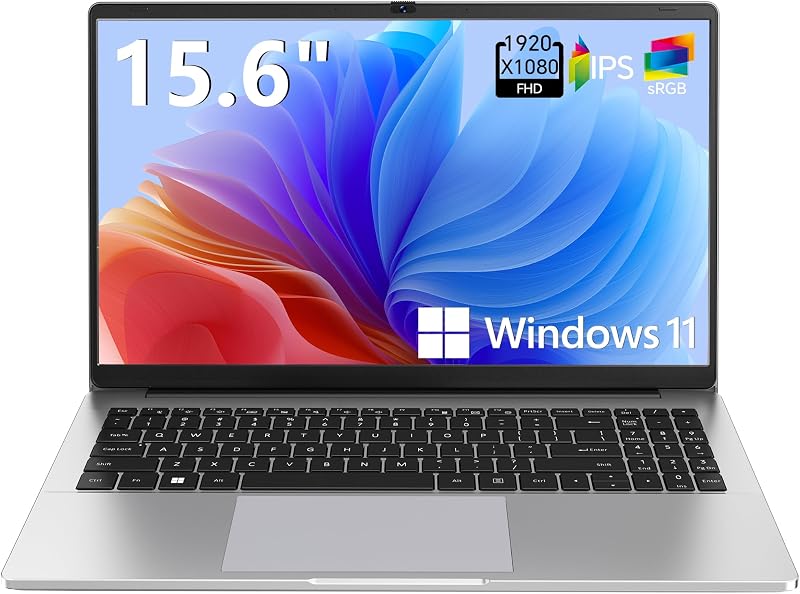
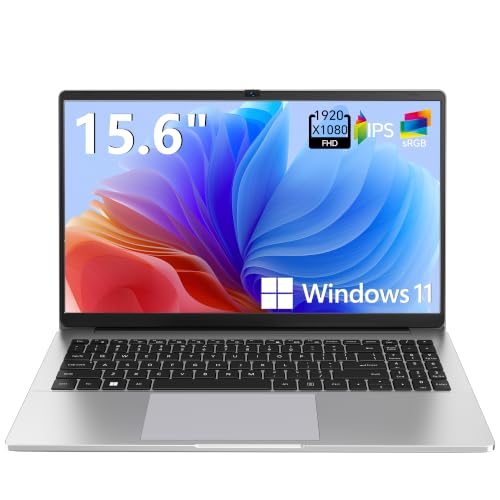
The Supports 1TB TF Card Expansion notebook is a gray 15.6-inch laptop equipped with an Intel N4020 processor, 4GB of DDR4 RAM, 128GB of eMMC storage, a Full HD LCD display, and Windows 11. Students and home office users who prefer a larger 15.6-inch viewing area and want convenient storage upgrades via a 1TB TF card expansion slot should look at this model.
Copilot AI

The Copilot AI is a natural silver HP 2026 Essential laptop featuring an Intel processor, 128GB of internal storage, an LED display, 1TB of cloud storage, and Windows 11 bundled with Office 365. Buyers seeking lightweight personal computing with built-in Copilot AI features and included cloud productivity software will find it a compelling alternative for daily tasks.
Final Verdict
Evaluating this lenovo thinkpad x1 carbon gen 11 review demonstrates that Lenovo continues to refine what makes a flagship business notebook truly practical. By combining a rigid black chassis weighing just 1.4 pounds with an anti-glare 400-nit WUXGA touchscreen, an exceptional spill-resistant keyboard, and dual Thunderbolt 4 connectivity, it removes the daily friction common to mobile professional computing. The inclusion of Windows 11 Pro and a one-year onsite limited warranty reinforces its readiness for corporate deployment straight out of the box.
When asking is thinkpad x1 carbon gen 11 worth it, the answer comes down to your personal performance requirements. The soldered 16GB memory and reliance on integrated Intel Iris Xe graphics mean this machine cannot serve as an expandable workstation or a graphics powerhouse. However, for mobile executives, consultants, and knowledge workers seeking peerless typing comfort, sharp conferencing tools, and rugged enterprise dependability, the ThinkPad X1 Carbon Gen 11 remains a top-tier productivity tool.
FAQ
Can the memory on the Lenovo ThinkPad X1 Carbon Gen 11 be upgraded?
No, the 16GB of LPDDR5-6400MHz memory is soldered directly to the system board. Because there are no open memory slots for physical expansion, users must ensure that 16GB accommodates their expected long-term multitasking workflow before purchasing.
What ports are available on the ThinkPad X1 Carbon Gen 11?
The laptop includes two Thunderbolt 4 ports, two USB-A 3.2 Gen 1 ports, an HDMI 2.0 video port, and a 3.5mm headphone and microphone combo audio jack. It also supports optional Thunderbolt and USB-C docks for single-cable desk connectivity.
Does this configuration include mobile broadband WWAN?
The product listing specifies that there is no WWAN 4G or 5G mobile broadband hardware installed on this specific configuration. Wireless connectivity is handled via an Intel Wi-Fi 6E AX211 card and Bluetooth 5.1.
What webcam and audio features are included for conference calls?
This model features a 1080p Full HD RGB front camera with an integrated physical privacy shutter. Audio is managed by a 360-degree quad-microphone far-field array designed to capture clear voice audio and a four-speaker sound system for articulate playback.
What warranty coverage comes standard with this laptop?
The laptop includes a one-year onsite Lenovo limited warranty in unopened retail packaging as configured by Lenovo. Buyers can also add up to five years of Lenovo premium coverage when registering the computer with Lenovo.