As Amazon Associates, we earn from qualifying purchases. This means we may receive a small commission at no extra cost to you if you click through and make a purchase.
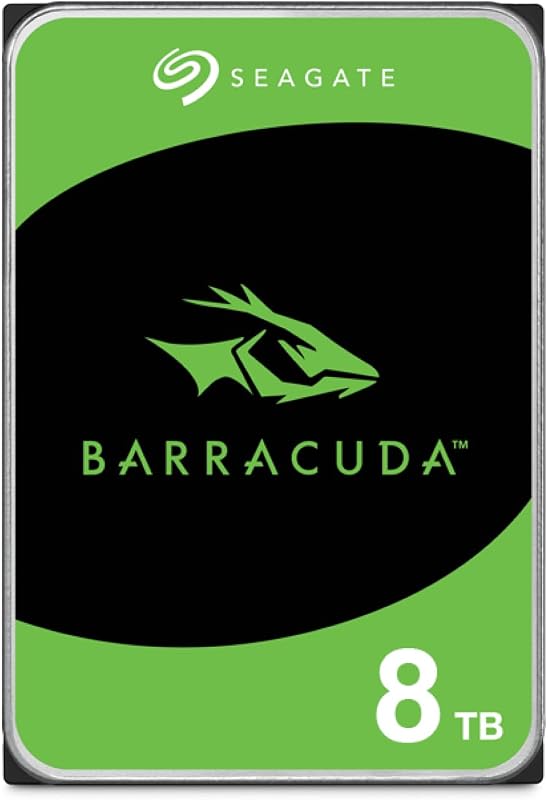
The Seagate BarraCuda 8TB internal hard drive is a high-capacity mechanical storage drive engineered for desktop systems and multi-drive computing setups. Built on the SATA 6.0 Gb/s interface in a standard 3.5-inch form factor, this drive targets users who need expansive space for local file archives, creative media libraries, and system backups. In our evaluation, the verdict is clear: it offers dependable, high-density bulk storage for desktop setups where capacity matters far more than solid-state responsiveness.
This drive suits creative professionals, video editors, designers, and PC users who run multi-drive desktops and need secondary bulk storage for project archives and media files. However, users seeking a high-speed primary drive for their operating system, or those assembling multi-bay continuous network storage where dedicated drives like the seagate iron wolf series provide specialized rotational vibration protection, should look toward hardware designed specifically for those environments.




Seagate BarraCuda 8TB at a Glance
| Attribute | Detail |
|---|---|
| Digital Storage Capacity | 8 TB |
| Form Factor | 3.5 inches |
| Hard Disk Interface | SATA 6.0 Gb/s |
| Rotational Speed | 5400 RPM |
| Sustained Transfer Rate | 190 MB/s |
| Cache Memory Installed Size | 256 |
| Dimensions | 5.79″ L x 4.00″ W x 1.03″ Th |
| Item Weight | 630 g |
| Packaging Format | Frustration-free packaging (anti-static bag only; no cables or box) |
| Additional Features | Data Recovery Service coverage |
Capacity and Everyday Bulk Storage Performance
Managing large collections of digital files requires dependable local storage. The main strength of deploying a seagate barracuda 8tb bulk storage drive is the sheer volume of space accessible over a standard SATA connection. For creators working with high-resolution photography, multi-track audio recordings, or 4K video files, eight terabytes of local space eliminates the routine hassle of shuffling files between smaller drives. Connected inside your computer chassis, this drive keeps extensive libraries directly available to your software applications without relying on external cables or network speeds.
In everyday desktop environments, a dedicated seagate barracuda 8tb desktop drive establishes a stable foundation for heavy workloads. Designers and content creators can maintain years of client assets and completed deliverables locally. While mobile professionals often choose external options such as a seagate backup plus portable drive for moving files between office and home laptops, an internal 3.5-inch drive provides a permanent, stationary archive that never ties up USB ports.
Preserving data security is essential when consolidating years of personal or business archives onto a single mechanical disk. Regarding seagate barracuda 8tb reliability, the drive is backed by 20 years of BarraCuda innovation and includes integrated Data Recovery Service coverage. This built-in recovery protection provides valuable reassurance when relying on a single high-capacity drive to store family photo archives, raw video footage, and critical backup images.
Transfer Speeds and 5400 RPM Performance
Examining the seagate barracuda 8tb specs reveals a design built specifically for balanced throughput. The drive spins at 5400 RPM and delivers a maximum sustained transfer rate of up to 190 MB/s. While enterprise models frequently run at 7200 RPM, the seagate barracuda 8tb 5400rpm configuration helps maintain lower temperatures, reduced power draw, and quieter operation inside desktop towers. For writing large video archives or running backups, 190 MB/s provides plenty of speed to move substantial files without bottlenecking.
The seagate barracuda 8tb transfer speed is supported by 256 cache memory and optimized read/write caching technology. This multi-tier caching architecture buffers incoming data requests and organizes queued operations before writing them to the spinning platters. When running multiple applications that access media files simultaneously, the caching system helps maintain uninterrupted performance and smooth data flow, reducing mechanical strain.
Users should keep realistic expectations regarding mechanical storage. While sequential file transfers easily approach the rated 190 MB/s mark when moving large continuous files, random access times remain governed by physical actuator movement. Because of this, the drive functions best when handling sequential workloads, cold storage, and media archives, rather than the rapid random read and write operations typical of operating system boot drives.
Gaming and Secondary Storage Workloads
Using the seagate barracuda 8tb for gaming offers a practical solution to modern game install sizes. Many current games exceed 100 gigabytes, rapidly filling expensive primary solid-state drives. Using this 8TB drive as a secondary game repository lets PC gamers maintain an extensive library without constantly uninstalling and re-downloading large titles. While level loading times are slower than on solid-state drives, in-game frame rates remain consistent once assets load into system RAM.
Storage configurations have changed noticeably over the years. Previous hybrid solutions such as the 2tb barracuda sshd utilized onboard flash memory to boost boot speeds on mechanical disks. Today, the most effective desktop configuration pairs an ultra-fast NVMe SSD for the operating system and primary games with an 8TB BarraCuda disk as a massive warehouse for installation files, older games, and media downloads.
The listing identifies compatibility with gaming consoles including the Sony PlayStation 5. Note the practical parameters of this compatibility: the PS5 internal expansion slot requires an M.2 NVMe drive, meaning this 3.5-inch SATA hard drive cannot be installed inside the console. However, it can be housed in an external powered USB enclosure to store PS5 titles as cold backups or to directly run backwards-compatible PlayStation 4 games.
Physical Design, Packaging, and Desktop Installation
The drive follows standard 3.5-inch internal dimensions, measuring 5.79 inches long, 4.00 inches wide, and 1.03 inches thick, with a total weight of 630 grams. It uses SATA 6.0 Gb/s connectivity for data and standard SATA power ports, fitting standard desktop chassis drive bays, internal caddies, or multi-bay external enclosures. The mounting screw holes conform to standard 3.5-inch bracket layouts for simple installation.
A crucial factor for prospective buyers is the packaging. The listing specifies frustration-free packaging: “This is just an anti-static bag. No cables, no box.” The drive arrives as a bare component sealed inside an anti-static pouch within basic transit padding. There are no included SATA data cables, power adapters, mounting screws, or printed instructions. Buyers adding this drive to a PC must verify that their power supply has an unused SATA power connector and have a spare SATA data cable and chassis screws ready.
Physical installation requires mounting the drive securely in an internal bay and attaching the SATA cables. Once connected, the drive must be initialized using your operating system’s disk management utility. Because this is an 8TB disk, you must select the GUID Partition Table (GPT) format during setup. The older Master Boot Record (MBR) standard only supports partitions up to 2TB, while GPT allows you to use the full 8TB capacity as a single continuous volume.
Evaluating Practical Value and Daily Reliability
In this seagate st8000dm004 review, determining value comes down to matching capacity with your workflow needs. When asking is seagate barracuda 8tb worth it, the answer is yes for anyone who requires substantial secondary storage space. For computer owners who already utilize an SSD for primary operating system tasks, adding an 8TB mechanical volume provides a reliable, spacious reservoir that permanently removes storage space warnings from your daily routine.
The presence of included Data Recovery Service coverage provides an exceptional advantage rarely bundled with internal mechanical drives. Hardware can experience unexpected issues from power fluctuations or physical wear over years of daily operation. Having professional data recovery service support attached directly to the drive offers valuable protection for creative freelancers, home businesses, and family archivists storing critical data.
Ultimately, the drive strikes a sensible balance between cool, quiet 5400 RPM operation and dependable 190 MB/s transfer speeds. By avoiding the extra heat and acoustic noise of 7200 RPM enterprise disks, it maintains a quiet profile inside standard desktop setups. It serves as a dependable bulk storage anchor for modern computing environments.
Seagate BarraCuda 8TB Pros and Cons
Pros
- Massive 8TB bulk storage capacity
- Sustained transfer rate up to 190MB/s
- Includes Data Recovery Service coverage
- Optimized read/write caching technology
- Generous 256 cache memory size
Cons
- 5400 RPM trails faster 7200 RPM alternatives
- Ships bare in anti-static bag without cables
- Not suited for primary OS boot drive duties
Check Seagate BarraCuda 8TB on Amazon
Who Should Buy the Seagate BarraCuda 8TB
Buy It If
- You need massive 8TB secondary capacity to store video footage, large photo libraries, and system backups locally.
- You already have a fast SSD for your operating system and want a quiet 5400 RPM drive for bulk data and game archives.
- You want the added safety net of included Data Recovery Service coverage for your long-term desktop storage.
- You have a desktop computer with an available 3.5-inch drive bay, spare SATA data cable, and open SATA power connector.
Skip It If
- You need a primary boot drive to run an operating system with the fast random read and write speeds of solid-state storage.
- You need a portable, bus-powered external drive that you can carry in a bag and connect directly via USB without desktop installation.
- You want a retail package that includes installation cables, mounting screws, and printed instruction manuals in the box.
Seagate BarraCuda 8TB Alternatives Worth a Look
While an internal 8TB desktop hard drive is great for stationary bulk capacity, different computer setups may call for portable designs, smaller capacities, or solid-state transfer speeds. The following alternatives offer distinct strengths depending on your computing setup.
Everyday HDD storage. Plug-and-play backup.
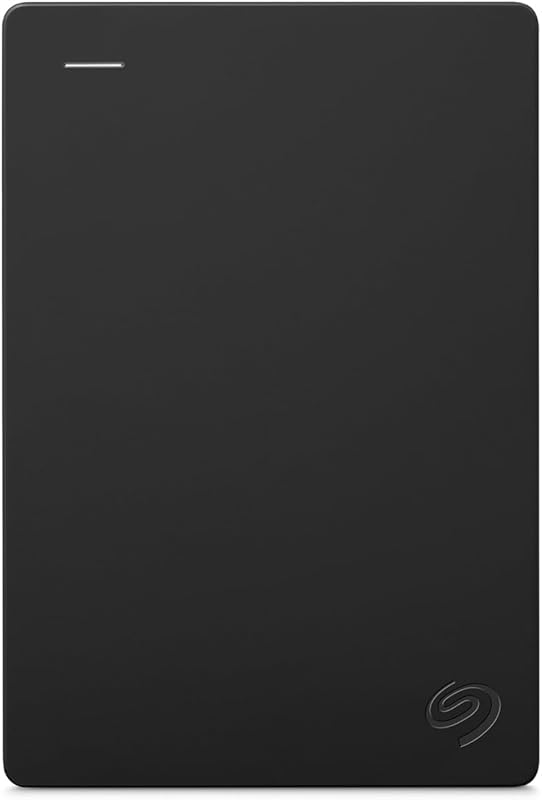
The Everyday HDD storage. Plug-and-play backup. drive is a 2TB portable external hard drive that connects over USB 3.0, supports both Windows and macOS, includes an Adobe CC trial, and carries a 1-year warranty. Shoppers who want simple, bus-powered backup storage that works without opening a computer case will find this portable option much more practical than an internal drive.
YOTUO 500GB External Hard Drive

The YOTUO 500GB External Hard Drive is a compact external storage solution featuring USB 3.0 and USB-C connectivity compatible with PC, Mac, laptops, smartphones, PS4, Xbox One, and Xbox 360 systems. If you need a lightweight, multi-platform drive to transfer everyday documents and game files across varied desktop, mobile, and console devices, this drive is a convenient fit.
Zinc Alloy

The Zinc Alloy is a 256GB external solid state drive offering dual USB-C and USB-A connectivity with high transfer speeds up to 520MB/s, built for iPhone 15, 16, and 17 Pro models, Android, PC, Mac, and tablets. If you prioritize rapid solid-state transfer speeds and pocket-friendly mobility over massive multi-terabyte bulk capacity, this compact SSD is the better choice.
Final Verdict
The Seagate BarraCuda 8TB provides an effective, high-capacity bulk storage solution for desktop users who need dependable secondary storage for extensive media libraries and system backups. Its 5400 RPM spindle speed and sustained 190 MB/s transfer rate strike a reliable balance between cool, quiet daily operation and efficient sequential data throughput. Supported by 256 cache memory and included Data Recovery Service coverage, it delivers dependable storage for consolidating large file collections.
While users must provide their own SATA cables and mounting hardware due to the bare-drive frustration-free packaging, the drive performs its role reliably. Positioned as a secondary storage drive alongside a rapid SSD boot disk, the ST8000DM004 represents a dependable and spacious storage upgrade for home and office desktop setups.
FAQ
Is the Seagate BarraCuda 8TB fast enough for gaming?
Yes, it works well as a secondary game repository on PC. While game load times are slower than on solid-state drives, in-game performance remains steady once assets are loaded into your system memory. It allows you to store an extensive gaming backlog without using up space on your primary SSD.
Does the Seagate BarraCuda 8TB come with SATA cables?
No. This drive ships in frustration-free packaging, which consists only of a sealed anti-static bag without retail packaging, SATA data cables, power adapters, or mounting screws. You must provide your own SATA cable and screws to install it in your desktop computer.
Can the Seagate BarraCuda 8TB be installed inside a PlayStation 5?
No. The PlayStation 5 internal expansion slot requires an M.2 NVMe solid-state drive, so a 3.5-inch SATA drive cannot be installed inside the console. However, you can use it in a compatible powered external enclosure via USB to store PS5 games or directly play backwards-compatible PS4 titles.
How does the 5400 RPM rotational speed affect daily file transfers?
The 5400 RPM rotational speed allows the drive to run cooler, quieter, and with less power consumption while still achieving sustained transfer rates of up to 190 MB/s. This speed is more than fast enough for streaming high-definition video, transferring large photo collections, and executing background backups smoothly.
What should I do if the drive does not show up in my computer?
New internal hard drives arrive unpartitioned and must be initialized before use. In Windows or macOS, open the disk management tool, initialize the disk using the GUID Partition Table (GPT) format, and create a new formatted volume. Once formatted, the drive will appear in your system file explorer.