
As Amazon Associates, we earn from qualifying purchases. This means we may receive a small commission at no extra cost to you if you click through and make a purchase.
The HP Stream 14 is an ultra-portable entry-level notebook designed strictly for basic digital tasks, school assignments, and web navigation. Powered by an energy-efficient quad-core Intel Celeron processor and bundled with a one-year subscription to Microsoft 365, this compact white laptop focuses entirely on core productivity. In this HP Stream 14 review, the verdict is clear: it offers a functional, no-frills platform for drafting documents and browsing the web, provided you understand its hardware limitations.
This portable computer suits students, younger learners, and budget-conscious individuals who need a lightweight machine for typing notes, watching video lectures, and managing email. Shoppers who intend to edit video files, play modern PC games, or store large photo libraries locally should look elsewhere. For demanding creative suites or heavy enterprise multitasking, higher-tier machines like the ThinkPad T14 AMD demonstrate the processing depth required beyond the entry-level tier.



HP Stream 14 at a Glance

| Feature | Specification |
|---|---|
| Processor | Intel Celeron N4120 (4 cores, 4 threads, up to 2.6 GHz burst) |
| System Memory | 4GB DDR4 SDRAM |
| Internal Storage | 64GB eMMC |
| Display | 14-inch HD (1366 x 768), micro-edge, BrightView, 220 nits, 45% NTSC |
| Operating System | Windows 11 Home in S mode (64-bit) |
| Graphics | Integrated Intel UHD Graphics 600 |
| Wireless Connectivity | Realtek 802.11a/b/g/n/ac (2×2) Wi-Fi and Bluetooth 5 combo |
| Battery Runtime | Up to 11.5 hours with Fast Charge support |
| External Ports | 1 USB-C, 2 USB-A, HDMI 1.4b, audio jack, SD card reader |
| Weight and Dimensions | 3.24 pounds; 12.76 x 8.86 x 0.71 inches |
Celeron Performance and Everyday Multitasking
When assessing the HP Stream laptop specs, the central component is the Intel Celeron N4120 processor. This chip operates on an ultra-low-voltage platform featuring 4 cores, 4 threads, a 4 MB L2 cache, and a burst frequency reaching up to 2.6 GHz. Having four physical execution cores gives this unit a measurable advantage over older dual-core Celeron configurations, allowing the operating system to distribute low-level system background processes more effectively without locking up the user interface.
In practical day-to-day scenarios, the HP Stream Celeron performance handles single-purpose workloads smoothly. The system boots quickly and runs standard office applications with consistent stability. However, the 4GB DDR4 SDRAM creates a clear operational ceiling. Opening three or four browser tabs alongside a Word document works as expected, but launching dozens of media-heavy web pages or attempting to juggle multiple active productivity suites will cause tab reloading and visible interface hesitation.
Using the HP Stream for web browsing and online coursework delivers exactly what the hardware promises: reliable basic access. The integrated Intel UHD Graphics 600 supports high-definition video playback smoothly on video platforms and streaming services. Shoppers should simply keep their expectations aligned with the hardware class, as this setup is built exclusively for straightforward web activities rather than computational heavy lifting.
Storage Limitations and Windows 11 S Mode
Storage management is the most critical operational factor on this device. The HP Stream 64GB eMMC storage configuration provides an embedded flash-memory drive that offers solid-state durability and rapid boot sequences compared to mechanical hard drives. However, 64GB represents a modest total capacity once the Windows 11 operating system, system recovery partitions, and mandatory system updates claim their initial footprint. Users who attempt to treat this as an offline media vault will run out of room rapidly.
To offset the physical drive footprint, HP includes a one-year subscription to Microsoft 365, granting 1 TB of cloud storage through OneDrive alongside full access to Word, Excel, PowerPoint, OneNote, and Access. Leveraging cloud integration is essential for this notebook; saving files to OneDrive ensures the local drive remains uncluttered. For offline file expansion, the built-in multi-format SD media card reader allows you to insert a memory card to store music, photos, and personal school archives without encroaching on system partition space.
Software governance is handled by HP Stream Windows 11 S mode out of the box. S mode improves system security and streamlines power consumption by restricting application installations solely to verified downloads from the Microsoft Store. While this locked-down environment prevents accidental malware installations, the listing notes that users can switch Windows 11 Home S Mode to regular Windows 11 Home at any point if they require external utilities, though staying within S mode helps preserve system speed on entry-level hardware.
Display Quality and Physical Build
The visual experience is centered on a 14-inch diagonal HD screen with a resolution of 1366 x 768 pixels. The panel features HP BrightView micro-edge bezels that maximize screen real estate within a compact footprint. Rated at 220 nits of brightness and covering 45% NTSC color gamut, the screen provides adequate legibility for reading text, drafting essays, and streaming video indoors. The anti-glare coating helps mitigate overhead fluorescent lighting reflections in classrooms or home study areas.
Because the panel uses standard high-definition rather than a 1080p Full HD matrix, fine text and dual-window multitasking appear larger on screen, requiring a bit more scrolling during extensive research. Shoppers who need expansive screen space for split-screen spreadsheets or creative work may prefer larger form factors, such as the expansive layout seen on the HP OmniBook 17-inch. For basic coursework, however, this 14-inch display keeps the laptop compact and easy to view.
Physically, the notebook weighs 3.24 pounds (listed as 3.2 pounds in general specifications) and measures 12.76 by 8.86 by 0.71 inches. The slim profile and clean white chassis slip effortlessly into standard student backpacks. The construction utilizes lightweight materials that keep travel fatigue to a minimum, and HP bundles a microfiber cloth to help keep the bright exterior and display clean during daily commutes.
Battery Life and Port Connectivity
Mobility is a primary strength of this design, bolstered by an energy-conserving processor and a 3.7-volt battery architecture. The listing cites an HP Stream battery life rating of up to 11 hours (with up to 11.5 hours noted in the hardware breakdown). Because the Celeron N4120 operates on minimal wattage, the machine easily powers through a full schedule of classes, typing sessions, and library research without demanding an immediate connection to a wall outlet.
When the battery does deplete, integrated Fast Charge technology restores power rapidly, reducing downtime between study sessions. Connectivity on the go is maintained via a Realtek RTL8822CE Wi-Fi card supporting 802.11a/b/g/n/ac wireless protocols in a 2×2 antenna arrangement, paired with Bluetooth 5 for stable wireless mice, keyboards, and wireless headphones.
Physical peripheral support is surprisingly comprehensive for a compact portable machine. The chassis houses the following ports:
- 1 USB 3.1 Gen 1 Type-C for modern external accessories
- 2 USB 3.1 Gen 1 Type-A ports for standard thumb drives, mice, and printers
- 1 HDMI 1.4b video output for connecting external monitors or classroom projectors
- 1 Headphone/microphone combo 3.5mm jack for private study audio
- 1 Multi-format SD media card reader for quick data transfer
- 1 AC smart pin power connector
For remote classes and digital meetings, the laptop includes an HP True Vision 720p HD webcam with integrated dual-array digital microphones, backed by built-in dual stereo speakers. This built-in audiovisual setup ensures clear voice capture and crisp audio playback during video conferences.
HP Stream 14 Pros and Cons
Pros
- Quad-core Intel Celeron N4120 processor
- Up to 11.5 hours of battery life with Fast Charge
- One full year of Microsoft 365 included
- Lightweight 3.24-pound chassis for easy portability
- Versatile connectivity including USB-C and HDMI ports
Cons
- Restricted 64GB eMMC onboard storage capacity
- Modest 4GB RAM limits heavy multitasking
- Basic 1366 x 768 HD display resolution
Who Should Buy the HP Stream 14
Determining whether this laptop fits your requirements comes down to your software expectations, file storage habits, and multitasking demands.
Buy It If
- You need a dedicated, travel-friendly notebook primarily for typing papers, homework, and web research.
- You regularly utilize cloud storage services like Microsoft OneDrive and web-based applications.
- You want exceptional battery endurance to get through school days without carrying a heavy charger.
- You value the added out-of-the-box security and simplicity provided by Windows 11 in S mode.
Skip It If
- You require significant local storage for massive file libraries, heavy software suites, or games.
- Your daily workflow requires dozens of simultaneous browser tabs and intensive multitasking.
- You demand a Full HD 1080p display for intricate graphic design or extensive multi-window layouts.
HP Stream 14 Alternatives Worth a Look
If the baseline storage or processing ceiling of this model leaves you uncertain, several alternative configurations and form factors from the same product family provide alternative hardware balances.
2026-2027 edition

The 2026-2027 edition HP 14 laptop steps up key performance components by providing an Intel N150 processor paired with faster 4GB DDR5 RAM and a true 128GB SSD, while retaining 1 TB cloud storage and Windows 11 with Microsoft 365. Buyers who worry about outgrowing 64GB of eMMC storage and desire faster local solid-state read speeds will find this version much more flexible. If you want to see how advanced entry-level builds perform with even greater memory headroom, check out our evaluation of the HP Stream 14 with Intel N150 and 16GB RAM.
Supports 1TB TF Card Expansion
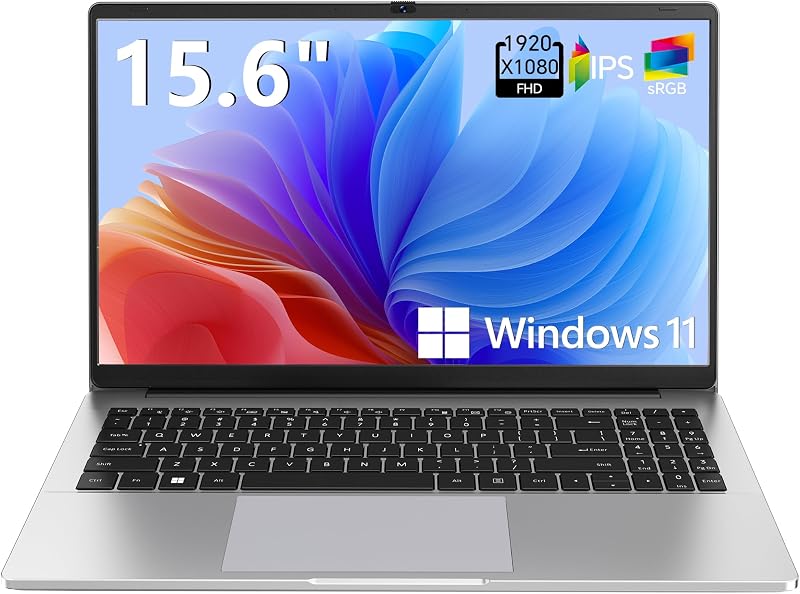
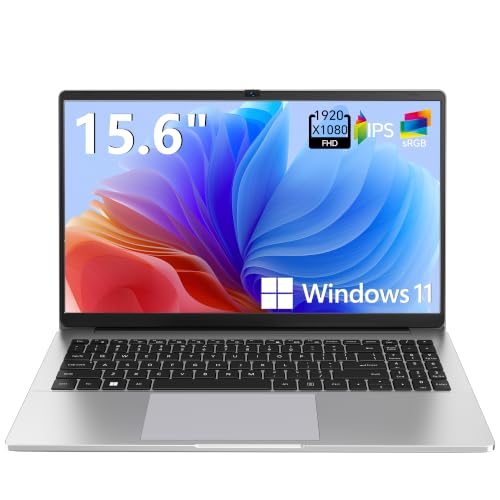
The Supports 1TB TF Card Expansion notebook offers a larger form factor with a 15.6-inch Full HD LCD display, an Intel N4020 processor, 4GB DDR4 RAM, and 128GB eMMC storage running Windows 11. This gray portable machine is ideal for students or home office users who prefer a full 1080p visual canvas and the option to expand local file storage significantly via high-capacity memory cards.
Copilot AI

The Copilot AI HP 2026 Essential Laptop features a sleek natural silver chassis, an Intel processor, an LED display, and 128GB of baseline storage alongside 1TB cloud storage with Office 365 and Windows 11. Shoppers interested in utilizing integrated AI assistance tools for daily workflow organization alongside double the internal capacity of the base Stream should look toward this option.
Final Verdict
When asking if the HP Stream is worth it, the answer depends entirely on using the device for its intended purpose. As a dedicated, distraction-free computer for document creation, email correspondence, and web navigation, the hardware functions reliably. The quad-core Celeron N4120 processor provides competent responsiveness for everyday basics, and the inclusion of a full year of Microsoft 365 adds immediate utility right out of the box.
The main trade-offs remain the 4GB RAM threshold and the compact 64GB eMMC drive. By embracing OneDrive cloud storage, utilizing the SD card slot for personal media, and keeping multitasking within reasonable bounds, the HP Stream laptop for students and budget-minded shoppers delivers dependable daily service in an exceptionally portable white chassis.
FAQ
Can the HP Stream 14 run standard desktop software?
The laptop comes pre-installed with Windows 11 Home in S mode, which limits software installations to verified apps found within the Microsoft Store. However, the listing specifies that you can switch out of S mode to regular Windows 11 Home at no additional cost, allowing you to install external programs, provided they are compatible with the Celeron processor and 4GB RAM.
How do you manage the 64GB eMMC storage space?
Because the Windows operating system occupies a significant portion of the internal 64GB drive, users should actively utilize the included 1 TB OneDrive cloud storage from Microsoft 365. Additionally, the built-in multi-format SD media card reader allows you to insert an external memory card for personal document, photo, and media file storage.
Can I upgrade the RAM on the HP Stream 14?
The listing specifies that the laptop comes configured with 4GB of DDR4 SDRAM. It does not indicate that the memory is user-upgradable, as memory modules in ultra-compact, entry-level notebooks in this class are typically integrated directly into the system board.
Is the HP Stream 14 good for Zoom calls and remote classes?
Yes, the laptop is well equipped for online classes and digital meetings. It includes an HP True Vision 720p HD front-facing webcam, integrated dual-array digital microphones to capture clear vocal audio, and built-in dual stereo speakers for listening to lectures and discussions.
What ports are available for connecting external displays and accessories?
The device offers versatile physical connectivity, including one USB 3.1 Gen 1 Type-C port, two USB 3.1 Gen 1 Type-A ports, a full-size HDMI 1.4b port for external monitors or televisions, a 3.5mm headphone/microphone audio jack, and an SD media card reader.


