As Amazon Associates, we earn from qualifying purchases. This means we may receive a small commission at no extra cost to you if you click through and make a purchase.
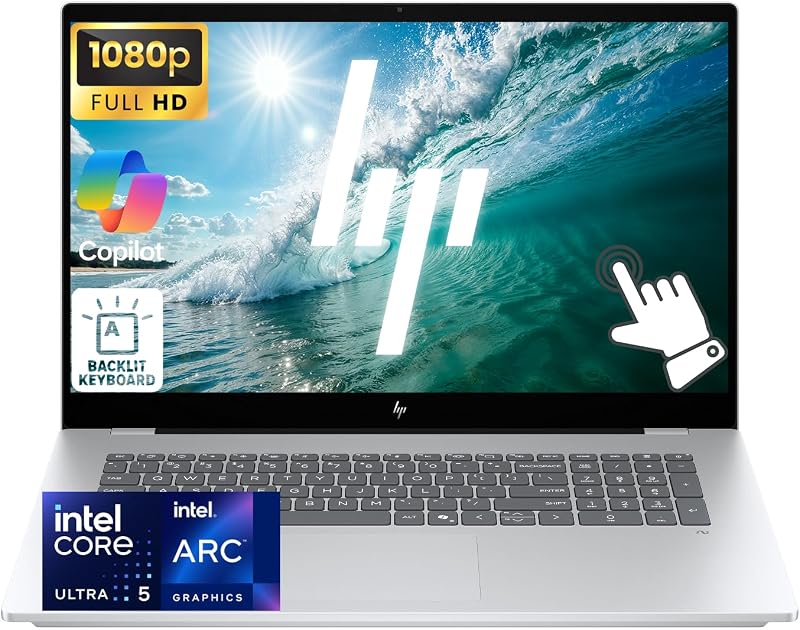
The HP OmniBook 7 is a full-size 17.3-inch desktop replacement laptop designed to deliver an expansive touch workspace alongside modern processing power. Combining a high-brightness panel, a dedicated numeric keypad, and an updated Intel Core Ultra platform, this machine aims to serve professionals and power multitaskers who want desktop-level screen real estate without tying themselves to an external monitor. Our verdict is clear: it excels as a comfortable, all-in-one workstation for spreadsheets, video calls, and extensive document workflows, provided you plan to keep it anchored primarily to a desk rather than carrying it daily in a commuter backpack.
This system suits home-office workers, small business operators, analysts, and students who frequently work across multiple side-by-side windows and value touch navigation on a broad canvas. The inclusion of professional-grade collaboration tools like a sharp webcam and hardware privacy features makes it an easy fit for office productivity. However, frequent flyers, digital nomads, and commuters will likely find the large physical footprint cumbersome on the road, meaning those who prioritize ultra-thin portability or featherweight designs should explore smaller alternatives such as the hp omnibook 5 laptop.



HP OmniBook 7 at a Glance
| Specification | Details |
|---|---|
| Display | 17.3-inch FHD (1920 x 1080) IPS touchscreen, 400 nits, 100% sRGB |
| Processor | Intel Core Ultra 5 226V (8 cores, 8 threads, up to 4.5 GHz boost) |
| Graphics | Integrated Intel Arc 130V Graphics |
| Memory | 16GB LPDDR5x RAM |
| Storage | 1TB Solid State Drive (SSD) |
| Operating System | Windows 11 Pro |
| Camera | 5MP IR camera with physical privacy shutter |
| Wireless Connectivity | Wi-Fi 6E and Bluetooth 5.3 |
| Ports | 1 Thunderbolt port / USB-C, 3 USB-A, 1 HDMI 2.1, headphone/mic combo |
| Charging | Fast charge support (approximately 50% in 45 minutes) |
Display Quality and Touchscreen Usability
A central selling point of the hp omnibook 7 17.3 inch configuration is its expansive visual area. Spanning 17.3 inches diagonally, the screen provides enough physical width to comfortably position two full-width browser windows or extensive financial spreadsheets side by side without microscopic text scaling. HP equips this panel with edge-to-edge glass and micro-edge bezels, giving it a clean, modern aesthetic. At 400 nits of rated brightness, the display easily overpowers typical indoor office lighting and glare from nearby windows, while 100% sRGB color gamut coverage ensures vibrant, accurate color rendition for presentations, graphic assets, and multimedia playback.
In our hp omnibook 7 touchscreen review assessment, the multi-touch functionality adds genuine utility for desktop productivity. While a 17.3-inch laptop is far too large to hold like a handheld slate, having responsive ten-point multitouch allows you to tap confirmation dialogs, pinch-to-zoom on intricate design mockups, and scroll through long PDFs naturally with your fingers. The 1920 x 1080 Full HD resolution keeps interfaces legible and graphics crisp at typical viewing distances, though ultra-fine detail enthusiasts who examine text closely might notice that 1080p is slightly less sharp across a 17.3-inch canvas than it is on smaller 14-inch screens.
For shoppers comparing broad displays across the lineup, the hp omnibook 17 inch category represents a dedicated commitment to screen comfort over compactness. If your daily routine involves reviewing dense data, presenting charts, or managing multi-pane software suites, the sheer size and color accuracy of this panel eliminate the immediate need for a secondary desktop display.
Processing and Multitasking Performance
The core computational engine inside this machine is the hp omnibook 7 intel core ultra 5 processor, specifically the Core Ultra 5 226V. Featuring 8 cores and 8 threads with boost clocks reaching up to 4.5 GHz alongside an 8MB cache, this architecture is engineered for efficient multi-application workloads. Paired with 16GB of high-speed LPDDR5x system memory, the hp omnibook 7 performance easily sustains intense multitasking environments involving dozens of active browser tabs, background communication apps, and database queries without sluggishness.
Graphics tasks are handled by integrated Intel Arc 130V graphics, which deliver substantial improvements over legacy integrated chips for handling hardware-accelerated video rendering, media streaming, and casual creative projects. While it is not designed as a dedicated gaming rig for high-end 3D titles, it readily powers high-resolution external monitors via HDMI 2.1 or Thunderbolt. Users managing large file libraries will appreciate the included 1TB high-speed solid-state drive, which provides swift boot times, near-instant software launching, and ample local capacity for client archives and high-resolution assets.
Evaluating the hp omnibook 7 laptop specs reveals a balanced machine tailored specifically for modern digital office duties. By avoiding power-hungry dedicated graphics chips that generate excess heat and fan noise, the laptop maintains steady office productivity while keeping the thermal envelope manageable during continuous business operations.
Port Selection and Workspace Connectivity
A desktop-replacement laptop must interface cleanly with office peripherals, and the port array on this system reflects that necessity. You get a dedicated Thunderbolt port alongside a secondary USB-C port, providing modern high-bandwidth data transfers, docking station compatibility, and advanced display outputs. In addition, HP includes three traditional USB-A ports, ensuring you can plug in legacy thumb drives, wired mice, external keyboards, or desktop accessories without digging for dongles or port adapters.
External video connectivity is handled via a full-sized HDMI 2.1 port, making it straightforward to connect directly to 4K conference room projectors, desktop monitors, or television screens. Wireless connections are similarly forward-looking, featuring Wi-Fi 6E for low-latency connections on less congested 6 GHz wireless bands, as well as Bluetooth 5.3 for pairing wireless headsets, mice, and peripherals. A combined 3.5mm headphone and microphone jack ensures compatibility with standard wired office headsets.
Because the physical chassis is large enough to space ports along both flanks, cable clutter around your primary working area remains minimal. Whether you are transferring large data sets over Thunderbolt or setting up a multi-monitor workstation, the physical connector selection accommodates both legacy equipment and modern productivity hubs.
Business Security and Input Comfort
The system is specifically outfitted as an hp omnibook 7 for business workstation, beginning with the inclusion of preinstalled hp omnibook 7 windows 11 pro. The Pro edition of Windows supplies vital enterprise capabilities, including BitLocker drive encryption, Windows Information Protection, and remote management tools essential for small business deployment. The full-size keyboard layout incorporates a dedicated numeric keypad, a major productivity advantage for accountants, analysts, and anyone entering financial data on a daily basis. Integrated backlighting ensures comfortable typing under dim ambient lighting.
Video collaboration is another standout aspect of the build, anchored by a high-resolution 5MP IR camera. This webcam delivers significantly crisper video detail and better low-light handling than standard 720p or 1080p sensors found on basic office laptops. Furthermore, the integrated infrared functionality allows for secure facial authentication, while an integrated physical camera privacy shutter lets you physically block the lens between video calls for complete visual privacy.
The keyboard deck is reinforced to resist flex during prolonged typing sessions, and the spacious wrist rests take full advantage of the 17.3-inch width. Combined with the edge-to-edge glass touch screen, transitions between typing on the responsive keys and tapping on-screen controls feel natural and ergonomic throughout extended workdays.
Battery Expectations and Charging Convenience
When assessing expected hp omnibook 7 battery life, shoppers need to account for the energy demands of powering a bright, 17.3-inch 400-nit panel. While the listing does not specify the exact milliamp-hour or watt-hour capacity of the internal battery, running a large display naturally consumes more power than operating a compact 13-inch or 14-inch screen. Consequently, this laptop is best treated as a transportable desk companion rather than an all-day untethered road-warrior device.
To offset the power demands of the large footprint, HP includes fast-charging support capable of replenishing approximately 50 percent of the battery capacity in roughly 45 minutes. This rapid replenishment helps tremendously if you need to unplug for an afternoon conference session or move between meeting rooms. For readers weighing whether smaller form factors offer more versatility, reading about the ho omnibook 3 can provide perspective on how more compact entries handle travel requirements.
In practice, users who keep this machine on a primary desk with occasional transitions to the couch or conference table will find the charging cadence completely manageable. The ability to grab a substantial charge over a short lunch break minimizes downtime even during heavy computing days.
HP OmniBook 7 Pros and Cons
Pros
- Roomy 17.3-inch 400-nit 100% sRGB touchscreen
- Capable Intel Core Ultra 5 processor with Arc graphics
- Fast charging up to 50 percent in 45 minutes
- Generous port selection including Thunderbolt and HDMI 2.1
- Sharp 5MP IR webcam with physical privacy shutter
Cons
- Large 17.3-inch footprint limits everyday travel portability
- Listing does not specify total battery capacity or hours
- FHD resolution spread across a large display canvas
Who Should Buy the HP OmniBook 7
Choosing a large-format laptop always involves balancing screen comfort against carrying convenience. Understanding your daily work environment helps determine whether this specific configuration fits your workflow.
Buy It If
- You want an expansive 17.3-inch touchscreen that eliminates the constant need for an external desktop monitor.
- You enter numeric data or work in accounting spreadsheets regularly and require a dedicated physical number pad.
- Your workflow requires Windows 11 Pro security features, 16GB of fast RAM, and a spacious 1TB internal SSD.
- You spend considerable time in video conferences and prioritize a sharp 5MP IR webcam with a hardware privacy shutter.
Skip It If
- You travel frequently and need a lightweight notebook that fits comfortably on airplane tray tables.
- You require a discrete, high-power dedicated GPU for heavy 3D rendering or competitive high-end gaming.
- You need an ultra-high pixel density 4K display for professional print-grade photo retouching.
HP OmniBook 7 Alternatives Worth a Look
If your budget, portability needs, or hardware preferences lean away from a 17.3-inch workstation, consider how these other machines from the HP lineup address different user priorities.
2026-2027 edition

The 2026-2027 edition laptop is a lightweight 14-inch computer powered by an Intel N150 processor, 4GB of DDR5 RAM, and 128GB of SSD storage, bundled with 1TB of cloud storage and Windows 11 with Microsoft 365. It suits budget-focused students and general web browsers who need a compact, highly portable machine for fundamental office writing rather than heavy multitasking.
Supports 1TB TF Card Expansion
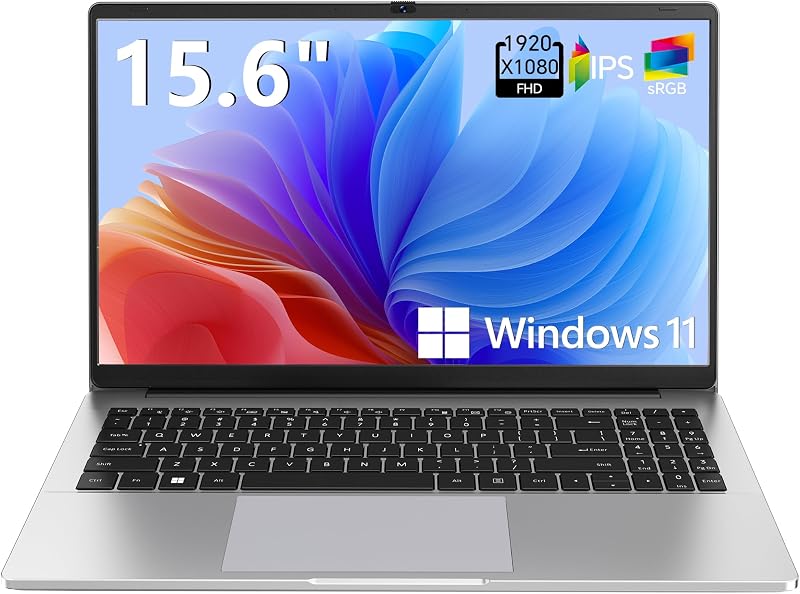
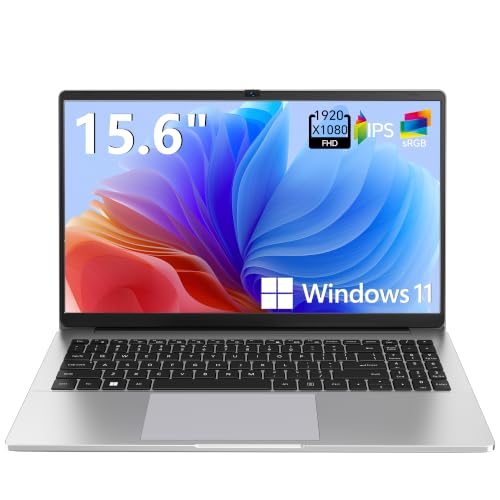
Designed for basic productivity, the Supports 1TB TF Card Expansion model features a 15.6-inch Full HD LCD display, an Intel N4020 processor, 4GB of DDR4 memory, and 128GB of eMMC storage running Windows 11. It provides a midrange screen size with expandable memory card options for light home office or school assignments at a minimal operational footprint.
Copilot AI

The Copilot AI essential laptop features a natural silver portable chassis, an Intel processor, 128GB of internal storage, an LED display, and 1TB of cloud storage with Office 365 integration. This notebook fits casual users wanting lightweight cloud-centric computing with built-in artificial intelligence assistance without the bulk of a full-scale 17.3-inch chassis.
Final Verdict
So, is hp omnibook 7 worth it for your setup? If your primary goal is maximizing desk productivity with a brilliant 17.3-inch touchscreen, a comfortable full-size keyboard, and robust modern computing power, the answer is a definitive yes. The combination of an Intel Core Ultra 5 chip, 16GB of LPDDR5x RAM, a roomy 1TB SSD, and Windows 11 Pro creates an exceptionally capable workstation for small business operators, remote professionals, and detail-oriented multitaskers.
The trade-off remains its physical footprint and desk-oriented nature. Those needing an ultra-portable traveler will find the chassis unwieldy in small bags, and the listing does not specify all-day untethered battery ratings. However, as an all-in-one desk replacement that offers expansive screen space, great color accuracy, and reliable connectivity without requiring external docking gear, the HP OmniBook 7 delivers an outstanding desktop experience in a self-contained laptop format.
FAQ
Does the HP OmniBook 7 feature a touchscreen display?
Yes, the laptop features a 17.3-inch Full HD IPS LED multi-touch enabled display with edge-to-edge glass, 400 nits of brightness, and 100% sRGB color coverage.
What processor powers the HP OmniBook 7?
The laptop is driven by an Intel Core Ultra 5 226V processor featuring 8 cores, 8 threads, a boost clock up to 4.5 GHz, and an 8MB cache, paired with integrated Intel Arc 130V graphics.
What operating system comes pre-installed on this laptop?
The laptop comes equipped with Windows 11 Pro, offering built-in enterprise management, advanced security capabilities, and seamless multitasking tools for business users.
Can you fast charge the HP OmniBook 7?
Yes, the system supports fast charging, allowing the internal battery to recharge approximately 50 percent in roughly 45 minutes.
Does the webcam include a privacy shutter?
Yes, the built-in 5MP IR camera includes a dedicated physical camera privacy shutter so you can manually block the lens when video calls are finished.