
As Amazon Associates, we earn from qualifying purchases. This means we may receive a small commission at no extra cost to you if you click through and make a purchase.
The Apple MacBook Pro 13 M2 pairs Apple’s custom second-generation silicon with the adaptive Touch Bar display strip, creating a compact workstation built for sustained efficiency. While much of the modern laptop landscape has transitioned exclusively to standard mechanical function keys, this model retains contextual shortcuts alongside active thermal management. For shoppers who need steady speed during prolonged multitasking without stepping up to larger chassis sizes, it remains a uniquely balanced machine.
This laptop is ideally suited for writers, business multitaskers, students, and entry-level digital creators who want sustained performance during intensive tasks rather than brief bursts of speed. Its integrated fan and efficient architecture allow it to tackle ongoing workloads smoothly. However, users who rely on multiple external monitors, require legacy ports, or prefer standard mechanical function rows will want to explore traditional alternatives. Readers weighing different hardware generations can also consult our comprehensive macbook pro with touch bar guide for broader context.




Apple MacBook Pro 13 M2 at a Glance
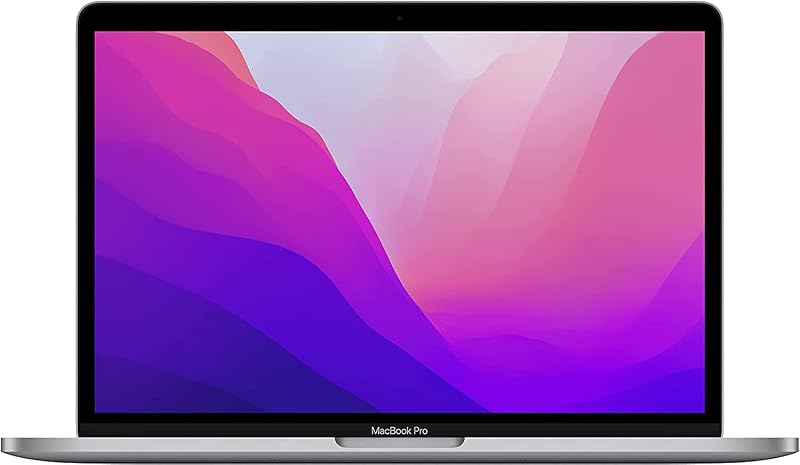
| Attribute | Specification Details |
|---|---|
| Processor | Apple M2 (8-core CPU, up to 10-core GPU) |
| Display | 13.3-inch Retina display (500 nits, P3 wide color, 1 billion colors) |
| Memory | 8GB unified memory (architecture supports up to 24GB) |
| Internal Storage | 512GB solid-state drive (SSD) |
| Cooling System | Active cooling architecture with internal fan |
| Battery Life | Up to 20 hours of video playback |
| Ports | Two Thunderbolt 3 ports, 3.5mm headphone jack |
| Input Hardware | Backlit keyboard with dynamic Touch Bar |
| Camera and Audio | FaceTime HD camera with integrated audio processing |
| Dimensions and Weight | 14 x 10 x 0.71 inches; 3.0 pounds |
Sustained Processing and Active Thermal Management
The foundation of the macbook pro 13 inch touch bar performance lies in the collaboration between Apple’s M2 system-on-chip and an active internal cooling fan. Built with an 8-core CPU and up to a 10-core GPU, the M2 chip balances computing power and energy efficiency. While ultralight fanless laptops throttle down clock speeds when core temperatures climb, the macbook pro touch bar active cooling system pushes heat away from internal components. This steady thermal dissipation allows the laptop to execute demanding computing routines for hours without experiencing sudden drops in clock frequency.
Under continuous operation, such as compiling software projects, rendering multi-track audio arrangements, or exporting high-resolution media, the internal fan maintains optimal operating temperatures. Everyday users running numerous browser tabs, office documents, and background communication tools simultaneously will rarely hear the fan activate. When intensive computational loads do occur, the cooling hardware engages smoothly, keeping the aluminum chassis comfortable while ensuring that processing threads complete without thermal interruption.
Memory handling on this machine utilizes 8GB of shared unified memory alongside a responsive 512GB solid-state drive. Because CPU and GPU cores draw directly from the same unified memory pool, graphic rendering and general data operations operate without transfer latency. Shoppers comparing memory tiers across generations may also want to research our analysis of the macbook pro m1 14 inch 16gb to see how unified memory capacity influences heavier production software.
Touch Bar Functionality and Dynamic Controls
The standout physical element of this laptop remains its interactive OLED strip. Rather than static function keys, the macbook pro touch bar features adapt continuously to whatever software program is actively displayed on screen. When browsing the web in Safari, the strip presents visual tab thumbnails, navigation buttons, and quick search shortcuts. When drafting emails or working inside word processors, it changes into a predictive text toolbar, text formatting selector, and emoji menu.
For creative applications, the Touch Bar acts as a customizable control strip that keeps fingers on the keyboard deck. In media playback tools, users can scrub smoothly through timelines, adjust volume levels with continuous sliding gestures, and alter screen illumination without searching through drop-down menus. This fluid interaction model reduces mouse movements, letting users complete interface adjustments directly above the number row.
Despite these advantages, buyers should evaluate their personal input preferences before committing. Touch typing purists who rely heavily on muscle memory for physical Esc or function keys may find the smooth glass surface requires an adjustment period. Nevertheless, those who embrace context-aware interfaces frequently discover that the dynamic shortcuts streamline repetitive workflow actions across daily productivity tools.
Retina Display Quality and Creative Workflow Readiness
Visual fidelity is anchored by the macbook pro touch bar retina display, measuring 13.3 inches diagonally. The screen delivers 500 nits of brightness, ensuring text remains sharp and legible even when working near sunlit windows or under harsh overhead office lights. Support for P3 wide color coverage and up to 1 billion colors provides rich saturation and subtle tonal gradations that standard sRGB panels cannot match.
These display characteristics make the apple macbook pro touchbar for video editing and photography tasks thoroughly dependable for everyday media producers. Color balancing footage, evaluating image contrast, and checking subtle shadow gradations are intuitive tasks thanks to the panel’s broad color gamut. The laptop comes pre-loaded with creative and productivity software including iMovie, GarageBand, Photos, Pages, Numbers, and Keynote, allowing owners to begin media creation straight out of the box.
When handling larger media workflows, the 512GB SSD provides ample space for project files, operating system caches, and application libraries. Users managing continuous 4K video exports will appreciate how the M2’s media engine works alongside the active cooling system to process timeline clips smoothly. For higher-tier creative pipelines requiring native multi-display setups, shoppers might also review the capabilities of the macbook pro m3 pro 14 inch.
Battery Longevity and Everyday Portability
The macbook pro m2 touch bar battery life stands among the strongest in its class, rated for up to 20 hours of continuous video playback. The power-efficient M2 architecture allocates simple background processes to efficiency cores while reserving high-performance cores for demanding calculations. This power-management strategy preserves battery levels during standard typing, web research, and spreadsheets, easily carrying users through a full workday without an electrical outlet.
Portability remains a strong selling point for this 13-inch chassis. Weighing exactly 3.0 pounds with a profile of 0.71 inches thick, the laptop slips effortlessly into standard backpacks, briefcases, and messenger bags. Its sturdy aluminum casing resists flex, making it a dependable travel companion for students, remote professionals, and frequent flyers who work from transit hubs or mobile workstations.
Physical connectivity includes two high-speed Thunderbolt 3 ports alongside a standard 3.5mm headphone jack. These Thunderbolt connections handle power delivery, data transfer, and external display output. Because both primary data ports share the left side of the machine, users who regularly attach multiple peripherals, memory card readers, or external drives simultaneously will likely want a dedicated USB-C hub.
Renewed Hardware Value and Everyday Practicality
Shoppers exploring the renewed macbook pro touch bar market often wonder how a refurbished unit performs over years of service. Amazon Renewed hardware undergoes inspection, cleaning, and testing to ensure full functionality, backed by limited warranty coverage. Given that Apple built this chassis with proven aluminum materials, these laptops maintain their structural rigidity and aesthetic refinement exceptionally well.
When asking whether an apple macbook pro touchbar is worth it today, buyers must weigh its blend of thermal stability and modern silicon efficiency. The machine delivers dependable processing speeds, a premium backlit keyboard, an integrated FaceTime HD camera, and the convenience of macOS. For everyday professionals who appreciate the Touch Bar’s visual controls and desire sustained performance that fanless portables cannot match, this configuration offers solid utility.
Apple MacBook Pro 13 M2 Pros and Cons
Pros
- Efficient 8-core M2 processor
- Active cooling enables sustained performance
- Up to 20 hours battery life
- Bright 500-nit Retina display with P3 color
- Dynamic Touch Bar for context-specific shortcuts
- Fast 512GB solid-state storage
Cons
- Limited to two Thunderbolt 3 ports
- Base configuration fixed at 8GB unified memory
- Lacks traditional physical function row keys
Check Apple MacBook Pro 13 M2 on Amazon
Who Should Buy the Apple MacBook Pro 13 M2
Buy It If
- You need sustained processing speeds for extended creative workloads, coding compiles, or multitasking that benefit from an active internal cooling fan.
- You appreciate dynamic, context-aware keyboard shortcuts for media scrubbing, text formatting, and quick system controls via the Touch Bar.
- You prioritize exceptional battery endurance that provides up to 20 hours of video playback away from wall outlets.
- You desire a bright 500-nit Retina display with broad P3 color coverage packed into a compact 3-pound aluminum body.
Skip It If
- You require physical, tactile function keys for muscle-memory typing and gaming controls.
- You regularly work with multiple external monitors connected natively without dock software workarounds.
- You need a wider variety of built-in ports such as native HDMI, dedicated SD card slots, or traditional USB-A connections.
Apple MacBook Pro 13 M2 Alternatives Worth a Look
If the hardware design, operating system, or input layout of the 13-inch MacBook Pro does not perfectly align with your computing needs, several alternative options offer different operating systems, screen sizes, and feature priorities.
2026-2027 edition

The 2026-2027 edition HP 14 laptop runs Windows 11 and includes Microsoft 365, an Intel N150 processor, 4GB of DDR5 RAM, a 128GB SSD, and 1TB of cloud storage. This machine is geared toward general productivity users and students who prefer a budget-friendly Windows operating environment with integrated cloud storage rather than macOS creative tools.
Supports 1TB TF Card Expansion

The Supports 1TB TF Card Expansion notebook provides a larger 15.6-inch Full HD LCD display, an Intel N4020 processor, 4GB of DDR4 RAM, 128GB of eMMC storage, and Windows 11. Shoppers looking for a larger display canvas and flexible storage expansion via TF cards for simple home office tasks should consider this larger notebook.
Copilot AI

The Copilot AI HP 2026 Essential laptop features a natural silver portable chassis, an Intel processor, 128GB of onboard storage, 1TB of cloud storage, Office 365, and dedicated Copilot AI software integrations. It serves users who want an accessible Windows 11 machine specifically tailored around cloud-driven office software and modern artificial intelligence assistance tools.
Final Verdict
The Apple MacBook Pro 13 M2 occupies a distinctive position in personal computing. By marrying the power efficiency of M2 silicon with an internal cooling fan, it successfully avoids thermal throttling during heavy multitasking. The 13.3-inch Retina display delivers vibrant, color-accurate imagery, while the Touch Bar offers an interactive control strip that transforms dynamically to match whatever software you are running.
While the limitation of two Thunderbolt ports and the reliance on a touch-based control strip may not satisfy every power user, its balance of 20-hour battery life, solid build quality, and sustained throughput makes it a reliable workstation. For users seeking an efficient, portable macOS laptop with active cooling and dynamic shortcuts, this machine delivers dependable performance.
FAQ
Does the Apple MacBook Pro 13 M2 have physical function keys?
No, the top row of this laptop features a glass OLED Touch Bar that dynamically changes its buttons based on the active application, rather than a row of individual mechanical function keys.
How long does the battery last on the Apple MacBook Pro 13 M2?
The manufacturer rates this model for up to 20 hours of continuous video playback. In everyday mixed workloads, users can comfortably complete a standard workday on a single charge.
Can the Apple MacBook Pro 13 M2 handle video editing applications?
Yes, the M2 chip features an 8-core CPU, up to a 10-core GPU, and dedicated media engines. Supported by active cooling to manage thermal levels, it handles timeline editing and rendering in software like iMovie smoothly.
What ports are available on the Apple MacBook Pro 13 M2?
The laptop includes two Thunderbolt 3 ports on the left side for charging, data transfers, and external video output, along with a standard 3.5mm headphone jack on the right side.
What software comes included with this renewed MacBook Pro?
The machine runs macOS and comes bundled with standard productivity and creative applications including Pages, Numbers, Keynote, iMovie, Photos, and GarageBand.


