
As Amazon Associates, we earn from qualifying purchases. This means we may receive a small commission at no extra cost to you if you click through and make a purchase.
Finding a dependable portable machine for modern gaming often involves sifting through endless spec sheets, marketing claims, and steep pricing tiers. The HP Victus 15 is built to cut through that noise by offering a focused set of hardware aimed directly at standard 1080p play. Powered by a 13th Generation Intel Core i5 processor paired with dedicated NVIDIA GeForce RTX 4050 graphics, this clamshell laptop provides an accessible pathway into current-generation PC titles. In this hp victus 15 rtx 4050 review, the verdict is straightforward: it delivers an honest, capable entry-level experience for mainstream gamers who prioritize functional performance over flashy luxury extras.
This laptop suits college students, casual esports enthusiasts, and everyday gamers who want smooth Full HD frame rates without the complications of high-end boutique hardware. If your daily rotation includes titles like competitive tactical shooters, sports games, or moderately demanding open-world adventures, the system balances power and usability well. Those who should look elsewhere include competitive enthusiasts seeking ultra-high frame rates at 1440p or 4K, users who require immense onboard drive storage right out of the box, and mobile workers who demand ultralight chassis designs. Exploring our broader coverage of the victus 15.6 gaming laptop family reveals how this particular build positions itself among value-focused setups.


HP Victus 15 at a Glance
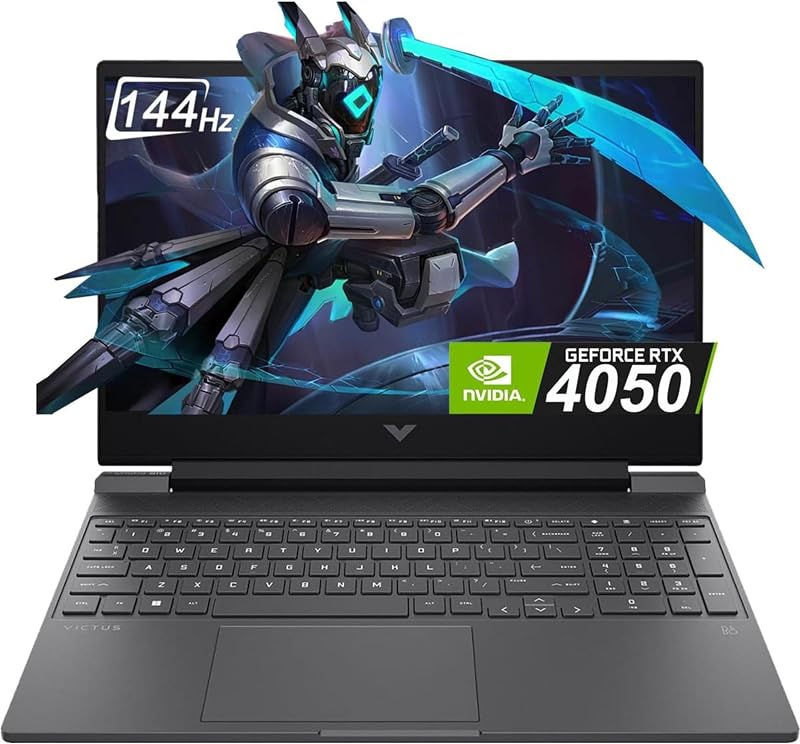
| Hardware Attribute | Specification Detail |
|---|---|
| Processor | 13th Gen Intel Core i5-13420H |
| Graphics Coprocessor | NVIDIA GeForce RTX 4050 Laptop GPU (6 GB GDDR6) |
| Display Panel | 15.6-inch FHD (1920 x 1080), 144Hz, IPS, Micro-Edge, Anti-Glare |
| System Memory | 16 GB DDR4 RAM |
| Internal Storage | 512 GB PCIe Gen4 NVMe M.2 Solid State Drive |
| Operating System | Windows 11 Home |
| Chassis Color | Mica Silver |
| Keyboard | Integrated Backlit Keyboard |
| Item Weight | 2.33 kg |
| Display Output | Compatible with External Displays |
Graphics and 1080p Gaming Performance
The centerpiece of this machine is the dedicated NVIDIA GeForce RTX 4050 graphics chip, equipped with 6 GB of high-speed GDDR6 video memory. For standard 1080p gaming, this GPU is engineered to handle modern game releases comfortably when configured with sensible visual settings. When evaluating the hp victus 4050 gaming performance, the dedicated memory buffer provides enough headroom to load high-resolution texture packs in competitive shooters and modern action titles without stuttering. The underlying Ada Lovelace architecture brings modern graphical features such as ray tracing and advanced frame generation to an accessible hardware category.
In practical scenarios, selecting the hp victus 4050 for everyday gaming means you can fire up popular multiplayer titles such as battle royales, online shooters, and multiplayer online battle arenas and take full advantage of high frame rates. Because the graphics processor is dedicated rather than integrated, the system does not need to siphon off shared system RAM to render game environments. This discrete architecture maintains steady frame pacing and keeps visual rendering responsive during crowded in-game moments where particle effects and physics calculations peak.
There are natural boundaries to keep in mind with a 6 GB memory bus. Demanding modern titles running at maximum ultra presets can occasionally push past the 6 GB ceiling, necessitating moderate graphical adjustments to shadow quality or view distances to preserve smooth output. For shoppers comparing different configurations in our hp victus 15 intel breakdown, the RTX 4050 configuration hits a pragmatic sweet spot between standard budget constraints and reliable Full HD playability.
Processor Capabilities and Everyday Multitasking
Under the hood, the system runs on the 13th Generation Intel Core i5-13420H processor, a mobile chip designed to juggle demanding background tasks alongside raw gaming execution. The hp victus i5 13420h performance is tailored around a hybrid architecture, combining performance cores for heavy workloads like gaming and streaming with efficient cores for passive system chores. Paired with Windows 11 Home, the CPU allocates processing resources intelligently so your operating system does not hitch while downloading game patches, running voice communication software, or managing browser tabs simultaneously.
Multitasking is backed by 16 GB of DDR4 RAM, giving users adequate breathing room for modern computing demands. While some contemporary platforms have migrated toward DDR5 memory, the included 16 GB capacity ensures that memory-heavy games and productivity suites run without resorting to aggressive disk caching. The system comes equipped with a 512 GB PCIe Gen4 NVMe M.2 solid-state drive, which delivers rapid boot times and snappy game loading sequences compared to older storage standards.
When considering long-term ownership, shoppers often research hp victus 4050 upgrade options. The base 512 GB storage drive can fill up quickly once several modern AAA games are installed, meaning users may eventually need to manage storage through external drives or look into internal storage swaps. The listing confirms a single 512 GB PCIe Gen4 drive installed, though it does not specify whether a secondary internal M.2 expansion slot is present. Gamers planning extensive digital libraries will need to keep file management in mind.
Display Quality and Visual Fluidity
Visual output is delivered through a 15.6-inch Full HD display featuring an anti-glare micro-edge bezel design. The native 1920 by 1080 resolution matches the graphical target of the RTX 4050 perfectly, avoiding the unnecessary scaling artifacts or heavy performance penalties associated with higher pixel densities. Thanks to the IPS panel technology, viewing angles remain stable with consistent contrast even when looking at the screen from off-center angles, which is helpful during collaborative sessions or casual movie watching.
The primary highlight for competitive players is the hp victus 15 144hz display refresh rate. Standard office displays update sixty times per second, but a 144Hz panel refreshes more than twice as fast, resulting in noticeably crisper motion rendering and reduced perceptible input lag. Fast-paced camera pans in first-person shooters remain clear, allowing players to track moving targets with greater precision. The anti-glare coating also helps diffuse overhead indoor lighting and reflections, keeping the panel legible in brightly lit dorms or offices.
Beyond the built-in screen, the laptop listing specifies compatibility with external displays. Users who prefer a dedicated desk setup can easily connect an external gaming monitor to extend their desktop workspace or create an immersive dual-screen environment. Whether running an external ultra-wide panel for work or a high-refresh esports monitor at a desk, the dedicated graphics chip is equipped to push signals out seamlessly.
Chassis, Cooling, and Build Quality
The laptop is housed in a clean, modern clamshell chassis finished in HP’s Mica Silver colorway. Evaluating the hp victus 4050 build quality reveals a utilitarian aesthetic that blends easily into classrooms and corporate offices without drawing unwanted attention. The exterior avoids aggressive, angular gaming styling in favor of simple lines and a clean lid profile. Weighing in at 2.33 kg, the unit possesses a solid, grounded feel on a desk, though carrying it in a backpack across campus for an entire day will certainly make its presence known.
Thermal management is an essential pillar of any gaming machine, and the hp victus 4050 thermals are tailored to keep both the Core i5 processor and RTX 4050 within safe operational parameters. The system operates on a standard 240-volt external power delivery setup to supply sufficient energy to the GPU and CPU under full load. While prolonged heavy gaming sessions will spin up internal fans to displace warm exhaust, the airflow pathways work to prevent internal thermal throttling from interrupting frame delivery during critical multiplayer matches.
Input hardware includes an integrated backlit keyboard, making typing and gaming in dimly lit rooms straightforward. The key travel and spacing provide a familiar layout for day-to-day productivity and school assignments. Above the display panel sits a front-facing camera, ensuring you can join video calls, remote classes, or team meetings without having to carry a separate webcam accessory. Readers exploring our general impressions in the hp invictus gaming laptop overview will recognize these practical design choices across the brand’s gaming range.
HP Victus 15 Pros and Cons
Pros
- Dedicated NVIDIA GeForce RTX 4050 6GB GPU
- Fluid 144Hz Full HD IPS display
- Capable 13th Gen Intel Core i5-13420H processor
- Generous 16 GB system memory included
- Integrated backlit keyboard for dim environments
Cons
- Modest 512 GB solid-state drive capacity
- Relies on DDR4 rather than DDR5 memory
- Noticeable 2.33 kg carry weight
- 6 GB VRAM limits higher-resolution textures
Who Should Buy the HP Victus 15
Buy It If
- You want reliable 1080p gaming performance without paying for expensive 1440p or 4K hardware you do not need.
- You play fast-paced multiplayer titles and need the visual fluidness of an integrated 144Hz IPS display panel.
- You need an understated Mica Silver laptop that looks appropriate in professional settings while packing dedicated graphics.
- You desire an out-of-the-box configuration with 16 GB of memory so you do not have to upgrade RAM immediately.
Skip It If
- You intend to store dozens of massive modern games at once without managing drive space on a 512 GB SSD.
- You require an ultra-portable featherweight machine for constant on-the-go travel rather than a 2.33 kg chassis.
- You expect to run top-tier games at maximum settings across multiple high-resolution 1440p or 4K displays.
HP Victus 15 Alternatives Worth a Look
Shoppers exploring the portable gaming market have several alternative machines to consider, each catering to different performance priorities, display dimensions, and hardware generations.
ASUS ROG Strix G16
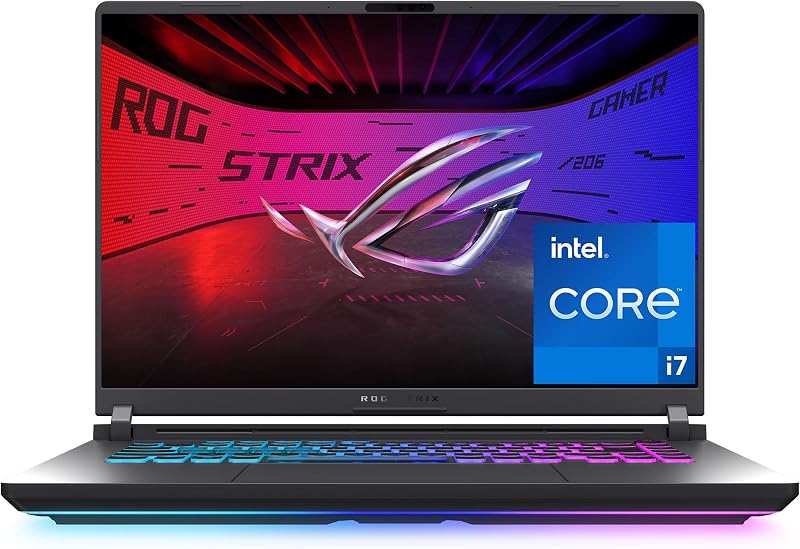
The ASUS ROG Strix G16 is a higher-tier 16-inch alternative built around an Intel Core i7-14650HX processor and the newer NVIDIA GeForce RTX 5060 laptop graphics. It incorporates a faster 16:10 165Hz/3ms FHD+ display, modern DDR5 memory, a 1TB Gen 4 solid-state drive, and advanced Wi-Fi 7 connectivity. Gamers who have additional flexibility in their gear budget and want next-generation graphics power, faster wireless capabilities, and double the base storage will find this machine compelling.
Acer Nitro V 16S AI
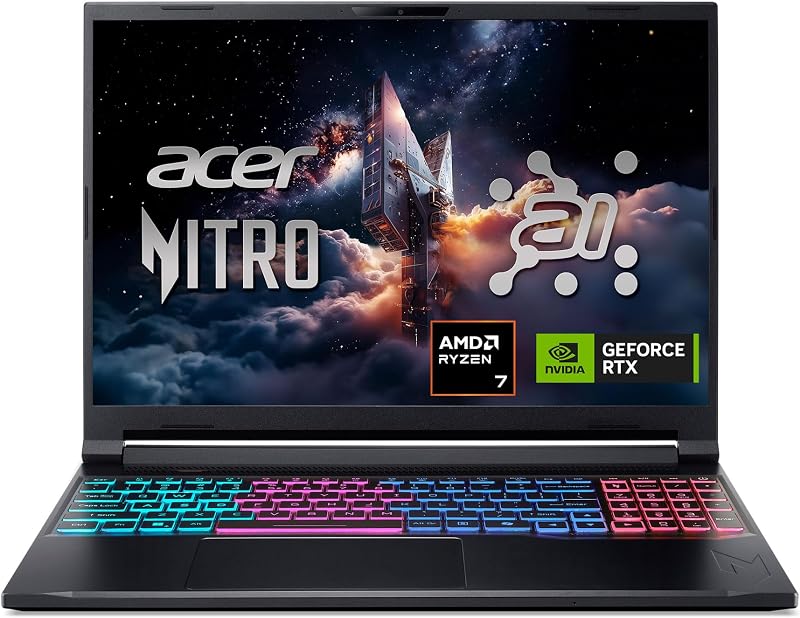
For shoppers interested in an AMD platform, the Acer Nitro V 16S AI offers an AMD Ryzen 7 260 processor combined with an NVIDIA GeForce RTX 5060 GPU boasting 572 AI Tops. It upgrades display fluidity with a 16-inch WUXGA 180Hz IPS panel and comes loaded with 32GB of DDR5 memory and a 1TB SSD. This model is ideal for users who want substantial multitasking memory, enhanced AI processing capabilities, and higher refresh rates right out of the box.
msi Cyborg 17 17.3″ FHD

Users who prefer a substantially larger viewing area should examine the msi Cyborg 17 17.3″ FHD. This clamshell machine features an expansive 17.3-inch 144Hz panel powered by an Intel Core 9-270H CPU and an RTX 5060 GPU. It stands out with a unique translucent black design, 16GB of DDR5 memory, and a combined 2TB storage setup consisting of an internal 1TB SSD and an included 1TB docking station set, making it an appealing desktop-replacement option.
Final Verdict
When asking the practical question of whether the hp victus 4050 is worth it, the answer depends entirely on your gaming targets. By packaging a 13th Generation Intel Core i5 processor alongside an NVIDIA GeForce RTX 4050 with 6 GB of dedicated GDDR6 memory, HP has assembled a balanced, no-nonsense hardware package. The inclusion of 16 GB of system RAM ensures you can run games and multitask without immediate bottlenecking, while the 144Hz anti-glare display keeps competitive play looking fluid and sharp.
While the 512 GB SSD requires some discipline regarding your active game library and the 2.33 kg weight makes it a desk-first laptop, these trade-offs are standard across practical entry-level platforms. For everyday shoppers seeking dependable Full HD frame rates, clean design aesthetics, and dedicated graphics capability, this laptop serves as a dependable workhorse that accomplishes its core mission with minimal fuss.
FAQ
Can the HP Victus 15 run modern AAA games smoothly?
Yes, the dedicated NVIDIA GeForce RTX 4050 6GB GPU and 13th Gen Intel Core i5 processor are well-suited for running modern AAA games at 1080p resolution. While demanding graphical settings in cutting-edge releases may require adjusting visual presets to medium or high, the hardware provides steady frame rates across current titles.
What are the primary HP Victus 4050 specs?
The core hp victus 4050 specs include an Intel Core i5-13420H processor, an NVIDIA GeForce RTX 4050 GPU with 6 GB of GDDR6 dedicated memory, 16 GB of DDR4 RAM, a 512 GB PCIe Gen4 NVMe SSD, and a 15.6-inch 144Hz FHD anti-glare IPS display running Windows 11 Home.
Does the HP Victus 15 support multi-monitor gaming setups?
Yes, the listing specifies compatibility with external displays. You can connect standard external computer monitors to expand your workspace for productivity or game on a larger desktop screen while utilizing the laptop’s dedicated GPU.
Is 512 GB of SSD storage sufficient for everyday gaming?
A 512 GB SSD offers enough space for the Windows 11 operating system, essential everyday programs, and a curated selection of moderately sized games. However, modern blockbuster titles frequently demand 70 to 100 GB each, meaning you will need to uninstall completed games or use external storage if you maintain a large library.
How portable is the HP Victus 15 for school or travel?
The laptop weighs approximately 2.33 kg and features a standard 15.6-inch clamshell form factor. While it easily fits into typical laptop backpacks, it is heavier than dedicated ultraportable machines and is best suited for transport between desks, dorm rooms, and offices rather than continuous handheld use.


